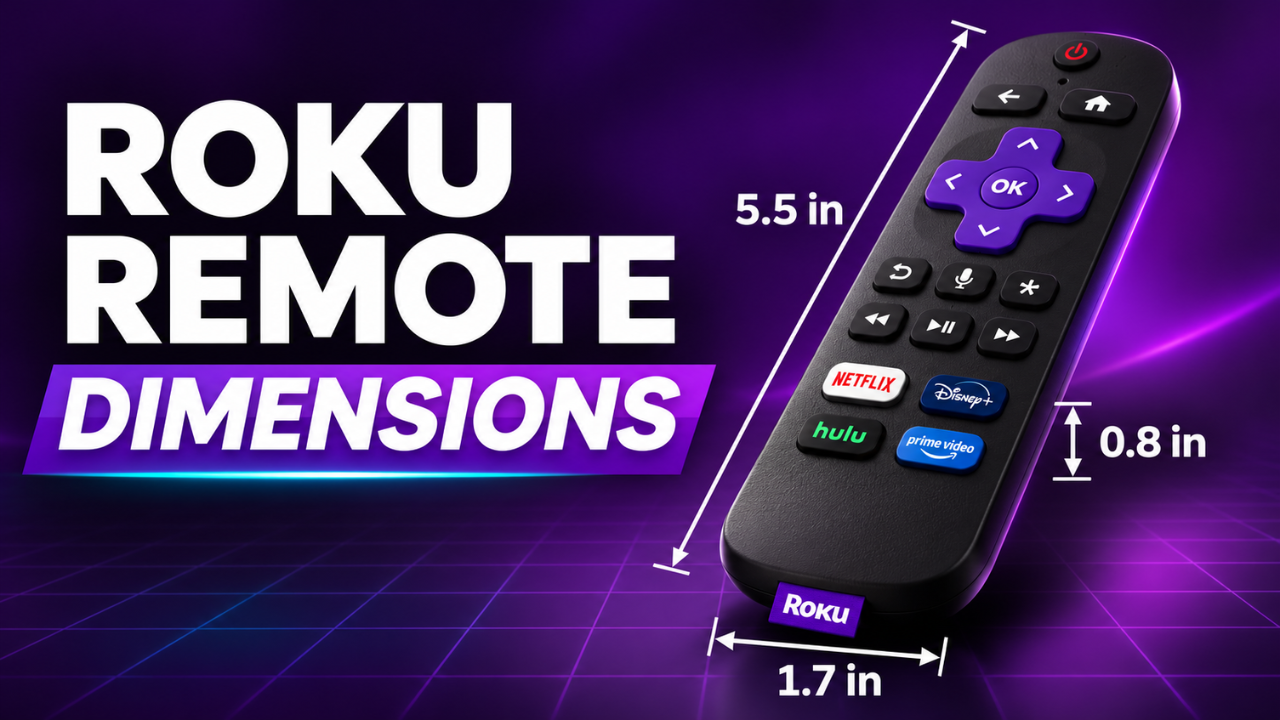
Roku Remote Dimensions: A Simple Size Guide for Every Model
A Roku remote looks small enough that its exact size shouldn’t matter—until you order a silicone cover that blocks the side buttons or a wall holder that’s just a little too tight. Then a difference of a few millimeters becomes surprisingly annoying.
The quick answer is that most current Roku remotes are about 5.5 inches long, 1.7 inches wide, and 0.8 inches thick. The standard Roku TV Remote is slightly longer at 5.7 inches. Those numbers are close, but the remotes aren’t automatically interchangeable. Button layouts, side controls, charging ports, and wireless technology can all differ even when two models have almost the same footprint.
Table of Contents
- The quick answer on Roku remote size
- Current Roku remote dimensions by model
- Why most Roku remotes are nearly the same size
- Which measurement matters most for a case or holder?
- How to measure your Roku remote correctly
- Size and compatibility are two different things
- What about older Roku remotes?
- How the size feels in everyday use
- Choosing the right case, holder, or replacement
- The practical takeaway
The quick answer on Roku remote size
For a fast estimate, picture a remote that’s a little shorter than a modern smartphone but noticeably narrower. A typical current Roku remote measures roughly 5.5 × 1.7 × 0.8 inches, or around 140 × 42–43 × 20 millimeters.
That’s useful for planning a drawer compartment or loose-fitting universal holder. It isn’t precise enough for a fitted case, though. A snug accessory needs to match the exact model.
The standard Roku TV Remote breaks the pattern slightly. At about 5.7 inches long, it adds 0.2 inch, or 5 millimeters. That sounds tiny. In a rigid holder with no spare room, it can be the difference between a clean fit and an awkward one.
Current Roku remote dimensions by model
Here are the published measurements for Roku’s main current replacement remotes. Dimensions are listed as length × width × height.
| Roku remote model | Dimensions in inches | Dimensions in millimeters |
|---|---|---|
| Roku Players Remote, also called Simple Remote | 5.5 × 1.7 × 0.8 in | 140 × 43 × 20 mm |
| Roku Voice Remote | 5.5 × 1.65 × 0.78 in | 140 × 42 × 20 mm |
| Roku Voice Remote Pro, 2nd edition | 5.5 × 1.7 × 0.8 in | 140 × 42 × 20 mm |
| Roku TV Remote | 5.7 × 1.7 × 0.8 in | 145 × 42 × 20 mm |
Some inch and metric figures don’t convert perfectly. That’s normal rounding, not a hidden size difference. For example, 42 millimeters is about 1.65 inches but may be listed as 1.7 inches.
These figures describe the remote, not its retail box. Treat them as nominal measurements because raised buttons and protective covers add a little to the final size.
Why most Roku remotes are nearly the same size
Roku has kept a recognizable shape across its range. The narrow body is easy to hold with one hand, while the directional pad sits where a thumb naturally lands. There’s enough length for navigation and playback without feeling like an old cable-TV controller.
That consistency makes switching devices less jarring. If you have a Roku TV in the living room and a player in the bedroom, your hand doesn’t have to relearn the basic layout.
Similar dimensions don’t mean identical shells. Voice models can have side controls, while the rechargeable Pro needs a charging port and extra electronics. Roku fits those differences into nearly the same footprint.
Which measurement matters most for a case or holder?
It depends on what you’re buying.
For a silicone case, shape and button layout matter more than a tiny length difference. The openings must align with the microphone, side controls, power button, and charging port. Two 5.5-inch remotes may still require different covers.
For a wall holder or tabletop caddy, width and thickness matter most. A 1.7-inch slot with no clearance may grip too firmly. A universal slot around 1.9 to 2 inches wide allows easy removal and can accommodate a thin cover.
Length matters when the holder encloses the remote. About 6 inches of internal length leaves room for the 5.7-inch Roku TV Remote without creating an oversized box.
How to measure your Roku remote correctly
If you already have the remote, your own measurement is more useful than a generic product listing—especially with older or third-party models.
Place it on a flat surface. Measure top to bottom for length, across the widest part for width, and from the back shell to the front face at the thickest point for height. Don’t flatten its curved back.
A ruler works for a quick check, but calipers are better for a 3D-printed mount. Measure without a case, then repeat with it installed. A chunky cover can add several millimeters on every side.
Here’s a common mistake: measuring only the center width, then finding the lower body won’t slide into a tight clip. Check the widest point, side buttons, and shell taper. The holder shouldn’t press a button whenever you put the remote away.
Size and compatibility are two different things
This is the part that catches people out. A replacement remote can be the right physical size and still be completely wrong for the device.
The Roku Players Remote uses infrared, needs a clear line of sight, and isn’t made for Roku TV or Streaming Stick models. The Roku TV Remote is designed for Roku TVs, not as a universal replacement for every player.
Voice remotes connect wirelessly and support more Roku products, but older devices may still have limits. Check the device model and compatibility list before buying. Dimensions answer “Will it fit?” They don’t answer “Will it work?”
What about older Roku remotes?
Older Roku remotes don’t all follow one exact specification. Some included a headphone jack, gaming buttons, different battery covers, or a slightly fuller body. Third-party replacements introduce even more variation. Many imitate the familiar Roku outline while changing the thickness, key spacing, or infrared window.
If you’re unsure which remote you own, look under the battery cover for a model number. On rechargeable models, inspect the back and lower edge. Search with that identifier rather than a broad marketplace title.
For fitted accessories, compare the power button, side volume rocker, shortcut keys, charging connection, and rear shape. Product photos often tell you more than the title.
How the size feels in everyday use
At 5.5 inches long, a Roku remote is compact without feeling miniature. Most adults can reach the directional pad and playback controls one-handed.
There is a trade-off. The slim body that looks neat on a coffee table also slips between sofa cushions with impressive efficiency. A bright silicone case adds visibility and grip, though it makes the remote wider and thicker.
For children or anyone with limited hand strength, the light, narrow design can be comfortable. Small buttons may be harder to locate by touch, so a textured case can help if its cut-outs align properly.
Choosing the right case, holder, or replacement
For a case, shop by exact model and visual layout. Use the dimensions as confirmation, not the main matching method. If a listing doesn’t show the side buttons and bottom edge, I’d skip it.
For an open holder, roughly 6 inches long, 1.9 to 2 inches wide, and at least 0.9 inch deep will suit most current remotes without a bulky case. A 3D-printed dock needs tighter tolerances, so measure the actual remote and leave room for easy insertion.
When buying a replacement remote, reverse the priorities: compatibility comes first, features come second, and size comes third. Check whether your device needs infrared or a paired wireless remote. Then decide whether you want voice control, TV power and volume, rechargeable power, backlit keys, or a lost-remote feature.
Let’s be honest, these remotes feel similar in the hand. The meaningful differences appear when you pair, charge, or fit one into a molded accessory.
The practical takeaway
Most current Roku remote dimensions sit close to 5.5 × 1.7 × 0.8 inches, with the Roku TV Remote reaching about 5.7 inches long. Use those figures for storage planning, but check the exact model, controls, and compatibility before buying a case or replacement.
If you’re making a holder, measure the remote you own and leave some clearance. If you’re replacing a lost remote, confirm compatibility first. That prevents two common disappointments: a remote that fits but won’t connect, and one that works but won’t fit its accessory.