Digital Transformation Tools: A Practical Guide to Smarter Business Change
A business can buy the newest software, move everything to the cloud, and still struggle with the same delays, repeated tasks, and unhappy customers. That’s because installing technology isn’t the same as transforming how a company works.
Real transformation happens when digital tools solve everyday problems. A sales representative finds customer information in seconds. A manager sees accurate performance data without waiting for a weekly report. An employee no longer spends half the afternoon copying details from one system into another.
Digital transformation tools make these improvements possible, but only when they’re chosen with a clear purpose. The goal isn’t to collect more software. It’s to create a simpler, faster, and more connected way of working.
Table of Contents
- What Digital Transformation Tools Really Do
- Start With the Problem, Not the Platform
- Tools That Connect People and Everyday Work
- Data Tools That Support Better Decisions
- Customer-Facing Tools That Create Smoother Experiences
- Automation, Integration, and the Work Between Systems
- Cloud and Security Tools That Make Change Sustainable
- How to Choose the Right Digital Toolset
- Roll Out New Tools Without Creating Chaos
- Measure Progress Through Real Business Results
- A Practical Takeaway
What Digital Transformation Tools Really Do
Digital transformation tools are software platforms that help a business modernise its processes, communication, customer service, decision-making, and use of data. They can replace manual work, connect separate departments, and give people quicker access to reliable information.
That definition sounds broad because transformation touches almost every part of a company. A small retailer might begin with cloud-based stock management. A growing agency may need a customer relationship management system. A large manufacturer could focus on automated reporting, connected machinery, and predictive maintenance.
The right starting point depends on where the business currently loses time, money, or opportunities.
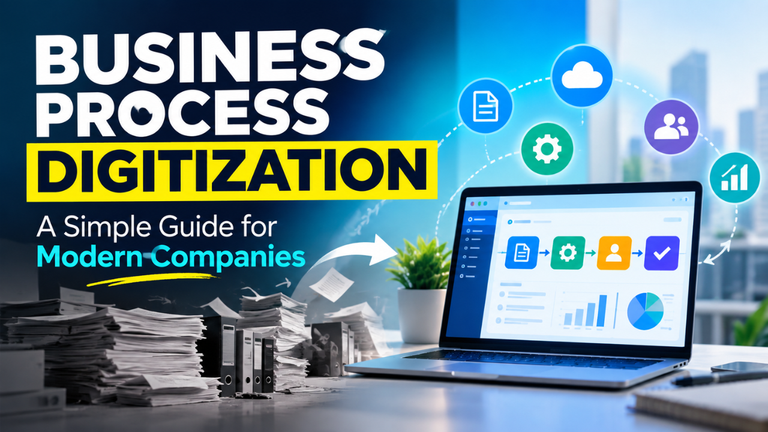
Here’s the thing: a tool creates value only when it improves a process. Turning a paper form into an online form is useful, but it’s still limited if employees must manually copy its information into three other systems. The stronger solution connects the form directly to the next stage of work.
That small difference separates basic digitisation from genuine digital transformation.
Start With the Problem, Not the Platform
It’s tempting to begin by comparing popular software. Companies see impressive dashboards, clever automation features, or polished demonstrations and start imagining how modern their operation could look.
Let’s be honest, that approach often leads to expensive digital clutter.
A better process begins with a specific source of friction. Perhaps customer enquiries regularly go unanswered because messages arrive through several channels. Maybe managers don’t trust their reports because every department uses different figures. Staff might be completing routine administrative tasks that could easily be automated.
Consider a small distribution company. Its warehouse team updates stock in a spreadsheet, while the sales team records orders in a separate system. When a salesperson promises an item that has already sold out, the problem isn’t a lack of effort. It’s a lack of connection.
In that situation, the company needs a shared inventory and order-management solution, not another communication app.
Before choosing any platform, identify the process that needs improvement, the people involved, and the result you expect. That keeps the technology connected to a real business need.
Tools That Connect People and Everyday Work
Communication and collaboration tools often form the first layer of digital transformation. Platforms such as Microsoft Teams, Slack, Google Workspace, and Zoom give employees shared spaces for conversations, meetings, documents, and updates.
Project-management tools add structure to that communication. Asana, Trello, Monday.com, and similar platforms help teams assign responsibilities, monitor deadlines, and see where work is getting stuck.
The practical benefit is visibility.
Imagine a marketing agency preparing a campaign for a client. Without a shared system, the designer might be waiting for copy that the writer believes has already been approved. Meanwhile, the account manager is searching through an email thread for the latest instructions. A central project workspace gives everyone the same version of the truth.
Knowledge-management tools such as Notion, Confluence, or an organised internal portal can also prevent useful information from disappearing inside inboxes. They give employees a searchable place for procedures, training material, templates, and company knowledge.
However, more communication tools don’t automatically create better communication. If one team uses email, another uses chat, and a third records decisions only during meetings, confusion remains. Clear rules about where information belongs matter just as much as the platform itself.
Data Tools That Support Better Decisions
Most businesses already have plenty of data. The real problem is that it’s often scattered across spreadsheets, accounting platforms, customer databases, and departmental systems.
Business intelligence tools bring that information together and turn it into reports or visual dashboards. Platforms such as Power BI, Tableau, and Looker Studio can help decision-makers spot patterns without reading endless rows of figures.
For example, a shop owner might notice that total sales increased during the month and assume everything is moving in the right direction. A clearer dashboard could reveal that returns also increased, profit margins fell, and one product category produced most of the complaints. The headline number looked positive, but the fuller picture tells a different story.
Good data tools make that picture easier to see.
They’re only as reliable as the information underneath them, though. Duplicated customer records, inconsistent product names, and missing fields can turn a beautiful dashboard into a confident display of inaccurate results.
Before building complex reports, businesses should decide which figures matter, where the data comes from, and who is responsible for keeping it clean. A simple dashboard built on trustworthy information is far more useful than an impressive one nobody believes.
Customer-Facing Tools That Create Smoother Experiences
Customer relationship management tools, commonly called CRM systems, keep sales conversations, contact details, support history, and follow-up activity in one place. Salesforce, HubSpot, and Zoho CRM are familiar examples, although the right choice depends heavily on company size and complexity.
A CRM can prevent small but costly mistakes. Suppose a customer calls after speaking with another employee the previous day. Instead of asking the customer to explain everything again, the new representative can review the earlier conversation and continue from there.
That feels simple, but customers notice it.
Other customer-facing transformation tools include ecommerce platforms, self-service portals, online booking systems, help-desk software, feedback tools, and personalised email platforms. Their shared purpose is to reduce effort for the customer while giving employees better context.
Convenience should remain the priority. A business doesn’t need to automate every interaction. Some issues are emotional, unusual, or financially sensitive and still require a real person. The strongest systems handle routine requests efficiently while making it easy to reach human support when necessary.
Automation, Integration, and the Work Between Systems
Some of the greatest digital improvements happen quietly in the background.
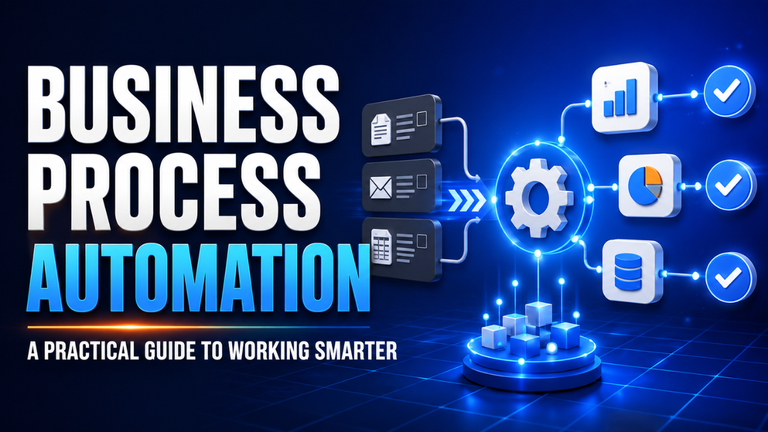
Automation tools handle repetitive, rule-based tasks. A submitted enquiry can create a CRM record, assign a salesperson, send an acknowledgement, and schedule a reminder without anyone moving the information manually.
Platforms such as Zapier, Make, Microsoft Power Automate, and UiPath support different levels of workflow automation. Some connect common business applications, while others can manage more detailed processes across older systems.
Integration tools are equally important because most companies don’t run on a single platform. Accounting, sales, marketing, inventory, and support systems must exchange information somehow.
Without integration, employees become the bridge. They download a file from one system, adjust it, and upload it somewhere else. That approach may work when the company is small, but it becomes slow and error-prone as activity increases.
Automation should still be introduced carefully. If a process is confusing or unnecessary, automating it simply allows the confusion to move faster. Simplify the workflow first, then automate the parts that are stable and repeatable.
Cloud and Security Tools That Make Change Sustainable
Cloud platforms let businesses access applications, storage, and computing resources without keeping everything on local office equipment. They can make remote work easier, support growth, and reduce dependence on a single physical location.
Cloud-based tools also make it simpler to update systems and give different teams controlled access to shared resources. That flexibility matters when a company opens another branch, hires remote staff, or experiences a sudden increase in demand.
Security must grow alongside that convenience.
Useful protection includes multi-factor authentication, identity and access management, secure backups, device monitoring, encryption, and regular software updates. Employees should receive only the access they need for their roles, and old accounts should be removed promptly.
A company can modernise quickly and still create serious risk if security is treated as a final technical task. It should be part of every purchasing, integration, and rollout decision from the beginning.
How to Choose the Right Digital Toolset
The best platform isn’t always the one with the longest feature list. It’s the one employees can realistically use and the business can manage over time.
Start by checking whether the tool solves the original problem. Then look at ease of use, integration options, security, support, total cost, and the ability to grow with the company.
Total cost deserves special attention. Subscription prices are only one part of the picture. Data migration, employee training, customisation, maintenance, and additional integrations may cost more than expected.
It’s also worth involving the people who will use the system every day. A senior manager may love a detailed reporting dashboard, while frontline employees find the data-entry process painfully slow. Both views matter because one group needs insight and the other creates the information behind it.
Whenever possible, test the tool with one team or workflow before committing to a company-wide rollout. A focused trial exposes practical problems while they’re still manageable.
Roll Out New Tools Without Creating Chaos
People rarely resist technology simply because it’s new. More often, they resist unclear changes that make their work harder.
Explain what problem the tool is solving, how daily routines will change, and where employees can get help. Training should use real tasks rather than a long tour of every available feature.
A finance employee needs to know how to approve an expense, find a payment record, and correct an error. They probably don’t need a two-hour demonstration of settings they’ll never touch.
Introduce the essential functions first. Once people feel comfortable, additional features can follow. It also helps to appoint a few capable users who can answer everyday questions and collect feedback from their teams.
Most importantly, remove the old process when the new one is working. If employees must update both the new platform and the original spreadsheet, they’ll see transformation as extra work rather than improvement.
Measure Progress Through Real Business Results
Success shouldn’t be measured by how many tools a company installs. It should be measured by what becomes faster, cheaper, safer, or easier.
A business might track shorter response times, fewer manual errors, quicker order processing, improved customer retention, reduced administrative work, or better forecasting accuracy. The relevant measure depends on the problem that prompted the change.
Employee feedback provides another useful signal. If a system appears successful on a dashboard but staff continue building private spreadsheets to avoid using it, something isn’t working.
Review results after the rollout and keep adjusting. Digital transformation isn’t a single project with a neat finish line. Business needs change, customer expectations move, and yesterday’s efficient process can become tomorrow’s bottleneck.
A Practical Takeaway
Digital transformation tools can connect teams, organise data, improve customer experiences, automate repetitive work, and give a business room to grow. Yet the technology itself isn’t the transformation.
The real change comes from understanding how work happens, removing unnecessary friction, and giving people tools that genuinely help them do their jobs.
Start with one meaningful problem. Fix the process, choose the right technology, involve the people affected, and measure the result. That steady approach may look less dramatic than buying several new platforms at once, but it’s far more likely to create lasting progress.