
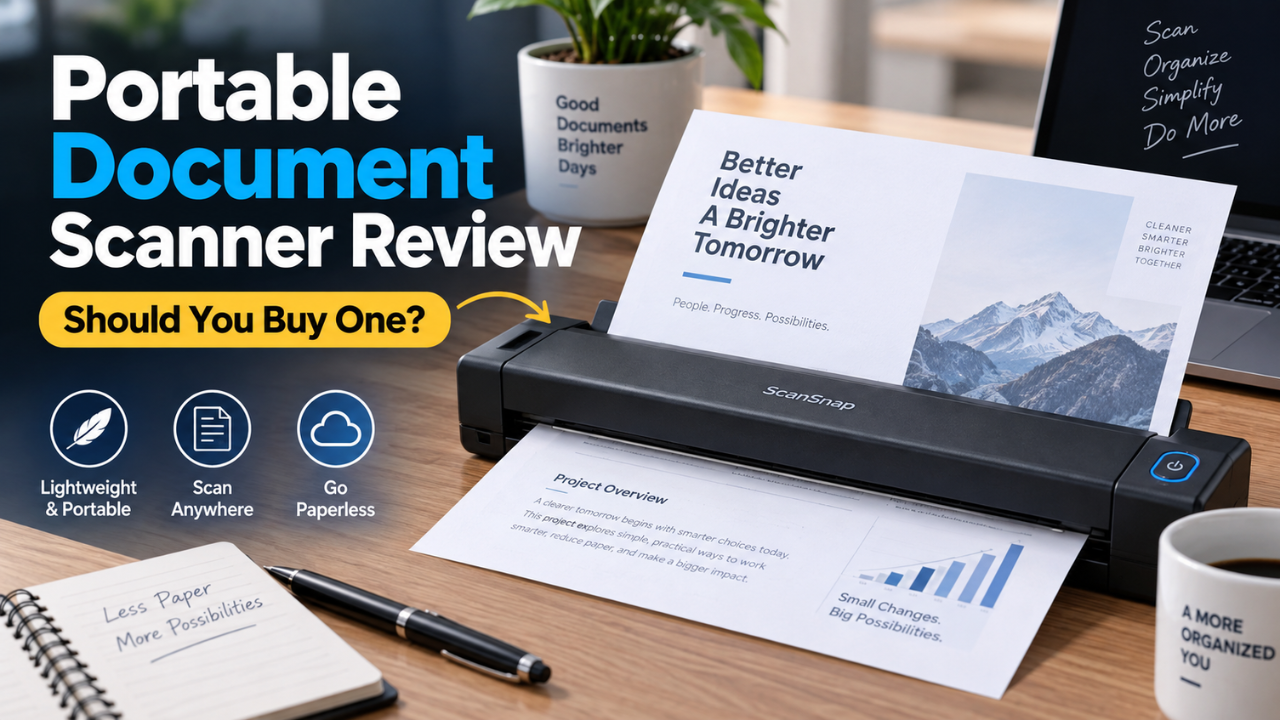
Portable Document Scanner Review: Should You Buy One?
Paperwork has a habit of arriving when you’re least prepared for it. A receipt gets pushed into your laptop bag. A signed form sits on the kitchen counter. Then someone asks for a digital copy, and suddenly you’re trying to photograph a document without catching your own shadow.
A portable document scanner promises to make that job easier. Feed in the paper, save the file, and move on. But the smallest scanner isn’t always the most convenient, and a fast scanning speed doesn’t tell you how much work happens afterward.
My view is that these devices make sense for people who regularly handle loose paperwork, especially away from a fixed office. This review looks at the category’s practical strengths and limitations, using published specifications where relevant rather than claiming hands-on testing of a particular model.
Table of Contents
- What a Portable Document Scanner Actually Offers
- Portability Means More Than a Small Body
- Scan Quality That Matters for Everyday Paperwork
- Why Paper Handling Changes Everything
- Software Can Make or Break the Experience
- USB, Wireless, and Battery Power
- Can Your Phone Do the Same Job?
- The Annoyances Worth Knowing About
- Who Should Buy a Portable Scanner?
- Final Verdict: Buy for Your Paperwork Habits
What a Portable Document Scanner Actually Offers
Most portable document scanners pull loose sheets through a narrow scanning slot. Some accept one page at a time, while others include an automatic document feeder that holds a small stack.
That difference matters more than it first appears.
If you scan a few receipts after a business trip, feeding them individually may feel perfectly reasonable. If you regularly save ten-page agreements, the same process quickly becomes repetitive.
For a concrete example, Epson lists its WorkForce ES-50 as a USB-powered portable A4 scanner weighing 270 grams, with scanning speeds of up to 5.5 seconds per sheet. Those published specifications illustrate the appeal of this category: a small device that travels easily with a laptop. They don’t establish how quickly you’ll finish sorting, checking, and saving an entire batch. Epson’s official product details.
The main benefit is having a repeatable way to turn loose paper into usable files wherever you work.
Portability Means More Than a Small Body
A scanner can fit neatly into your bag and still feel awkward once you set it up.
You need space for the document to enter and leave the machine. Depending on the paper path, that might mean clearing an area behind it. A narrow café table covered by a laptop and coffee cup can suddenly feel much smaller.
Cables deserve attention too. A lightweight scanner loses some convenience if you constantly hunt for an adapter or discover that its supplied cable doesn’t connect directly to your laptop.
I’d judge portability by the complete setup: scanner, cable, protective case, and any required accessories.
Think about where you’ll actually use it. Moving between home and an office is different from scanning paperwork in a parked vehicle or at a client’s crowded desk. The working space matters just as much as the packed dimensions.
Scan Quality That Matters for Everyday Paperwork
For documents, useful scan quality means readable text, complete page edges, and enough detail to preserve small numbers and handwritten notes.
A practical starting point for ordinary printed paperwork is 300 dpi. Increase the resolution when small text or fine detail needs it, then check whether the improvement justifies the larger file.
Scanning everything at the highest setting can make storage and sharing unnecessarily awkward.
Color settings also deserve a moment’s thought. Black-and-white mode can produce compact, clear files from clean printed pages, but aggressive processing may remove faint marks. Grayscale often handles subtle shading better. Color is useful when highlighted sections, colored annotations, or stamps carry meaning.
Imagine scanning an invoice with a faint pencil correction beside the total. A page that looks beautifully clean at first glance isn’t useful if that correction disappears.
Always inspect a representative page before processing the rest of a batch.
Why Paper Handling Changes Everything
Here’s the thing: a scanner’s speed matters less when you spend most of your time straightening paper.
Receipts curl. Folded letters resist lying flat. Thin sheets can enter at an angle. Reliable feeding is therefore one of the most valuable qualities to look for in model-specific reviews.
An automatic document feeder helps with batches, but it still has limits. Check the supported paper sizes, thicknesses, and condition requirements before assuming it will accept every document on your desk.
Duplex scanning is another feature worth understanding. Automatic duplex scanning captures both sides without requiring you to turn each sheet over manually. For contracts and application forms, that can remove a surprising amount of repetitive work.
Single-sided scanning remains reasonable for occasional use. Just remember that a ten-sheet document with printing on both sides creates twenty page images to manage.
Remove staples, unfold corners, and follow the manufacturer’s guidance. Fragile originals and bound pages usually call for a different scanning method.
Software Can Make or Break the Experience
The hardware captures the page. The software determines how easily you can use it afterward.
Look for straightforward controls for rotating pages, correcting orientation, rearranging a document, and saving several scans into one PDF. These are ordinary tasks, but clumsy menus can make them feel like a project.
Optical character recognition, usually called OCR, adds another useful layer. It recognizes printed text so compatible software can make a scanned document searchable.
Suppose you save fifty supplier invoices over several months. Searching for a business name is much easier than opening every file individually.
However, searchable text doesn’t guarantee perfect recognition. Faint printing, unusual fonts, poor originals, and complicated layouts can cause mistakes. Check important amounts and reference numbers before copying recognized text elsewhere.
Before buying, confirm which software features are included with the exact model and regional package. Also check whether they work with your computer’s operating system and whether any useful functions require a separate payment.
A simple saving process beats a long feature list you rarely touch.
USB, Wireless, and Battery Power
USB power makes sense when you already work beside a laptop. One connection can keep the setup compact, and there’s no scanner battery to remember to charge.
Still, check the actual requirements. A USB connector doesn’t automatically mean the device works with a phone, tablet, or every computer port.
Wireless models may suit people who want more freedom in where they place the scanner or send files. But wireless support needs careful reading. Confirm which devices, applications, and connection methods the model supports.
Battery power is a separate feature. A scanner can offer wireless connectivity while still needing an external power source.
For laptop-based work, I’d favor a dependable wired connection unless wireless solves a specific problem. If you want to scan without opening a computer, verify that the complete workflow supports that goal before purchasing.
Can Your Phone Do the Same Job?
For occasional paperwork, quite possibly.
A phone scanning app can be enough when you need to send one signed page or keep a copy of a receipt. You already own the hardware, and setup takes very little effort.
The trade-off appears when conditions become inconsistent. Overhead lights create glare. Your hand casts a shadow. A folded page refuses to stay flat. Capturing several pages also means checking framing and focus repeatedly.
A sheet-fed scanner provides a more controlled capture process for suitable loose documents. That consistency becomes useful as the amount of paperwork increases.
Phones still have advantages. They can photograph pages in a bound notebook, capture awkwardly sized material, and handle situations where feeding the original through rollers isn’t appropriate.
I wouldn’t buy a dedicated scanner simply to replace three phone scans a month. Regular document handling makes a stronger case.
The Annoyances Worth Knowing About
Portable scanners need some routine attention.
Dust or debris in the scanning path can leave marks on images. Rollers may need cleaning according to the manual. Carrying the device loose beside crumbs, keys, and charging cables is unlikely to help.
Paper compatibility can also disappoint buyers who expect universal support. Long receipts, thick cards, and unusually small documents may have different requirements. Never assume that support for one type of card means support for every card.
File management is another overlooked frustration. A folder full of “Scan001” and “Scan002” becomes difficult to navigate surprisingly quickly.
Use a simple naming habit, such as the date followed by the supplier or document type. Save files into a consistent location, and check that the saved document contains every page before putting the originals away.
The scanner reduces capture work. Organization still needs a small amount of attention.
Who Should Buy a Portable Scanner?
A portable scanner is a sensible option for freelancers, mobile workers, and small business owners who regularly collect loose documents.
It can also suit someone with limited desk space who wants to scan paperwork and put the device away afterward.
Choose a compact single-sheet model when your batches are small and carrying weight matters most. Consider a feeder and automatic duplex scanning when multipage documents appear frequently.
If you’re clearing years of archived paperwork, a desktop scanner may be the more comfortable choice. Feeding hundreds of pages individually is a poor use of an otherwise convenient travel device.
For books, delicate originals, or important photographs, consider whether a flatbed or overhead scanner better matches the material.
Final Verdict: Buy for Your Paperwork Habits
A portable document scanner earns its place by making a recurring task easier. Its strongest appeal is consistent scanning of loose paperwork without keeping a large machine on your desk.
Before choosing one, count the pages you typically handle, notice how often both sides contain information, and think about where the scanning happens. Those answers will tell you more than the highest advertised speed.
For occasional documents, your phone may already be enough. For regular paperwork, the right portable scanner can make saving clean, organized digital copies feel like a quick routine instead of another unfinished job.




One Comment