

Software Development Life Cycle Stages: From Planning to Deployment
A software project can go wrong long before anyone writes code. Sometimes the team solves the wrong problem. Sometimes a small feature turns into three months of extra work. And sometimes everything looks fine until real users start clicking buttons nobody thought they’d click.
The software development life cycle gives that work a structure. It helps teams decide what to build, how to build it, and how to keep it useful after launch.
You don’t need to manage a huge engineering department to understand it. Whether you’re hiring a developer, building your first app, or working with a software team, knowing the software development life cycle stages makes conversations clearer and decisions easier.
The stages aren’t rigid boxes, though. Real projects move back and forth as teams learn what works.
Table of Contents
- What Is the Software Development Life Cycle?
- Planning: Decide Whether the Idea Is Worth Building
- Requirements: Get Clear About What Users Need
- Design: Work Out How Everything Will Fit Together
- Development: Turn the Plan Into Working Software
- Testing: Check More Than the Happy Path
- Deployment: Release Without Unnecessary Surprises
- Maintenance: Keep the Software Useful and Reliable
- How the Stages Work in Different Development Models
- What Makes the Whole Process Work Better
What Is the Software Development Life Cycle?
The software development life cycle, usually shortened to SDLC, is a structured approach to creating and maintaining software. It covers the journey from an initial problem to a working product and its ongoing upkeep.
A common breakdown includes seven stages: planning, requirements, design, development, testing, deployment, and maintenance.
You’ll sometimes see sources combine planning with requirements or put testing alongside development. That doesn’t necessarily mean they disagree. The names and boundaries vary, but the core work remains similar.
Think of a local repair company that wants customers to book appointments online. Building a calendar screen is only part of the job. Someone must decide how bookings work, prevent double bookings, protect customer details, and handle cancellations. The SDLC helps the team account for all of that.
Planning: Decide Whether the Idea Is Worth Building
Planning starts with a question that sounds obvious: what problem are we trying to solve?
Surprisingly, teams often skip past it. A business asks for an app when a simpler booking form might do the job. Someone requests a dashboard without knowing which decisions it should support.
At this stage, the team looks at the project’s purpose, scope, likely costs, available skills, and major risks. It also considers feasibility. Can the software work with existing systems? Can the business afford to operate it?
For the repair company, the goal might be reducing phone bookings rather than creating a full customer portal.
That distinction matters. A focused first release could let customers choose a service and request an appointment. Loyalty points and live technician tracking can wait.
Good planning produces a realistic direction, a rough schedule, and clear boundaries. It doesn’t require pretending every detail is already known.
Requirements: Get Clear About What Users Need
Once the project has a purpose, requirements turn that purpose into specific expectations.
“Customers should book online” sounds clear until a developer asks a few questions. Can customers choose a technician? How far ahead can they book? What happens when two people request the same slot?
These details shape the product.
Functional requirements describe what the software does, such as accepting bookings or sending confirmations. Nonfunctional requirements describe qualities it needs, including performance, accessibility, reliability, and security.
Useful requirements should also be testable. “The booking system should be fast” leaves too much room for interpretation. A measurable response-time target under an agreed workload gives everyone something concrete to check.
Talk to the people who will actually use the system. A receptionist may spot scheduling problems that never occur to a project manager.
The result should be an agreed set of needs and acceptance criteria: the conditions a feature must meet before the team considers it complete.
Design: Work Out How Everything Will Fit Together
Design covers both the user experience and the technical structure behind it.
On the user side, the team maps journeys, sketches screens, and builds prototypes. On the technical side, it decides how data will be stored, how components communicate, and how access will be controlled.
For an appointment system, the interface might show available dates. Behind that screen, the software needs rules for working hours, service duration, and technician availability.
A prototype can expose confusion before development becomes expensive. If customers can’t tell whether they’ve requested an appointment or confirmed one, the design needs attention.
This is also the time to examine technical trade-offs. A complicated architecture may offer flexibility, but it also creates more things to maintain.
My preference is simple: choose a design the team can comfortably support. Complexity should solve an actual problem.
Development: Turn the Plan Into Working Software
Development is where the team implements features, connects services, and creates the parts users will interact with.
The work usually happens in manageable pieces. A developer might build account access first, then appointment selection, then confirmation messages.
Version control tracks changes and helps people work together. Code reviews give another developer a chance to catch unclear logic, mistakes, or maintenance problems before changes move forward.
Developers also write and run automated tests during this stage. Testing isn’t something that begins only when coding stops.
Small batches make problems easier to locate. If a booking feature breaks after a modest change, the team has fewer places to investigate.
Progress should mean working behavior, not just completed code. A confirmation screen has limited value if the booking never reaches the company’s schedule.
Testing: Check More Than the Happy Path
Testing asks whether the software behaves as expected, including when conditions aren’t ideal.
The happy path is straightforward: a customer chooses an available appointment, enters valid details, and receives confirmation.
Now consider the less tidy version. Their internet connection drops. They tap the button twice. Another customer selects the same appointment at almost the same moment.
Those situations deserve attention too.
Different tests answer different questions. Unit tests check small pieces of logic. Integration tests check whether components work together. System tests examine the application as a whole, while user acceptance testing checks whether it meets agreed business needs.
Depending on the product, teams also assess performance, accessibility, and security.
When testers find a defect, developers fix it and check that the change hasn’t broken something else. That follow-up is called regression testing.
Testing reduces uncertainty. It doesn’t prove that software contains no defects.
Deployment: Release Without Unnecessary Surprises
Deployment moves software into the environment where people will use it.
That can involve more than uploading files. Teams may need to configure services, update databases, set permissions, and check connections to other systems.
A staging environment provides a place to rehearse the release under conditions similar to production. It’s especially useful when changes affect existing data.
The team should also know what happens if the release fails. Can it restore the previous version? Are backups usable? Would a database change make reversal difficult?
For the repair company, a gradual rollout might start with one branch before expanding to all locations.
After release, someone needs to watch error reports and confirm that bookings actually arrive. A successful deployment process doesn’t automatically mean the customer journey works.
Maintenance: Keep the Software Useful and Reliable
Launch is a milestone, but the software still needs care.
Maintenance includes fixing defects, updating dependencies, improving performance, and adapting to changing needs. External services change. Browsers evolve. Customers discover situations the original team didn’t anticipate.
Monitoring helps teams notice problems early. A sudden increase in failed bookings, for example, deserves investigation even if nobody has complained yet.
User feedback matters just as much. If customers repeatedly call to ask how to reschedule, the feature may be technically correct but difficult to use.
Maintenance also means deciding what to improve and what to leave alone. Every addition brings future support work.
Eventually, software may need replacement or retirement. Exporting needed data and closing old systems properly are part of responsible ownership too.
How the Stages Work in Different Development Models
The software development life cycle stages describe the work involved. Development models influence how teams organize that work.
In a Waterfall approach, projects generally move through defined phases in sequence. This can suit work with stable requirements and formal approval needs, although late changes may be expensive.
Agile approaches repeat these activities in smaller cycles. A team might plan, design, build, test, and release a limited feature, then adjust its next steps based on feedback.
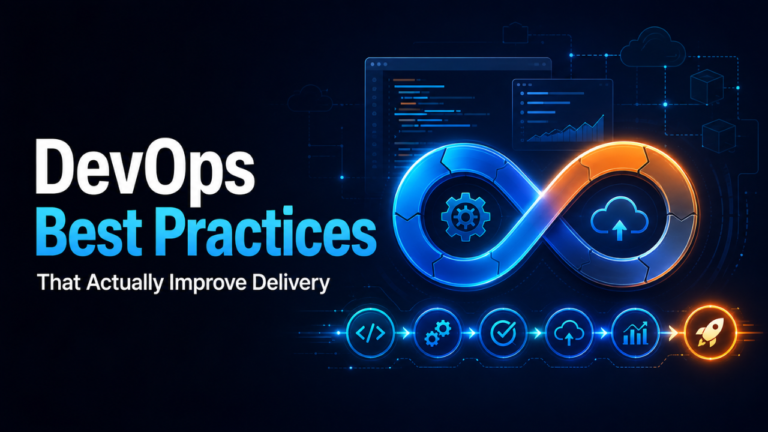
DevOps practices strengthen cooperation between development and operations, often using automation to make testing, releases, and monitoring more consistent.
These approaches don’t remove the need to understand requirements or maintain software. They change the timing, batch size, and coordination.
A small team might discuss a requirement in the morning, develop it that afternoon, and release it later that week. The stages still exist, even without separate departments handling each one.
What Makes the Whole Process Work Better
The biggest improvements usually come from clear decisions and short feedback loops.
Agree on what success looks like before development starts. Keep requirements specific enough to test. Review working software regularly, and make sure someone owns release decisions and ongoing support.
Security and accessibility should receive attention throughout the process. Leaving either until the final review can force avoidable rework.
Above all, treat new information as useful. If a prototype shows that customers misunderstand the booking flow, changing it is progress.
The SDLC works best when it helps people ask the right questions at the right time. Start with a clear problem, build in manageable pieces, check real behavior, and keep learning after launch. That’s how an idea becomes software people can depend on.


One Comment