Intelligent Process Automation: How It Works in Real Life
An invoice lands in a shared inbox. Someone opens the attachment, copies the details into another system, checks the purchase order, then emails a manager for approval. Nothing looks especially difficult. Yet the invoice might sit there for three days.
That gap between simple tasks and slow results is where intelligent process automation becomes useful. It helps connect the steps, interpret incoming information, and move work forward within defined boundaries.
The attraction is easy to understand: less copying, less chasing, fewer forgotten requests. Getting there takes more than switching on software, though. You need a process that makes sense, reliable information, and a clear plan for exceptions.
Table of Contents
- What Intelligent Process Automation Actually Does
- Why It Goes Beyond a Basic Workflow
- Where It Helps in Everyday Work
- Choose a Process Before Choosing Software
- Give People a Clear Place in the Workflow
- Count the Costs Beyond the Subscription
- Measure the Result, Then Expand
What Intelligent Process Automation Actually Does
Intelligent process automation, often shortened to IPA, combines routine software actions with capabilities that interpret information and coordinate business workflows. Depending on the task, those capabilities can include document recognition, language analysis, and predictions based on learned patterns.
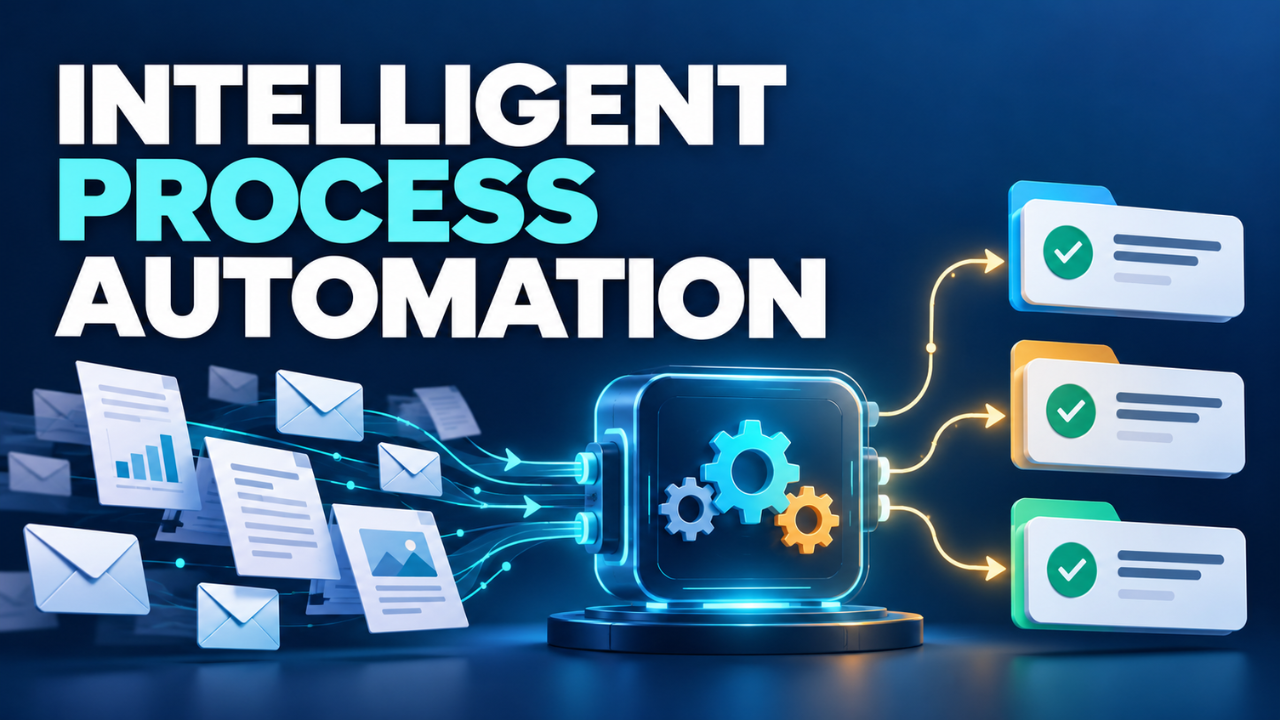
Each part has a different job. One component reads incoming information. Another applies business rules. Workflow software tracks the case and passes it to the right person or system.
Take that invoice. A configured workflow could identify the supplier, extract the invoice number and total, compare them with purchasing records, and request approval. If something doesn’t match, it could pause the case for review.
The important detail is that interpretation and permission are separate. Reading an invoice total doesn’t automatically authorize a payment.
Nor does “intelligent” mean the system understands everything. Its results depend on the documents, examples, rules, and connections available to it. A blurred attachment or unfamiliar format may still need someone’s attention.
Why It Goes Beyond a Basic Workflow
A basic automation follows a clear instruction: when a form arrives, create a task. That’s useful, and plenty of businesses don’t need anything more complicated.
The difficulty starts when the information arrives in different shapes. One customer uses a form. Another sends a long email. A supplier attaches a scanned document with the details in an unfamiliar layout.
Document processing can turn those files into readable text, identify their type, and extract selected information for validation. Those are distinct steps, each with its own potential errors.
Robotic process automation, or RPA, often handles the repetitive actions that follow, such as entering approved details into an application. IPA brings that task execution into a broader workflow.
Here’s the thing: greater complexity needs a reason. If a simple rule handles the work reliably, keep it. Adding interpretation where it’s unnecessary creates more to maintain without necessarily improving the result.
Where It Helps in Everyday Work
Look for work that repeats often but includes some variation.
Customer support is an easy example. Suppose a retailer receives hundreds of messages about delivery updates, damaged items, and returns. A configured system could classify those messages, retrieve order details, and send each request to the appropriate queue.
A routine delivery question might move through quickly. A complaint about multiple failed deliveries could be sent directly to an experienced employee, along with the customer’s order history.
Employee onboarding offers another opportunity. After someone accepts an offer, several teams need information. HR collects documents, IT prepares access, and facilities arranges equipment. A connected workflow can track progress and flag missing steps before the person’s first morning.
The useful outcome is fewer occasions when someone asks, “Who’s supposed to handle this?”
Even so, volume alone doesn’t make a process suitable. A small number of unusual, sensitive cases may be better handled directly by people. Automation earns its place when the saved effort outweighs the setup, checking, and ongoing support.
Choose a Process Before Choosing Software
I’d start with a process people already complain about, then watch how it actually works.
Ask the person doing the job to walk through recent cases. Where does information arrive? Which details get copied? What causes delays? Who fixes mistakes?
Pay particular attention to work outside the official process. A spreadsheet on someone’s desktop may contain the supplier reference that makes every other step possible. An experienced employee may quietly correct incomplete requests before anyone else sees them.
Those details belong in the design.
Next, remove unnecessary steps. If three people approve the same routine request without adding different checks, review the approval policy before automating the handoffs. Faster movement through an awkward process can leave the underlying problem intact.
Choose a narrow pilot with a clear beginning and end. Processing one document type for one team is easier to assess than redesigning an entire department.
Use ordinary examples alongside awkward ones: missing fields, duplicate requests, poor scans, and unfamiliar wording. A pilot should show where the workflow struggles as well as where it succeeds.
Give People a Clear Place in the Workflow
Human review needs a defined purpose. “Simply saying “Someone will look into it” doesn’t provide a clear plan of action..
Specify which situations require review, who receives them, and what information that person needs. A reviewer should see the original request, the extracted details, and the reason the system paused.
Some document tools provide confidence scores to help identify uncertain results and support human validation. Treat those scores as signals to evaluate against real examples, rather than guarantees that a field is correct.
Keep responsibility for sensitive actions explicit. Updating a contact label and changing a supplier’s payment details deserve different approval requirements.
Failures need their own route, too. If a connection drops during a record update, the workflow should check whether the update succeeded before trying again. Otherwise, a temporary problem can create duplicate work.
Also decide who owns a stuck case. An exception queue without an owner can become the same old shared inbox under a new name.
People need a practical way to pause the workflow, correct information, and understand what has already happened.
Count the Costs Beyond the Subscription
The subscription price is only one part of the decision.
Someone has to connect systems, prepare examples, configure rules, test changes, and support the workflow after launch. Employees also need time to learn how to review exceptions.
Ask what happens when a connected application changes, a supplier introduces a new document layout, or request volumes rise. Understand which changes your team can manage and which require outside help.
Data access deserves equal attention. Check what information moves between systems, who can see it, and how long it stays available. Give each connection the access it needs for its job.
Let’s be honest: a polished demonstration doesn’t answer these questions.
A useful trial runs on representative work and includes the difficult cases. It should also leave you with a workable fallback if the system becomes unavailable. That might mean returning selected cases to a manual queue while someone investigates.
Measure the Result, Then Expand
Before the pilot starts, record how the process performs today. Measure the time from arrival to completion, the effort employees spend on each case, and how often work needs correction.
Those numbers give you something meaningful to compare.
Suppose entering information takes two minutes, but waiting for approval takes two days. Faster data entry may help employees while barely changing the customer’s experience. The approval delay still needs attention.
Watch the review queue as closely as the automated steps. If most cases need manual correction, investigate the cause before increasing volume. The issue might be poor inputs, unsuitable rules, or a task that’s harder than expected.
Ask employees about the workload, too. Handling exceptions all day can be more demanding than processing a mixture of straightforward and difficult cases. Time saved should translate into a manageable job.
Expand when the pilot demonstrates reliable results and someone can maintain it. Intelligent process automation becomes useful through these practical choices: a clear task, dependable checks, and people who know when to step in. Start with one frustrating piece of work, make it run better, and let the evidence guide what comes next.