Business Process Automation With AI: A Practical Guide for Smarter Work
Most businesses don’t have a shortage of people. They have a shortage of time.
Employees spend hours copying information between systems, checking invoices, sorting emails, preparing reports, and chasing routine approvals. None of these tasks looks especially difficult. Together, though, they quietly consume a large part of the working week.
Business process automation with AI changes that. It combines automated workflows with technology that can interpret information, recognise patterns, and make basic decisions. Instead of simply following fixed instructions, the system can handle some of the messy, unpredictable work that traditional automation struggles with.
The goal isn’t to remove people from the business. It’s to stop talented people from working like machines.
Table of Contents
- What Business Process Automation With AI Actually Means
- Where Traditional Automation Falls Short
- Business Processes That Benefit Most
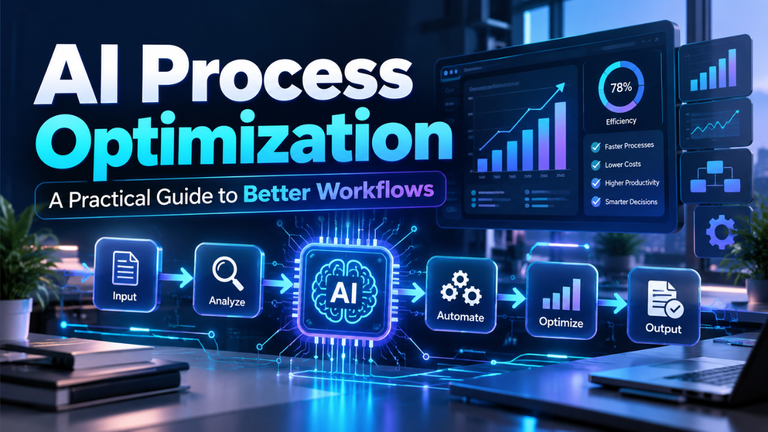
- What a Smart Automated Workflow Looks Like
- The Real Business Benefits
- Common Mistakes That Cause Automation Projects to Fail
- How to Start Without Disrupting the Business
- Why Human Oversight Still Matters
- Building a Business That Runs More Smoothly
What Business Process Automation With AI Actually Means
Traditional business process automation follows rules. If a customer completes a form, send a confirmation email. If an invoice exceeds a certain amount, forward it to a manager. If stock falls below a fixed number, create a purchase request.
That works well when information is structured and every situation follows the same path.
AI-powered automation goes further. It can read unstructured documents, understand the subject of an email, identify unusual transactions, predict demand, summarise customer conversations, and recommend what should happen next.
Imagine a property management company receiving hundreds of tenant emails each week. A normal automation tool might forward every message to the same inbox. A smarter system can recognise whether the tenant is reporting a leaking pipe, asking about rent, or requesting a contract copy. It can then assign the message to the right person, mark urgent repairs as high priority, and draft an appropriate response.
The workflow becomes faster without forcing every customer to use exactly the right words.
Where Traditional Automation Falls Short
Basic automation is useful, but it can be surprisingly fragile. Change a spreadsheet column, use a different invoice format, or phrase a request unexpectedly, and the workflow may stop working.
Real businesses aren’t perfectly organised. Suppliers send PDFs in different layouts. Customers misspell product names. Employees leave notes in emails rather than filling in the official form. Managers sometimes approve an unusual request because the situation genuinely calls for it.
Rule-based systems struggle with that uncertainty.
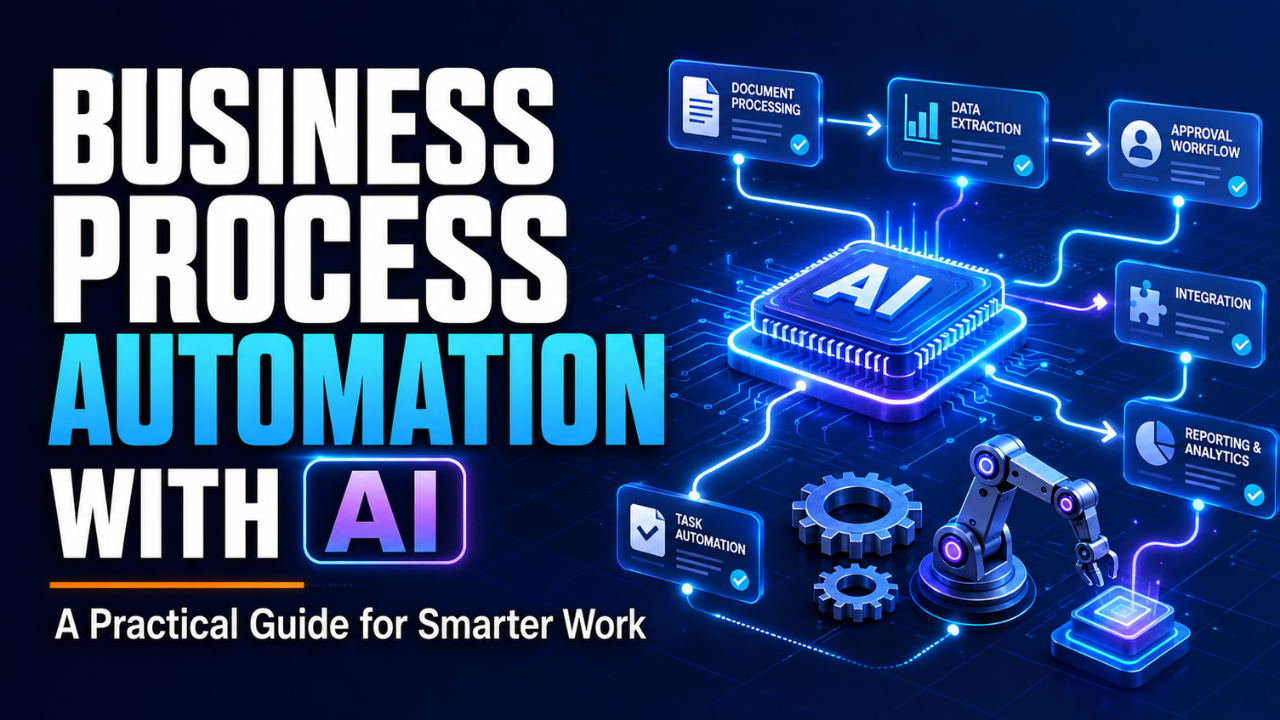
Business process automation with AI can work with information that isn’t perfectly structured. For example, it may extract a supplier’s name, invoice number, amount, and due date even when each supplier uses a different document design. It can compare those details with purchase orders and flag anything that looks wrong.
Here’s the thing: intelligent automation doesn’t eliminate business rules. It makes those rules more flexible by adding context. The strongest systems combine clear conditions with models that interpret information or estimate what is likely to happen.
Business Processes That Benefit Most
Not every task needs intelligent automation. Some processes are already simple enough for ordinary software. The best opportunities usually involve repetitive work, high volumes, frequent delays, or information that employees must read before taking action.
Customer service is an obvious example. Incoming messages can be classified by topic, urgency, language, and customer history. Straightforward questions may receive an automatic answer, while complicated or emotional cases go directly to a person.
Finance teams can use automation to capture invoice data, match transactions, identify duplicate payments, and prepare regular reports. An employee still handles exceptions, but the routine checking happens in the background.
Human resources departments can automate parts of recruitment and onboarding. Documents can be collected, employee records created, training scheduled, and common questions answered. Care is essential here, especially when systems influence hiring decisions. Efficiency shouldn’t come at the cost of fairness.
Sales teams also spend a surprising amount of time on administration. Automation can update customer records, summarise calls, prepare follow-up tasks, and highlight leads showing strong buying signals. A salesperson can then focus on the actual conversation rather than filling in fields after every meeting.
Other useful areas include:
- Inventory forecasting and purchase planning
- Contract and document review
- IT support ticket routing
- Quality-control monitoring
- Compliance checks
- Appointment scheduling
- Marketing campaign reporting
The common thread is simple: people repeatedly receive information, interpret it, and perform a predictable next step.
What a Smart Automated Workflow Looks Like
Let’s say a growing online retailer handles refund requests manually. A customer completes a form, a support agent checks the order, confirms the return period, reads the complaint, reviews previous refunds, and decides what to do.
During a busy week, that process creates a backlog.
An intelligent workflow can gather the order information automatically, classify the reason for the request, check the refund policy, and look for unusual behaviour. If everything is straightforward, it can approve the request and send return instructions. If the item is expensive, the customer has made several recent claims, or the details don’t match, the case goes to an experienced employee.
That last part matters. Good automation doesn’t pretend every situation is ordinary.
A sensible workflow usually has three paths: automatic approval for low-risk cases, human review for uncertain cases, and immediate escalation for serious problems. Employees should be able to see why a case was routed in a particular direction and correct the system when necessary.
Without that visibility, automation becomes a mysterious box that people learn not to trust.
The Real Business Benefits
Saving time is the most visible benefit, but it’s only the beginning.
Automated workflows can improve consistency. Two employees may process the same request differently, especially when they’re tired or under pressure. A well-designed system applies the same basic checks every time and documents what happened.
Accuracy often improves as well. Copying account numbers or customer details from one screen to another seems simple until someone transposes two digits. Removing unnecessary manual entry prevents many small errors before they reach a customer.
There’s also a quieter benefit: faster access to useful information. A manager might normally receive a monthly report showing late deliveries. By then, the damage has already happened. An automated system can monitor orders continuously and warn the team when delays start increasing.
Now decisions become proactive rather than reactive.
Employees benefit too. Let’s be honest, few people enjoy spending Friday afternoon renaming files or combining data from five spreadsheets. Removing that work gives them more room for judgment, communication, problem-solving, and creative thinking.
Still, automation doesn’t automatically produce savings. A confusing process that runs faster is still a confusing process. Businesses get the best results when they simplify the workflow before automating it.
Common Mistakes That Cause Automation Projects to Fail
One common mistake is beginning with the biggest process in the company. Leaders see a major operational problem and try to automate everything at once. The project becomes expensive, complicated, and difficult to test.
A smaller process usually makes a better starting point. It gives the team a chance to learn what works, measure the result, and fix problems without putting the whole business at risk.
Poor data is another issue. If customer records contain duplicates, missing fields, and outdated information, an automated system will make decisions using that mess. Technology can help clean data, but it can’t magically repair years of weak record-keeping without careful preparation.
Some businesses also forget to involve the employees who actually perform the work. A workflow may look logical to senior management while ignoring five exceptions that frontline staff deal with every day.
Then there’s over-automation. Just because a task can be automated doesn’t mean it should be. Sensitive complaints, unusual financial decisions, staff disputes, and high-value negotiations often require empathy or experienced judgment.
The best question isn’t, “Can software do this?” It’s, “Which parts should software handle, and where does a person add real value?”
How to Start Without Disrupting the Business
Begin by looking for a process that is repetitive, measurable, and slightly painful. It should happen often enough to matter but remain small enough to control.
Map the current workflow from beginning to end. Write down where information arrives, who checks it, what decisions they make, which systems they use, and where delays occur. This exercise often reveals unnecessary steps before any technology is introduced.
Next, choose one clear outcome. You might want to reduce invoice-processing time from three days to one, cut data-entry errors, or answer routine support requests within five minutes. A vague goal such as “improve productivity” is difficult to measure and even harder to manage.
Test the workflow with a limited group. Keep the old process available while employees compare the results. Record false approvals, missed information, unexpected cases, and situations where human review was still needed.
Once the system performs reliably, expand it gradually. Automation should feel like a controlled improvement, not a sudden replacement for everything employees understand.
Security and access also deserve attention from the start. A system should only view the information it genuinely needs. Sensitive customer, financial, and employee data must be protected, and every important action should leave a record.
Why Human Oversight Still Matters
Business process automation with AI works best when responsibility remains clear. If an automated decision harms a customer or creates a financial loss, “the system did it” isn’t a serious answer.
People need the ability to review important decisions, investigate unexpected results, and override recommendations. They also need simple explanations of what the system considered, especially in areas such as finance, hiring, insurance, healthcare, and compliance.
Regular monitoring is essential because businesses change. Customer behaviour shifts, new products appear, regulations evolve, and processes that worked six months ago may no longer make sense.
Think of automation as a capable junior team member. It can process large amounts of work quickly and consistently, but it still needs boundaries, feedback, and supervision.
That mindset keeps expectations realistic.
Building a Business That Runs More Smoothly
The strongest case for intelligent automation isn’t that it makes a company look modern. It’s that everyday work becomes calmer.
Requests reach the right person. Reports arrive before someone remembers to ask for them. Routine checks happen consistently. Employees spend less time moving information and more time using it.
Start with one frustrating process, understand it properly, and automate the parts that don’t need human judgment. Measure the result, learn from the exceptions, and expand only when the workflow proves reliable.
That approach may feel slower than announcing a company-wide transformation. In practice, it produces something far more valuable: automation that people trust and a business that genuinely works better.