AI Invoice Processing Automation: How to Speed Up Accounts Payable
A busy accounts payable inbox can hide a lot of wasted time. An invoice arrives as a PDF, someone reads it, types the details into an accounting system, checks the purchase order, chases approval, and schedules payment. Repeat that routine hundreds of times and a simple admin task becomes a real operating cost.
AI invoice processing automation takes over much of that repetitive work. It reads invoices, extracts key details, checks them against records, flags unusual entries, and routes approvals. The real value isn’t faster typing; it’s giving finance teams more time for exceptions, suppliers, cash flow, and decisions that need judgment.
It isn’t magic, though. If supplier data and approval rules are messy, automation simply moves the mess faster. The strongest results come from treating it as process improvement, not a switch to turn on and forget.
Table of Contents
- Why invoice processing still slows good businesses
- What AI invoice processing automation actually does
- How Automation Saves Time and Money
- The journey from inbox to payment
- Accuracy matters more than speed
- How to Implement It Without Adding Complexity
- Why people still matter
- Common mistakes that make automation disappointing
- What to measure after go-live
- The practical takeaway
Why invoice processing still slows good businesses
The old process usually breaks down in small ways. A supplier uses a different company name, the purchase order is buried in an email, a manager misses an approval, or the same invoice arrives in two inboxes.
None is dramatic alone, but together they slow payments and frustrate staff. Skilled employees spend hours copying invoice numbers, checking dates, searching for approvals, and answering status questions. Consider an agency handling 500 invoices a month: the finance manager may not have a broken system; every invoice may simply take a few minutes of attention. Those minutes become dozens of hours.
What AI invoice processing automation actually does
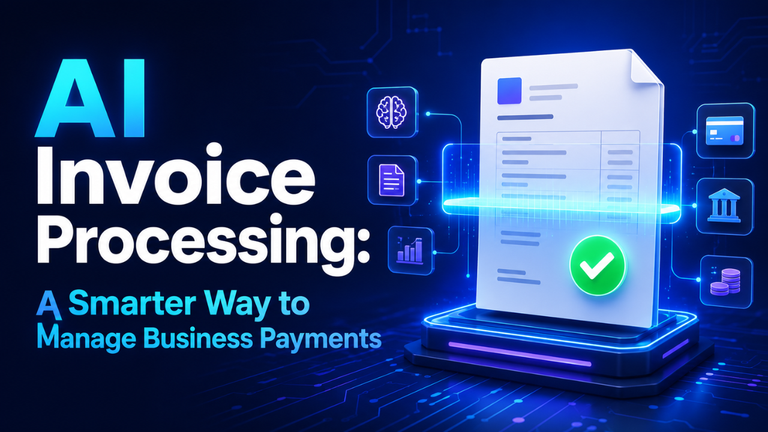
At a basic level, the system turns an invoice into usable financial data: supplier, invoice number, date, line items, tax, total, terms, purchase order, and bank details. It uses document recognition and language-based extraction rather than relying only on a fixed template.
That distinction matters. Traditional scanning expects information in the same place every time. AI-based extraction can handle different layouts and labels such as “amount due,” even when suppliers format invoices differently.
It then applies business rules. It can match an invoice with a purchase order and goods receipt, check supplier status, confirm required fields, and compare records for duplicates. Clean invoices move forward; uncertain ones go to a reviewer with the issue highlighted.
The point isn’t to remove every human decision. The goal is to let people focus their attention on invoices that truly require review.
How Automation Saves Time and Money
Less manual entry is obvious, but savings also come from fewer attachment searches, reminder emails, status checks, and purchase-order hunts.
Approval delays often improve too. An invoice can route to the correct budget owner based on department, cost centre, supplier, or amount, with the invoice and approval context in one place.
Duplicate detection can prevent a second payment when the same invoice arrives through different channels. Visibility into due dates can help avoid late fees, capture early-payment discounts, and improve cash-flow planning.
In my view, the most underrated benefit is visibility. When invoices are stuck in email threads, nobody knows what is pending. A tracked workflow shows whether delays come from data quality, approvals, purchasing, or payment scheduling.
The journey from inbox to payment
Most automated invoice workflows follow a clear path. Invoices arrive from a finance inbox, supplier portal, electronic feed, or upload form. The system separates the document from unrelated email content and creates a record.
It extracts the important fields and classifies the invoice, perhaps as a recurring subscription, purchase-order invoice, utility bill, or expense charge. That classification helps determine the next step.
The system validates the data by checking the supplier, duplicate invoice number, totals, tax, and currency. For purchase-order invoices, it may perform a two-way or three-way match. The latter compares the invoice with the purchase order and the record of goods or services received.
When all the details match correctly, the invoice can be approved automatically. If the quantity differs, the price changed, or the purchase order is missing, it goes to an exception queue. The reviewer sees the issue, source document, and relevant history together.
Approved data is posted to the accounting or enterprise resource planning system, where payment can be scheduled. The document, decisions, and changes remain connected for audit purposes.
Accuracy matters more than speed
Speed matters only if the results can be trusted. A system that creates correction work hasn’t solved much.
Accuracy depends on readable documents, clean supplier records, correctly configured tax and approval rules, and a safe way to handle uncertainty.
Confidence scores and exception queues matter. If the system is unsure whether a number is a total or subtotal, it should ask for review instead of guessing. The same applies to bank-account changes, unusual payment requests, and spending outside normal patterns.
Separate low-risk automation from high-risk decisions. A recurring software invoice with a known supplier and matching purchase order may need little intervention. A new supplier requesting payment to a different bank account deserves a stronger check.
How to Implement It Without Adding Complexity
Begin by understanding your current process before exploring the software. Follow a real invoice from arrival to payment and note every handoff, delay, duplicate entry, and exception. The biggest issue may be unclear ownership or inconsistent purchase-order use, not document reading.
Choose a focused starting point: one legal entity, invoice inbox, or category such as purchase-order invoices. A narrow pilot makes it easier to measure accuracy and adjust rules before expansion.
Review duplicate supplier names, inactive records, missing tax details, and old bank information early. Automation can move bad data faster, but it cannot make bad data reliable.
Write approval rules in plain language. Who approves an invoice under a certain amount? What happens without a purchase order? Which invoices need a second approval? What is the escalation path? If the business cannot answer these questions, the software won’t answer them.
Check integrations with the accounting platform, purchasing tools, email, identity management, and reporting environment. A clever extraction feature is less valuable if employees still retype the result into the ledger.
Why people still matter
Automation works best when finance employees become exception managers and process owners rather than full-time data typists. They still investigate mismatches, unusual charges, supplier records, and rule changes.
Trust matters too. Employees need to know why a decision was made and how to correct it. If an alert says the unit price is 18 percent above the purchase order, the reviewer should be able to check whether the supplier contract changed. Good automation provides that context.
Common mistakes that make automation disappointing
Don’t automate every invoice type at once. Different departments follow different rules, and unusual documents create noise during the early stages.
Don’t measure success only by invoices processed. Volume can hide poor accuracy. Ask how many invoices move through without correction and whether exceptions are resolved faster.
Supplier experience matters. Incomplete invoices and multiple submission addresses keep the workflow messy. Clear instructions and a simple correction path help.
Security isn’t a final checkbox. Invoices can contain financial, tax, contact, and bank information, so access controls, retention, audit logs, and approval permissions belong in the design from the start.
High automation isn’t always the goal. A suspicious payment should require more review, not less. Aim for controlled efficiency.
What to measure after go-live
Before launch, record a baseline: receipt-to-posting time, manual-entry rate, approval wait, duplicate-payment incidents, exception volume, and late fees.
After launch, compare those numbers and track touchless processing, first-pass match rate, corrections, exception-resolution time, and cost per invoice. Employee feedback matters because reports can show speed while the team deals with confusing alerts.
The best metric depends on the business. A small company may care about hours saved; a large organisation may focus on control, audit readiness, working capital, or visibility across entities. There is no universal scorecard.
The practical takeaway
AI invoice processing automation is most useful when it removes friction without hiding responsibility. It can read documents, organise data, check routine conditions, route approvals, and identify transactions that deserve a closer look. That frees finance teams to spend more time on accuracy, supplier relationships, cash flow, and control.
The strongest implementations begin with a clear process, clean supplier data, sensible approval rules, and a defined exception path. Start small, measure honestly, and keep people involved where risk or judgment is high. When those foundations are in place, invoice processing stops being a daily scramble and becomes a workflow the business can actually see, manage, and improve.