AI Code Review Tools for Developers and How to Pick One
You open a pull request that changes how a background job retries a failed request. The tests pass. The diff looks small enough to skim between meetings. Then a review comment asks what happens if the server finishes the request but the worker times out before it gets a response. Could the retry charge the customer twice?
That’s the sort of comment I want from an automated reviewer. It describes something that could happen in production and gives the developer a failure they can reproduce. Once you’ve read a few reviews full of vague suggestions, you start to appreciate how much time one specific question can save.
Table of Contents
- Where an automated review earns its keep
- Four tools worth comparing
- Give the reviewer something to work with
- What a useful review comment looks like
- Keep merge decisions with your team
- Try it on pull requests you already understand
Where an automated review earns its keep
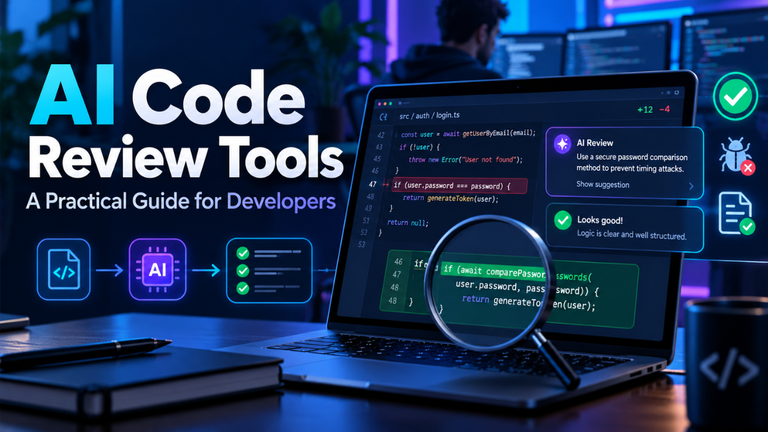
An automated code reviewer first examines the diff, which highlights the changes made in a pull request. Depending on the tool and its setup, it can also read surrounding code, the pull request description, and repository instructions. That gives it enough context to ask a question about a particular line while you’re still at your desk and remember why you changed it.
Take an account settings page. A developer adds an option to clear a saved phone number and writes a test that changes one number to another. The test passes. What happens when the input is blank? If the server treats an empty value as “leave this field alone,” the page can report success while the old number stays in the database. A review comment that asks for a blank-input test can save a round of back-and-forth.
A summary can help when a change touches the interface, API, and database in one go. Skim it to find the files worth opening, then trace the behavior yourself. If the diff changes a shared helper, look up its callers. The file that reveals the most about the change might be one the author never had to edit.
Four tools worth comparing
GitHub Copilot code review fits a GitHub workflow where developers already assign reviewers from the pull request. You can request Copilot from that same menu or configure reviews to run automatically. It also supports repository-wide and path-specific instructions, so you can ask it to look for different things in a database migration and a frontend component.
CodeRabbit offers pull request summaries alongside review comments and lets you control what it looks at. In .coderabbit.yaml, you can exclude generated files with path filters and give specific directories their own instructions. If a single repository holds several services, start by excluding generated clients so the review focuses on the source files developers actually edit.
Qodo is worth a look when several repositories share review standards. It supports configuration at the organization, project, and repository levels through .pr_agent.toml. You can also set a severity threshold for inline findings, which gives you some control over how many comments developers have to read in the diff.
GitLab Duo runs inside GitLab merge requests. Developers can request a review from the merge request, and projects can configure an automatic first pass. With GitLab Duo’s Code Review Flow, a follow-up review can use earlier inline comments and replies. That comes in handy when you push a fix and want the reviewer to look at the issue it raised.
Give the reviewer something to work with
Start with the pull request description. “Improves webhook handling” is too vague to explain what was actually changed.. “A duplicate delivery should return success and leave the invoice status alone” tells a reviewer what the code is supposed to do. It also tells the author which behavior the tests need to cover.
Use repository instructions for problems your team sees repeatedly. If duplicate events have caused trouble before, ask the reviewer to look for a test that delivers the same webhook twice when the webhook handler changes. Give it the name of the shared helper for handling duplicates if there is one. That’s enough detail to start tracing the code without filling an instruction file with broad advice about quality.
Keep the diff readable, too. A pull request that moves 80 files, renames a class, and changes how an invoice total is calculated asks reviewers to sift through a lot of code before they reach the calculation. Put the file moves in their own pull request when you can. If the behavior change genuinely spans several files, name the entry point in the description and include the input that exposed the original problem. A teammate can use that information straight away.
What a useful review comment looks like
Say a reviewer flags a missing await on a database write. Before accepting the patch, follow the caller and check when the response goes out. If clients rely on a successful response to mean the write has committed, try a test that forces the database write to fail and checks the response. If the endpoint deliberately queues the write and returns 202 Accepted, look at how the worker handles a failed write.
A useful comment gives you a place to look and an input to try. “This could fail” leaves the investigation wide open. “An empty list reaches items[0] here” gives you a test you can run before you change a line. Reproduce the failure on the current branch, then run the same case with the fix. You’ll learn quickly whether the suggestion addresses the problem.
Even a detailed comment can rest on a bad assumption. GitHub documents both false positives and missed issues for Copilot code review. If a suggestion depends on what another service promises to return, read that service’s contract or ask its owner before changing the caller.
Keep merge decisions with your team
Now imagine a migration that drops an old database column. The branch builds and the new queries work. During a rolling deploy, though, some instances may still be running the previous version. If that version reads the column after the migration drops it, those requests can fail. The order of the rollout belongs in the review alongside the code.
For a change like that, ask someone who owns the service to walk through what happens if the rollout stalls halfway or the team needs to redeploy the previous version. Put the answer in the pull request so the next reviewer can check it against the deployment plan. It might change how the team breaks up the migration.
Keep repeatable checks in continuous integration, including the tests, lint rules, and type checks that matter to the project. On GitHub, protected branches can require passing status checks and approving reviews before a merge. Copilot has a separate setting that lets its approvals count toward the required total. Leave it off if your merge rules call for a person to sign off.
Try it on pull requests you already understand
Pick one repository and a handful of recent pull requests. Include a straightforward bug fix, a refactor that should preserve behavior, and a change where a teammate found a real edge case. If you’re comparing tools, give them the same diffs and descriptions. For changes that have already merged, you can recreate the diffs in a test repository using the original base commits.
Once you try a tool on live pull requests, pay attention to what happens after each comment. Did somebody add a test? Did they spend ten minutes checking a warning about code that was working as intended? Did the bot repeat a failure CI had already explained? After a week or two, you’ll have examples you can use to tighten the review instructions or cut back on comments that keep sending people down the same dead end.
I’d keep the tool that helps developers turn a comment into a test the team can keep. With that retry change, you can simulate a lost response, let the worker try again, and check that the customer was charged once. The next person to touch the retry code gets the benefit of that review without having to dig up the old pull request.