Digital Experience Platforms: A Practical Guide for Businesses
A customer checks your website on a phone, opens an email later, then returns on a laptop to finish what they started. If each interaction feels disconnected, they notice—even if they can’t name the reason. A digital experience platform, or DXP, can help a business make those moments feel like parts of one journey. It brings together tools for managing content, customer data, and digital channels. The idea sounds simple, but a DXP can be a large and complicated investment. Knowing what it does—and where it fits—helps you judge whether your business needs one.
Table of Contents
- What a Digital Experience Platform Does
- How a DXP Differs From a CMS
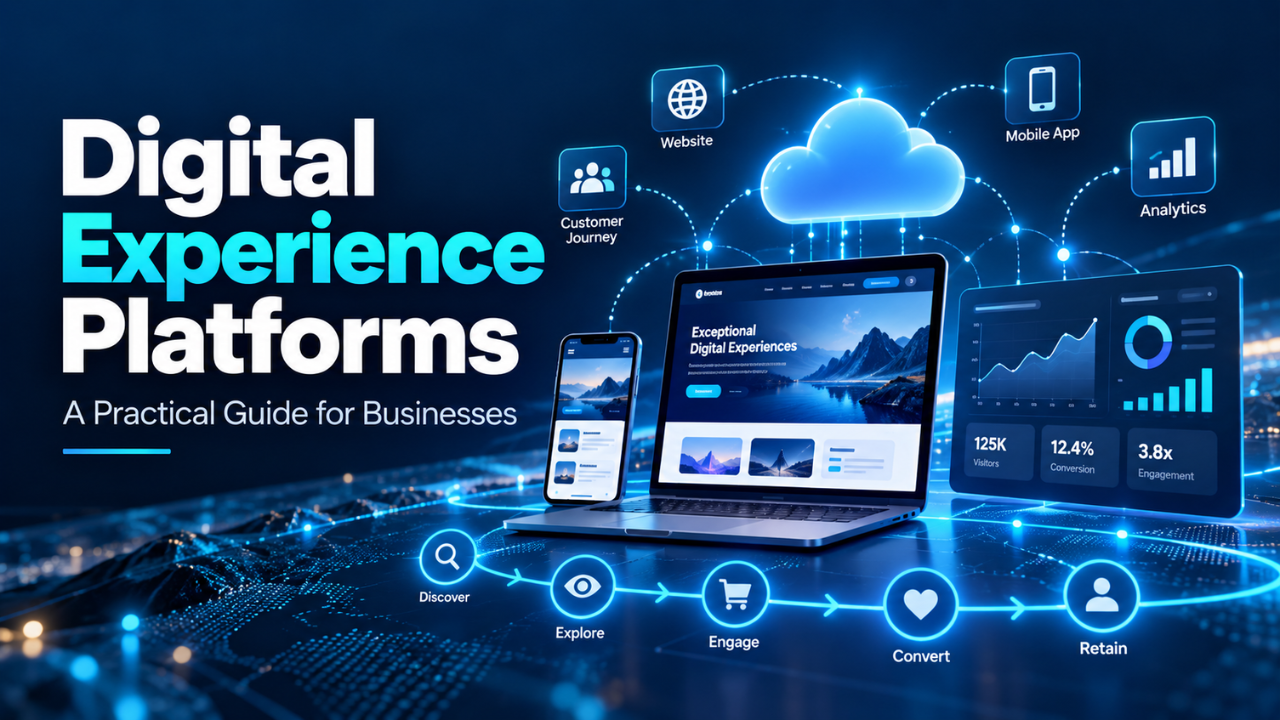
- The Main Parts of a DXP
- What a DXP Looks Like in Everyday Use
- Traditional Suites and Composable DXPs
- Where a DXP Can Help—and Where It May Not
- Common DXP Challenges
- How to Choose a Digital Experience Platform
- Start With the Experience You Want to Improve
What a Digital Experience Platform Does
A digital experience platform is a set of connected technologies for creating, managing, delivering, and improving digital experiences. Those experiences might include a public website, an online store, a customer portal, a mobile app, or a digital service for employees. A DXP can be one product or a group of products that work together.
The point is to help people get a consistent experience as they move between channels. A customer shouldn’t have to repeat basic information every time they switch from an app to a website. An employee shouldn’t need to search five different systems to find the current version of a form.
A DXP can connect content with customer information and other business tools, then use those connections to shape what someone sees or can do. That doesn’t mean every visitor needs a deeply personalized journey. Often the most useful improvement is a simpler one: showing the right account details, making a help page easier to find, or letting a customer continue an unfinished task.
How a DXP Differs From a CMS
A content management system (CMS) helps a team create and publish content. For a business with a straightforward website, that may be all it needs. Editors can update pages, publish news, and manage images without asking a developer to make every small change.
A DXP usually includes content management, but also connects it with other capabilities such as personalization, analytics, customer data, search, commerce, and app or portal experiences. The details vary from platform to platform; some features are built in, while others depend on integrations.
Think of a small company with a clear service website and a handful of pages. A CMS might be a perfectly sensible choice. Now imagine that same company adding a customer portal, regional sites, online payments, and different services for several audience groups. If each new channel brings another disconnected tool, the team may start to struggle with duplicated content and inconsistent customer records. A DXP could help connect those parts.
Bigger isn’t automatically better, though. If a business only needs to publish a simple site, a large platform may bring extra cost and work without improving the experience.
The Main Parts of a DXP
Content is often the starting point. The platform may give editors a way to create pages, product descriptions, help articles, images, and other material, then publish that content to different channels. A shared library can make updates easier: when a policy changes, the team has one approved version to work from instead of several copies scattered across the company.
Customer data is another piece. A DXP may connect information from a website, CRM, store, or support system, so a team can understand what someone has already done. That data can support useful details, such as showing a signed-in customer the status of an order. Its value depends on accurate records and clear rules for collecting and using information.
Analytics and testing help a team see what happens after a page goes live. Are people finding the pricing information? Where are they abandoning a form? Does a revised help page reduce support requests? These signals can guide the next improvement.
Many platforms also support search, personalization, commerce, access control, and connections to other software. You don’t need to adopt every feature at once. You don’t have to use every feature right away. The useful question is whether a particular capability solves a real problem your team already faces.
What a DXP Looks Like in Everyday Use
Picture a customer who needs to renew a service. They receive an email reminder, open the company’s site on their phone, check the renewal terms, and sign in to update their payment information. A connected experience might carry the relevant account details across those steps, provide a clear explanation of the renewal, and confirm the update when it’s done.
The people running the service also benefit from the connections. The marketing team can update the renewal page, customer service can find the same guidance, and the account team can see that a renewal has gone through—subject to the company’s access and privacy rules.
That’s the practical promise of a DXP: fewer awkward handoffs between channels and teams. It won’t fix a confusing renewal policy, unclear writing, or a slow approval process by itself. Technology can carry a good experience across channels. It can also spread a bad experience across them.
Traditional Suites and Composable DXPs
Some DXPs arrive as a broad suite, with several capabilities designed to work together. That can make it easier to get a group of tools from one provider and manage them in a shared environment. A suite may suit an organization that values a common support path and has the budget and team to use its range of features.
A composable DXP takes a more modular approach. A business selects separate tools—for content, search, analytics, commerce, and other needs—and connects them through APIs and integrations. That can give technical teams more choice, and it may let them replace one tool without rebuilding the entire system. It also means someone has to manage the connections and make sure the parts keep working together.
Many organizations end up somewhere between these approaches. They might rely on one provider for content and customer data, while keeping a separate commerce system. The right setup depends on the skills available, the systems already in place, and how much flexibility the business needs. The label “DXP” alone won’t tell you whether a product is a good fit.
Where a DXP Can Help—and Where It May Not
A DXP is more likely to help when an organization has several digital channels, a lot of content, or customer journeys that cross departments. It can give teams a shared way to manage content and connect information, reducing repeated manual work. It may also help a business adapt pages or messages for different situations.
For example, a university could use connected tools to guide applicants from a course page to an application portal, then share relevant updates as their application progresses. A retailer could connect product content, inventory information, and customer support. In both cases, the goal is to make the next step clear and convenient.
But there’s little benefit in buying a complex platform just because competitors have one. If the website is small, customer data is limited, and updates are easy to manage, a good CMS may be enough. Even a capable DXP won’t solve unclear ownership, outdated content, or poor service processes. Those issues still need people to address them.
Common DXP Challenges
The first challenge is scope. A company may try to replace several systems, rebuild its website, connect every department, and personalize every message in one project. That creates a long chain of decisions and dependencies. If the goal keeps growing, launch can slip while teams try to agree on details that don’t matter to the first release.
Data quality can cause trouble too. If customer records are incomplete or duplicated, connecting them doesn’t magically make them reliable. Personalization based on a wrong name, outdated preference, or unrelated browsing history can feel careless. In most cases, simple and accurate personalization is more helpful than elaborate targeting.
There’s also a people problem. Editors and service teams need training and clear responsibilities. Technical teams need to understand which systems are connected and who maintains those connections. Without that shared understanding, the platform can become another place where work gets stuck.
Starting with one customer journey can keep the project manageable. Improve a specific task, see how people respond, then decide what to connect next.
How to Choose a Digital Experience Platform
Start with the experience you want to improve. Is it hard for customers to find help? Does your team publish the same information across multiple sites? Do people have to start over when they move from a phone to a desktop? A concrete problem gives you a better basis for comparing platforms than a long list of features.
Next, map the systems and people involved. Make a list of the content tools, customer records, commerce systems, and channels the new platform may need to work with. Ask who will maintain those connections and which teams need to approve changes. If those answers aren’t clear, the project will be difficult no matter which vendor you choose.
Check how the platform fits your organization’s skills and budget over time. Consider implementation, training, support, ongoing maintenance, and the cost of replacing or integrating tools. Ask vendors to show how a real task works, such as publishing an updated policy across the channels you use. A useful demo should reflect your workflow, not just a polished example.
Finally, decide how you’ll measure improvement. That could mean fewer abandoned forms, faster content updates, fewer repeated support questions, or a higher rate of completed applications. Pick a small number of measures tied to the problem you started with.
Start With the Experience You Want to Improve
Digital experience platforms can bring content, customer information, and digital channels closer together. For organizations managing complex journeys, that connection can make everyday tasks easier for both customers and staff. It also takes planning, good data, clear responsibilities, and ongoing care.
Before choosing a platform, look for one frustrating moment in the current experience and ask what would make it smoother. If the answer requires several teams and systems to work together, a DXP may be worth exploring. If it doesn’t, a simpler tool may do the job. Start with the person trying to get something done; let that need guide the technology decision.