
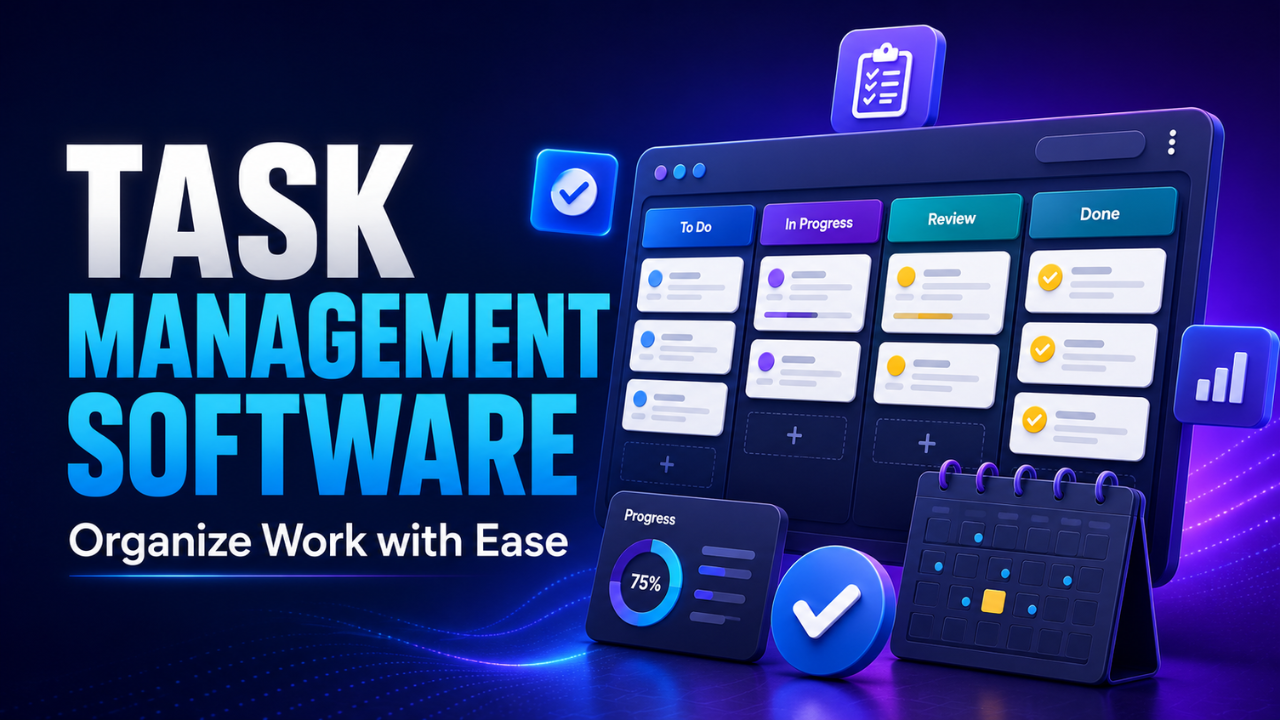
Task Management Software: Organize Work with Ease
A busy day can unravel surprisingly fast. You begin with three clear priorities, open your inbox to answer one message, and suddenly find yourself dealing with ten unrelated requests. By lunchtime, the original priorities are buried beneath emails, chat notifications, handwritten notes, and promises you made during a quick call.
The problem isn’t always a lack of effort. Often, it’s a lack of visibility. You can’t manage work properly when you can’t see where it lives, who owns it, or when it needs to be finished. Task management software brings those scattered details into one organized space. It won’t magically complete the work, but it can make the work feel far less chaotic.
Table of Contents
- Why Everyday Work Becomes Disorganized
- What Task Management Software Really Does
- Features That Make a Practical Difference
- How to Choose the Right Platform
- Setting Up a System Your Team Will Actually Use
- Common Task Management Mistakes
- Task Management for Individuals and Teams
- Knowing When Your System Is Working
- Final Thoughts
Why Everyday Work Becomes Disorganized
Most workloads don’t become messy overnight. Confusion builds slowly.
A client sends a change request through email. Your manager assigns another job during a meeting. A colleague asks for help in a private message, and you write a reminder on a sticky note. Each request seems manageable on its own, so you assume you’ll remember it. Then the week gets busy.
By Friday, you’re searching through old conversations to find the exact deadline someone mentioned three days earlier.
This situation is common because people naturally focus on doing work rather than building a system around it. That approach may succeed when you have only a few responsibilities. Once projects, clients, and team members increase, memory stops being dependable.
Unclear ownership makes the problem worse. If three people know about a task but nobody has been formally assigned to it, each person may assume someone else is handling it. The deadline arrives, and everyone is surprised that nothing happened.
A shared task system reduces this uncertainty. It creates one reliable place where work can be recorded, assigned, discussed, and reviewed. Instead of carrying every commitment in your head, you can put it somewhere visible and return your attention to the task in front of you.
What Task Management Software Really Does
At its simplest, task management software is a digital system for creating and tracking work. A task usually contains a title, description, deadline, assignee, and status. Depending on the platform, it may also include comments, files, labels, subtasks, time estimates, and links to related assignments.
The basic idea is straightforward: every piece of work should have a clear home.
Suppose a small content team publishes five articles each week. Without a shared platform, writers may email drafts to editors, editors may send feedback through chat, and the publishing schedule may sit in a separate spreadsheet. Finding the latest version becomes a small investigation.
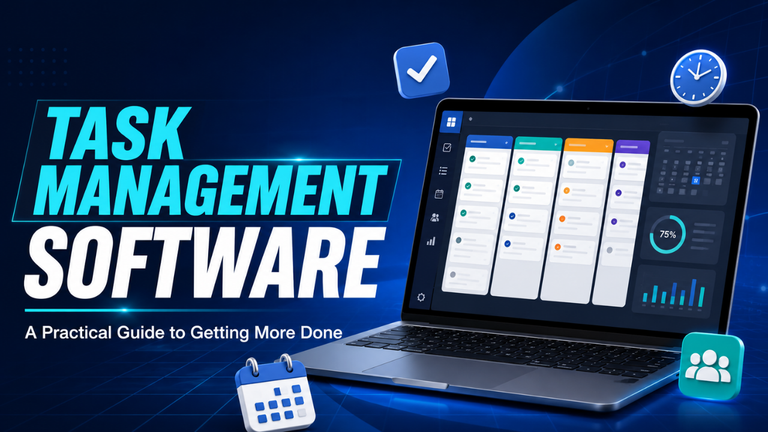
With a structured task board, each article moves through clear stages such as planning, writing, editing, approval, and publication. The brief, draft, feedback, deadline, and responsible person stay attached to the same task. Anyone can check its progress without interrupting another team member.
That last part matters. Constantly asking, “Is this finished yet?” takes time from both people. When progress is visible, fewer updates need to be requested manually.
The software also helps people decide what deserves attention. Instead of reacting to whichever notification appeared most recently, you can review deadlines, priorities, and workload before starting the day. That creates a more deliberate way of working.
Features That Make a Practical Difference
Task management platforms often advertise dozens of features, but more isn’t automatically better. Let’s be honest, a complicated system can become its own full-time job. The most valuable features are usually the ones people use without thinking about them.
Clear task assignment comes first. Every task should have one obvious owner, even when several people contribute. Ownership doesn’t mean that person must complete every step. It simply means someone is responsible for moving the work forward.
Due dates are equally important, provided they’re realistic. If every task is marked urgent and due immediately, the schedule loses meaning. People begin ignoring alerts because the platform treats a routine update and a critical client delivery as if they carry the same weight.
Different views can make the same information easier to understand. A simple list works well for personal responsibilities. A board is helpful when work moves through stages. Calendar views suit publishing schedules, appointments, and planned campaigns, while timelines help teams understand how delays affect connected tasks.
Search and filtering may not sound exciting, but they save a surprising amount of time. A team member should be able to find overdue work, tasks assigned to them, or everything connected to a particular client within seconds.
Recurring tasks are another useful feature. Weekly reports, monthly invoices, website checks, and regular team reviews shouldn’t need to be recreated every time. Once scheduled, they can appear automatically when attention is required.
Notifications deserve careful control. Useful alerts tell people when they’ve been assigned something, mentioned in a comment, or approaching a deadline. Excessive alerts turn the platform into background noise. A quieter system is often a more effective one.
How to Choose the Right Platform
The best software isn’t necessarily the product with the longest feature list or the biggest name. It’s the one that fits the way you already work while improving the parts that currently cause trouble.
Start with your actual problems. Maybe deadlines are being missed because nobody sees them. Perhaps files are scattered across email threads. Your team may also struggle to understand who has enough capacity to accept new work.
Write down the problems before comparing platforms. Otherwise, attractive features can distract you from what you genuinely need.
A freelancer might only require a clean task list, reminders, recurring jobs, and a mobile app. A marketing agency may need client workspaces, approval stages, calendars, and time tracking. A larger company could require detailed permissions, workload reports, security controls, and connections with existing business tools.
Ease of use should carry more weight than people sometimes give it. A powerful system is useless if the team avoids opening it. During a free trial, ask several users to perform ordinary actions: create a task, assign it, attach a file, update its status, and find something completed last week.
Pay attention to hesitation. If simple actions require training manuals or several unnecessary clicks, daily adoption may be difficult.
Cost matters, but don’t compare subscription prices alone. A cheaper platform can cost more in practice if employees need extra tools and manual workarounds to fill its gaps. At the same time, paying for an advanced corporate system makes little sense when a five-person team uses only its basic checklist.
Choose for the next year of realistic growth, not for an imaginary future in which your business suddenly needs every available feature.
Setting Up a System Your Team Will Actually Use
Here’s the thing: buying task management software is easy. Building a useful habit around it takes more thought.
New users often create too much structure at the beginning. They add dozens of labels, custom fields, priority levels, automated rules, and separate projects. The workspace looks impressive, but entering a simple task becomes exhausting.
Start smaller. Create projects around your main areas of work and use a few status names that everyone understands. “To Do,” “In Progress,” “Waiting,” and “Complete” may be enough. More stages can be added later if a genuine need appears.
Task titles should describe a clear action. “Homepage” tells the reader almost nothing. “Replace homepage pricing table” immediately explains what needs to happen. A good title allows someone to understand the assignment without opening a long discussion.
Descriptions should include the information required to begin. Add the expected result, essential context, relevant files, and any restrictions. Avoid turning the description into an essay. If an assignee has to read several screens before understanding the request, simplify it.
The team also needs a few shared rules. Decide where new work will be recorded, who assigns deadlines, when statuses should be updated, and where final files belong. Most importantly, avoid managing official tasks through private messages.
Imagine a colleague asks you in chat to prepare a report for Monday. You agree, but neither of you creates a task. On Monday morning, the colleague expects the finished report while you remember the deadline as Tuesday. Recording the request immediately would have prevented the disagreement.
Consistency builds trust. When people know the platform contains a complete and current picture of their work, they’ll rely on it. If half the assignments remain hidden in email, the system becomes just another place to check.
Common Task Management Mistakes
One of the biggest mistakes is using the software mainly to watch employees. People quickly notice when every status update becomes an opportunity for criticism. They may then avoid recording delays, hide problems, or update tasks only to appear busy.
A task system should help identify obstacles and balance workloads. It shouldn’t create fear.
Another mistake is assigning vague tasks. “Work on marketing” has no clear finish line. “Draft three social posts for Friday’s product launch” gives the assignee a measurable result. If a task can’t be clearly marked complete, it probably needs better wording.
Large assignments can also remain untouched because they feel overwhelming. Breaking “Redesign company website” into research, wireframes, copy, design, development, testing, and launch makes progress easier to plan and measure.
Teams sometimes keep every completed project forever without organizing the archive. Over time, searches become cluttered and current work becomes harder to find. Closing old projects and reviewing outdated tasks keeps the workspace useful.
Then there’s the habit of adding dates to everything. Not every idea needs a deadline. When optional work appears beside client commitments, people struggle to judge what truly matters. Use due dates for real expectations and keep future ideas in a separate backlog.
Task Management for Individuals and Teams
Individuals and teams can use the same software in different ways.
For personal work, the main value is mental space. Rather than repeatedly reminding yourself to send an invoice, renew a subscription, or follow up with a client, you can record the task once and trust the reminder.
A short daily review works well. Spend a few minutes each morning checking deadlines and selecting the most important tasks. At the end of the day, update anything unfinished and prepare for tomorrow. This simple routine prevents a long task list from becoming an ignored storage area.
Teams benefit more from shared visibility. Managers can see where work is slowing down, while employees can understand how their assignments connect to larger projects. If one designer has twelve active tasks and another has three, the workload can be adjusted before someone becomes overwhelmed.
Remote teams gain particular value because they can’t rely on quick conversations across a desk. A well-maintained task gives people in different locations and time zones enough context to continue working without waiting for someone else to come online.
Still, not every conversation belongs inside a task. Complex decisions sometimes need a call. The final decision, however, should be recorded in the relevant task so that nobody has to depend on memory later.
Knowing When Your System Is Working
A healthy system doesn’t need to look busy. It should make work feel clearer.
You’ll notice fewer messages asking for deadlines, files, and progress updates. Meetings become shorter because everyone can already see the basic project status. Missed assignments become less common, and managers can spot problems earlier.
The platform should also reduce mental pressure. When people trust that their responsibilities are recorded accurately, they don’t need to keep rehearsing every unfinished job in their minds.
Review the setup after a month. Ask which features people use, where they experience friction, and what they continue handling outside the system. Remove unnecessary fields and adjust any workflow that creates extra effort without improving clarity.
Software should serve the work, not control it.
Final Thoughts
Task management software works best when it becomes a quiet part of the working day. It gives every assignment a clear owner, place, deadline, and purpose without demanding constant attention.
Start with the problems you need to solve, choose a platform your team finds comfortable, and keep the setup simple. Good habits matter far more than complicated features. When everyone records work consistently and keeps information current, fewer tasks slip through the cracks.
The real payoff is more than an organized dashboard. It’s the calmer feeling that comes from knowing what needs to happen next—and trusting that nothing important has been forgotten.

3 Comments