
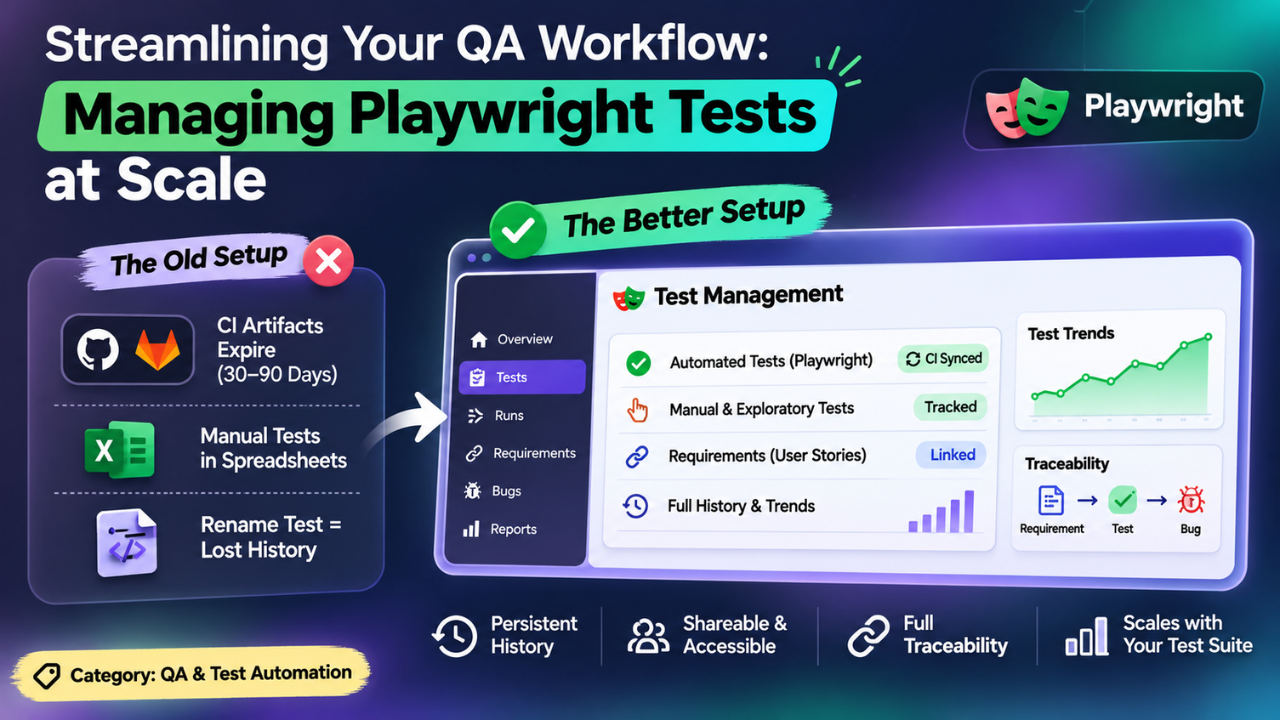
Streamlining Your QA Workflow: Managing Playwright Tests at Scale
You push a commit. The pipeline runs. Green light shows. Close the lid and move on. It feels organized. But if someone asks you tomorrow which specific test failed in Tuesday’s build, what do you actually show them? The terminal output is gone. The artifacts are expiring. The record of what happened is a ghost.
Your code repository is the perfect place to store Playwright specs. It is a terrible place to store the truth about them.
With fewer tests, a few tags and folders will suffice. However, if you scale up to hundreds of tests, things start to fall apart quickly. GitHub Actions remove your artefacts after 90 days by default, and GitLab do so after 30. If an auditor comes in asking to see evidence of tests being carried out last quarter, you won’t have anything to open.
Here, having a Playwright test management system in place becomes essential, so you can be sure you have a solid history of tests that are fully visible and owned by someone.
The Problem With Renaming
Playwright has a specific gotcha that everyone will fall into. In Playwright, your tests are identified by their title string. If you rename your spec files or test titles during a refactor, you will create a new test. This means all of your history, pass rates and failure trends will reset back to 0.
With a good test management solution, your tests will be identified by what they are, not just the string. This means that if you rename your test, your history will remain.
Where Manual Tests Go to Die
Automated tests are great, but you will always have some areas that need manual testing or exploratory testing. Where do you keep these results? Most teams will have another spreadsheet.
This creates a fractured workflow. Your automated results are in the CI, and your manual results are in a spreadsheet.
When you come to Managing playwright tests at scale, this becomes unmanageable. You want to have everything in one place. Manual test cases need to be tracked alongside your automated tests with the same reporting and history.
Comparing the Setups
If you are using Git and the default HTML reporter, you won’t be tracking any manual tests. History will expire with your artefact and there won’t be any traceability to requirements.
If you attempt to use an old test management solution, you’ll be manually uploading results from your CI to a system that’s designed for waterfall. There will be duplicated test cases and you’ll have to manually add requirements.
A modern management layer works differently. It points directly at your existing pipeline. Your specs and their results arrive as managed test cases automatically. You can import your manual packs and link everything to the user story it proves.
Accessibility and Traceability
If your tests aren’t in a dedicated platform, then only those with access to the CI will be able to see the results. Using a dedicated platform makes it easy to share a simple link with your product manager or compliance officer. They will be able to see the failure trends and history without needing to log into something technical.
When a test fails, you can easily take a screenshot of the failure with the environment attached and log this as a bug. This maintains the relationship between the requirement, test and bug. Keep your specs in your repo and continue to run them through your CI pipeline. Just don’t treat the pipeline as a dumping ground. Use Playwright to run your tests and a dedicated layer to keep track of your receipts.