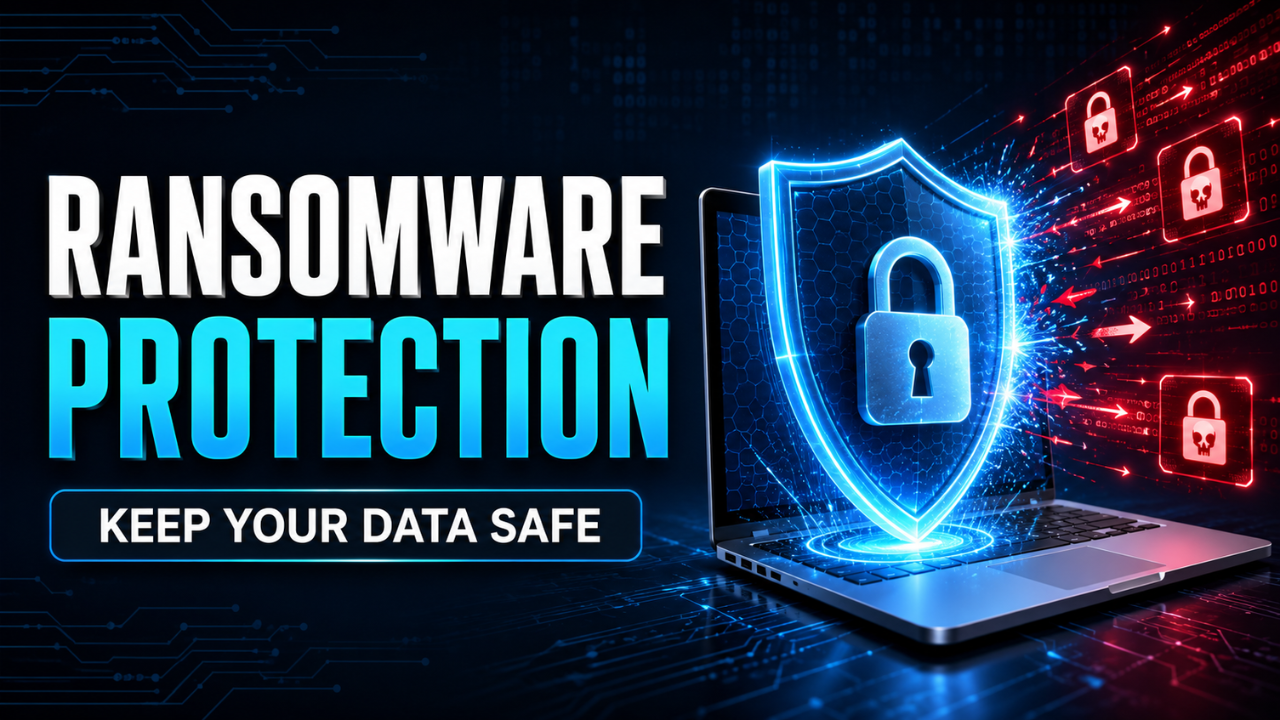
Ransomware Protection: Practical Steps to Keep Your Data Safe
Ransomware rarely arrives with a dramatic warning. It may begin with an ordinary email, a reused password, or a computer that hasn’t been updated in months. Someone clicks once, continues working, and notices nothing unusual. Hours later, shared files stop opening and a ransom message appears.
That’s what makes ransomware so dangerous. The attack can spread quietly before anyone realizes something is wrong.
Strong ransomware protection isn’t built around one security product. It comes from several sensible controls working together: reliable backups, updated software, limited access, careful employees, and a recovery plan that has already been tested. None of these steps is especially glamorous, but together they can turn a serious attack into a manageable disruption.
Table of Contents
- What Ransomware Protection Really Means
- Start With Backups You Can Trust
- Close Security Gaps Before Attackers Find Them
- Treat Email as a Major Entry Point
- Limit Access Across Your Systems
- Protect Every Device, Including Remote Ones
- Prepare Your Response Before an Attack
- Build Security Habits That Last
- Ransomware Protection Starts Before the Crisis
What Ransomware Protection Really Means
Ransomware is malicious software designed to block access to files, devices, or entire business systems. Attackers usually encrypt the data and demand payment for a supposed recovery key. Some also steal information first, creating additional pressure by threatening to publish it.
Protection, therefore, involves more than preventing encryption. You also need to reduce the chance of data theft, stop an infection from spreading, detect suspicious activity early, and restore operations safely.
Think about a small accounting company with 12 employees. If one laptop becomes infected but the network is properly separated, the damage may remain limited to that device. If everyone has broad access to the same shared folders, however, the ransomware could reach client records, payroll files, invoices, and backups.
The first situation is inconvenient. The second could threaten the whole business.
Good protection assumes that someone will eventually make a mistake. The goal is to make sure one bad click doesn’t become a company-wide emergency.
Start With Backups You Can Trust
Backups are often described as the last line of defense, but that description doesn’t quite capture their importance. A reliable backup can give you options when attackers are trying to remove every other choice.
Simply copying files to another folder isn’t enough. If that folder stays connected to the same network, ransomware may encrypt the original files and the copies. External drives left permanently connected can face the same problem.
A stronger approach keeps multiple copies of important data in different places. At least one copy should remain offline or otherwise protected from changes made through normal user accounts. Cloud backups can help, particularly when they include file versioning and protection against unauthorized deletion.
Back up the information that actually matters. This may include customer records, website files, financial documents, email data, software configurations, and operating procedures. Saving random folders while missing the main business database won’t help much during recovery.
Testing matters just as much as creating the backup. Imagine discovering during an attack that the latest usable copy is six months old or that nobody remembers the encryption password. That’s not a backup strategy. It’s false confidence.
Run small restoration tests regularly. Choose a few files, restore them to a safe location, and confirm they open correctly. Businesses should also test a larger recovery exercise so they understand how long it would take to restore critical services.
Close Security Gaps Before Attackers Find Them
Outdated software creates openings that criminals actively look for. Operating systems, web applications, plugins, firewalls, and remote-access tools can all contain security weaknesses. Once a fix becomes available, delaying the update leaves that weakness exposed.
Automatic updates are useful for personal devices and straightforward business systems. More complex environments may need a controlled patching process, especially when an update could affect important software. Even then, critical security patches shouldn’t sit untouched for weeks without a clear reason.
Start by knowing what you own. Many businesses protect their main office computers but forget about an old server in a storage room, an unused administrator account, or a laptop assigned to a former employee.
Keep a basic inventory of devices, software, online services, and responsible owners. You can’t patch or protect a system nobody remembers exists.
Internet-facing services deserve special attention. Remote desktop tools, file transfer systems, website dashboards, and virtual private network services should be updated, strongly authenticated, and disabled when they’re no longer needed. An unnecessary service is an unnecessary door.
Treat Email as a Major Entry Point
A convincing phishing email doesn’t always look suspicious. It may appear to come from a supplier, colleague, bank, delivery company, or senior manager. The message might mention an overdue invoice or ask the recipient to review a document urgently.
That sense of urgency is deliberate.
Employees should pause when a message requests a login, payment, download, or unexpected action. Check the sender’s full address, hover over links, and confirm unusual requests through a separate communication channel. If the finance manager receives new bank details from a supplier, a quick phone call can prevent a costly mistake.
Technical filters can block many dangerous attachments and known malicious links, but filters aren’t perfect. People still need a simple way to report questionable messages without feeling embarrassed.
Let’s be honest: training that happens once a year and consists of 40 slides probably won’t change much. Short, practical reminders work better. Show employees the kinds of messages they actually receive and explain what to do when they’re uncertain.
The reporting process should be easy. A visible “Report Phishing” button or a dedicated security contact is far more useful than expecting someone to search through a policy document during a stressful moment.
Limit Access Across Your Systems
Not every employee needs access to every folder, application, or administrator function. Broad permissions make daily work convenient, but they also give ransomware more room to move.
Follow the principle of least privilege: give people only the access required for their job. A marketing employee probably doesn’t need permission to edit payroll records. A temporary contractor shouldn’t retain access after the project ends.
Administrator accounts need even tighter control. Employees shouldn’t use an admin account for routine browsing, email, or document work. Keep administrative access separate and use it only when necessary.
Multi-factor authentication adds another important barrier. A stolen password alone may not be enough if a second verification step is required. Enable it for email accounts, cloud storage, remote access, website dashboards, financial services, and administrator accounts.
Password reuse also needs attention. If the same password protects several services, one leak may expose all of them. A reputable password manager makes it easier to create and store unique passwords without relying on memory or a notebook beside the computer.
Protect Every Device, Including Remote Ones
Office desktops aren’t the only concern. Laptops, personal devices, smartphones, home routers, and remote connections can all become part of the attack path.
Every managed device should use current security software, a properly configured firewall, and automatic screen locking. Sensitive data on laptops should be encrypted, particularly if employees travel or work from public locations.
Modern endpoint protection can monitor behavior rather than relying only on a list of known threats. For example, it may detect when an unfamiliar program suddenly attempts to change hundreds of documents. That early warning can help stop an attack before it reaches more systems.
Network separation can also limit the damage. Guest Wi-Fi, employee devices, servers, backups, and critical business systems don’t always need to sit on the same unrestricted network. Separating them creates boundaries that attackers must cross.
Remote workers need clear rules as well. They should avoid unknown public networks, keep home routers updated, and use approved methods to reach business systems. A company laptop used by the whole family may be convenient, but it introduces risks that are difficult for the business to control.
Prepare Your Response Before an Attack
During a ransomware incident, confusion wastes valuable time. People need to know who makes decisions, who investigates, who communicates with customers, and who can take systems offline.
Create a short incident response plan with practical instructions. It should explain how employees report suspicious activity, which systems are most important, where backup details are stored, and how key people can communicate if normal email becomes unavailable.
If a device suddenly displays a ransom note or begins changing files, disconnect it from wired and wireless networks. Don’t immediately switch off every affected machine unless your technical response team recommends it, because running systems may contain useful evidence.
The incident should then be investigated before restoration begins. Reconnecting clean backups to a compromised network can lead to another infection. The original entry point must be identified and closed.
Businesses may also need to notify customers, insurers, legal advisers, law enforcement, or data protection authorities. The exact obligation depends on the information involved and the applicable laws, so these contacts should be considered before an emergency occurs.
Paying a ransom is not a dependable recovery plan. Attackers may provide a broken tool, demand more money, or keep stolen data after payment. A tested response plan and protected backups offer far more control.
Build Security Habits That Last
Ransomware protection isn’t a project you finish and forget. Staff change, new software is installed, accounts accumulate, and backup jobs quietly fail.
Set a regular schedule for reviewing access permissions, updates, backups, security alerts, and inactive accounts. Small organizations don’t necessarily need a huge security department, but someone must clearly own these responsibilities.
Pay attention to ordinary warning signs: repeated login attempts, disabled security tools, strange administrator accounts, unexpected network traffic, or files changing without explanation. One event may be harmless. Several together may signal a developing attack.
It also helps to make security part of everyday decisions. Before adopting a new service, ask who will access it, what data it will hold, how it’s backed up, and how access can be removed. Those simple questions prevent messy problems later.
Ransomware Protection Starts Before the Crisis
The strongest ransomware protection is layered. Keep tested backups outside the attacker’s reach. Patch important systems quickly. Require multi-factor authentication. Restrict unnecessary access. Train people to question unusual messages, and prepare a response plan before anyone needs it.
No defense can promise that ransomware will never reach a device. A sensible security setup does something more realistic: it limits how far an attack can spread and helps you recover without letting criminals control every decision.