Cyber Security: A Practical Guide to Staying Safe Online
Cyber security isn’t just something big companies worry about anymore. It’s become part of everyday life. Whether you’re checking your bank account, shopping online, working remotely, or simply scrolling through social media, your personal information is constantly moving across the internet.
The problem is that cyber threats have become smarter. Hackers don’t always need advanced tools to break into accounts. Sometimes all it takes is a weak password, a fake email, or one careless click.
The good news? You don’t need to be a security expert to protect yourself. A handful of simple habits can significantly lower your chances of becoming a victim. Understanding how cyber security works makes it much easier to recognize threats before they become expensive mistakes.
Table of Contents
- What Is Cyber Security?
- Why Cyber Security Matters More Than Ever
- Common Cyber Threats You Should Know
- How Cyber Attacks Usually Happen
- Simple Ways to Protect Yourself Online
- Why Strong Passwords Still Matter
- The Importance of Software Updates
- Safe Browsing and Email Habits
- Protecting Your Mobile Devices
- Cyber Security for Businesses
- The Role of Cloud Security
- Emerging Cyber Security Trends
- Frequently Asked Questions
- Final Thoughts
What Is Cyber Security?
Cyber security is the practice of protecting computers, smartphones, networks, software, and digital information from unauthorized access, theft, or damage.
Think of it as the digital version of locking your home’s front door. You probably wouldn’t leave your house unlocked overnight. The same logic applies to your online accounts and devices.
Cyber security combines technology, smart practices, and user awareness. Firewalls, antivirus software, encryption, and multi-factor authentication all play a role, but human behavior is equally important.
Even the best security tools can’t protect someone who willingly gives away their login information to a scammer.
Why Cyber Security Matters More Than Ever
Most people store a surprising amount of personal information online.
Bank details. Family photos. Medical records. Business documents. Tax information. Passwords. Shopping history.
If this data falls into the wrong hands, the consequences can be serious.
Identity theft is one example. Criminals may open financial accounts using stolen information or attempt to access existing ones. Businesses face even greater risks because a single data breach can affect thousands of customers.
Remote work has also changed the security landscape. Employees often connect from home networks, use personal devices, and share files through cloud services. While convenient, these habits create additional opportunities for attackers.
Here’s the thing—cyber security isn’t about being paranoid. It’s about being prepared.
Common Cyber Threats You Should Know
Hackers use different techniques depending on their goals. Some want money, while others want sensitive information or simply want to disrupt services.
Phishing Attacks
Among all online threats, phishing is still one of the most frequently used tactics.
You receive an email claiming your bank account needs immediate verification. The message looks genuine, complete with official logos and branding. You click the link, enter your credentials, and unknowingly hand them over to criminals.
These scams have become increasingly convincing.
Malware
Malware is harmful software designed to damage devices or steal information.
It often spreads through fake downloads, infected email attachments, or compromised websites. Some malware quietly collects passwords, while other types lock your files until a ransom is paid.
Ransomware
Ransomware encrypts files and demands payment for their release.
Imagine running a small business and suddenly losing access to customer records, invoices, and important documents. That’s the reality many organizations have faced after ransomware attacks.
Password Attacks
Weak passwords remain a favorite target.
Using simple passwords like “123456” or reusing the same password across multiple websites makes attackers’ jobs much easier.
Social Engineering
Not every cyber attack relies on technology.
Sometimes attackers manipulate people instead. They create urgency, pretend to be trusted contacts, or convince victims to reveal confidential information.
That’s why awareness is just as important as software.
How Cyber Attacks Usually Happen
People often imagine hackers sitting in dark rooms typing endless lines of code.
Reality is usually much simpler.
Many attacks begin with everyday mistakes.
Someone clicks a suspicious email attachment.
A website asks for login details that look legitimate.
A password gets reused across several accounts.
Public Wi-Fi is used without proper protection.
Each small decision may seem harmless, but together they create opportunities for attackers.
Cyber criminals often rely on human error because it’s easier than breaking sophisticated security systems.
Simple Ways to Protect Yourself Online
Fortunately, improving your online safety doesn’t require expensive equipment.
Start with the basics.
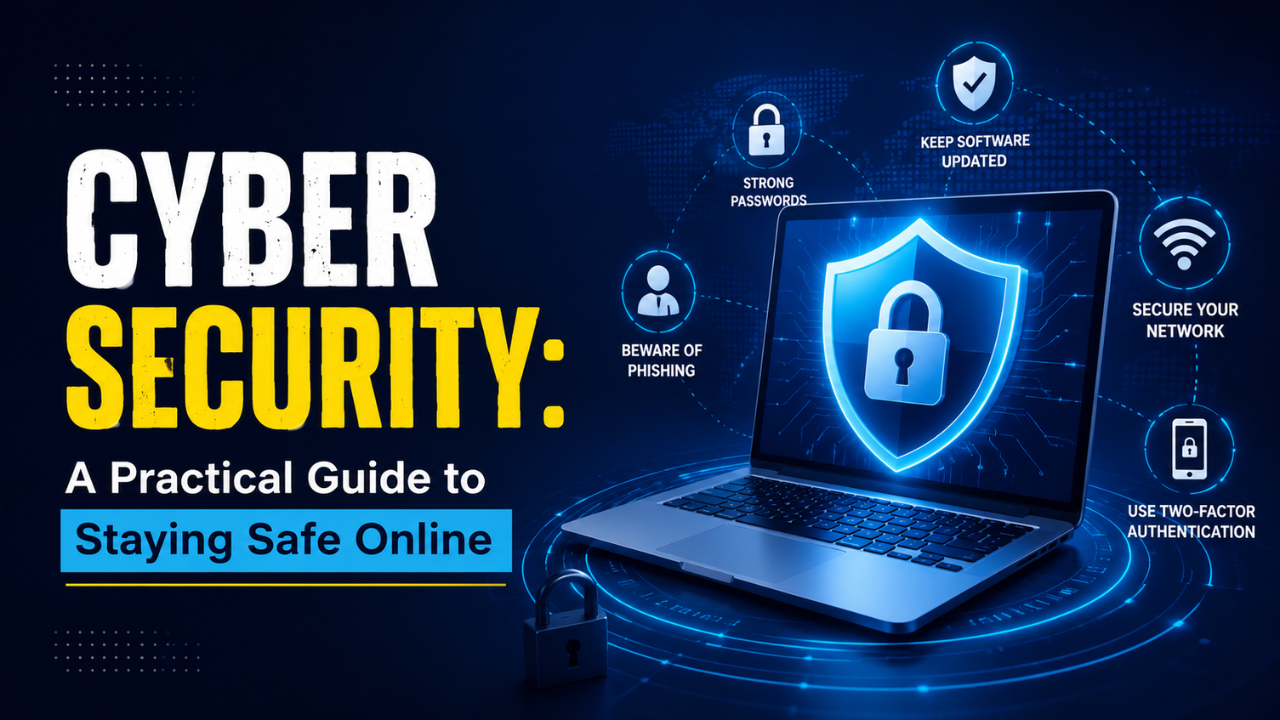
Use unique passwords for every important account.
Enable two-factor authentication whenever it’s available.
Back up important files regularly.
Avoid downloading software from unknown websites.
Check website addresses before entering personal information.
Be cautious with unexpected emails, even if they appear to come from someone you know.
These simple habits can prevent many common attacks.
Why Strong Passwords Still Matter
Let’s be honest.
Passwords aren’t exciting.
Yet they’re still one of your first lines of defense.
A secure password includes a mix of capital letters, lowercase letters, numbers, and special characters. More importantly, it should be unique.
If one website suffers a data breach and you’ve reused that password elsewhere, attackers may gain access to multiple accounts.
Using a password manager helps you create stronger passwords without the hassle of memorizing each one.
Instead of remembering dozens of passwords, you only need to remember one master password.
The Importance of Software Updates
Ignoring software updates is like ignoring a broken lock on your front door.
Updates don’t just add new features.
Many of them fix security vulnerabilities that attackers actively exploit.
Operating systems, browsers, mobile apps, routers, and antivirus software all receive security patches.
Installing updates promptly reduces the chances of known weaknesses being used against you.
Automatic updates make this process much easier.
Safe Browsing and Email Habits
The internet offers incredible convenience, but caution still matters.
Before clicking a link, pause for a second.
Does the sender’s email address look correct?
Is the message creating unnecessary urgency?
Are there spelling mistakes or unusual requests?
Scammers often pressure people into acting quickly before they have time to think.
When browsing websites, look for HTTPS in the address bar. While it doesn’t guarantee a website is trustworthy, it does indicate that the connection is encrypted.
Downloading files only from official sources also reduces risk.
Protecting Your Mobile Devices
Smartphones have become digital wallets, communication hubs, and portable offices.
That makes them valuable targets.
Lock your phone with a PIN, password, fingerprint, or facial recognition.
Install apps only from trusted app stores.
Review app permissions occasionally.
If a flashlight app requests access to your contacts and microphone, it’s worth asking why.
Public charging stations can also pose risks in certain situations. Using your own charger or a power-only USB cable adds another layer of protection.
Cyber Security for Businesses
Businesses face different challenges because they manage large amounts of customer and employee data.
One employee opening a malicious email attachment can affect an entire organization.
Regular staff training makes a significant difference.
Employees should understand how phishing works, recognize suspicious activity, and know how to report potential incidents quickly.
Companies should also maintain secure backups, monitor network activity, limit user access based on job roles, and create clear incident response plans.
Preparation often determines how quickly a business recovers after an attack.
The Role of Cloud Security
Cloud services have transformed the way people store and share information.
Instead of keeping files on one computer, documents can be accessed from almost anywhere.
That convenience comes with responsibilities.
Choose reputable cloud providers.
Enable multi-factor authentication.
Review sharing permissions regularly.
A document accidentally shared with “Anyone with the link” can expose sensitive information without anyone realizing it.
Cloud security is a shared responsibility between service providers and users.
Emerging Cyber Security Trends
Cyber security continues to evolve as technology changes.
Attackers constantly search for new vulnerabilities, while security professionals develop stronger defenses.
Artificial intelligence, zero trust security models, behavioral analytics, and advanced threat detection are becoming increasingly common in modern security systems.
At the same time, privacy regulations continue to encourage organizations to handle personal information more responsibly.
The future will likely bring smarter attacks, but also smarter protection.
Staying informed will remain one of the most valuable security habits.
Frequently Asked Questions
What is cyber security in simple words?
Cyber security means protecting computers, devices, networks, and personal information from hackers, viruses, scams, and unauthorized access.
Why is cyber security important?
It helps protect sensitive information, prevents identity theft, reduces financial loss, and keeps personal and business data secure.
What are the biggest cyber security threats?
Common threats include phishing, malware, ransomware, password attacks, identity theft, and social engineering scams.
How can I improve my cyber security?
Use strong passwords, enable two-factor authentication, keep software updated, avoid suspicious links, and regularly back up important files.
Does antivirus software provide complete protection?
No. Antivirus software is helpful, but safe online behavior and strong security practices are equally important.
Final Thoughts
Cyber security isn’t about living in fear of technology. It’s about using technology wisely.
Every online account, device, and digital service contains information worth protecting. Fortunately, most successful attacks don’t require sophisticated defenses to prevent them. They simply require better habits.
Start with stronger passwords. Keep your devices updated. Think before clicking unfamiliar links. Enable extra layers of authentication wherever possible.
Small actions repeated consistently create strong digital security over time. The internet will always carry some risks, but staying informed and making smart choices allows you to enjoy its benefits with much greater confidence.