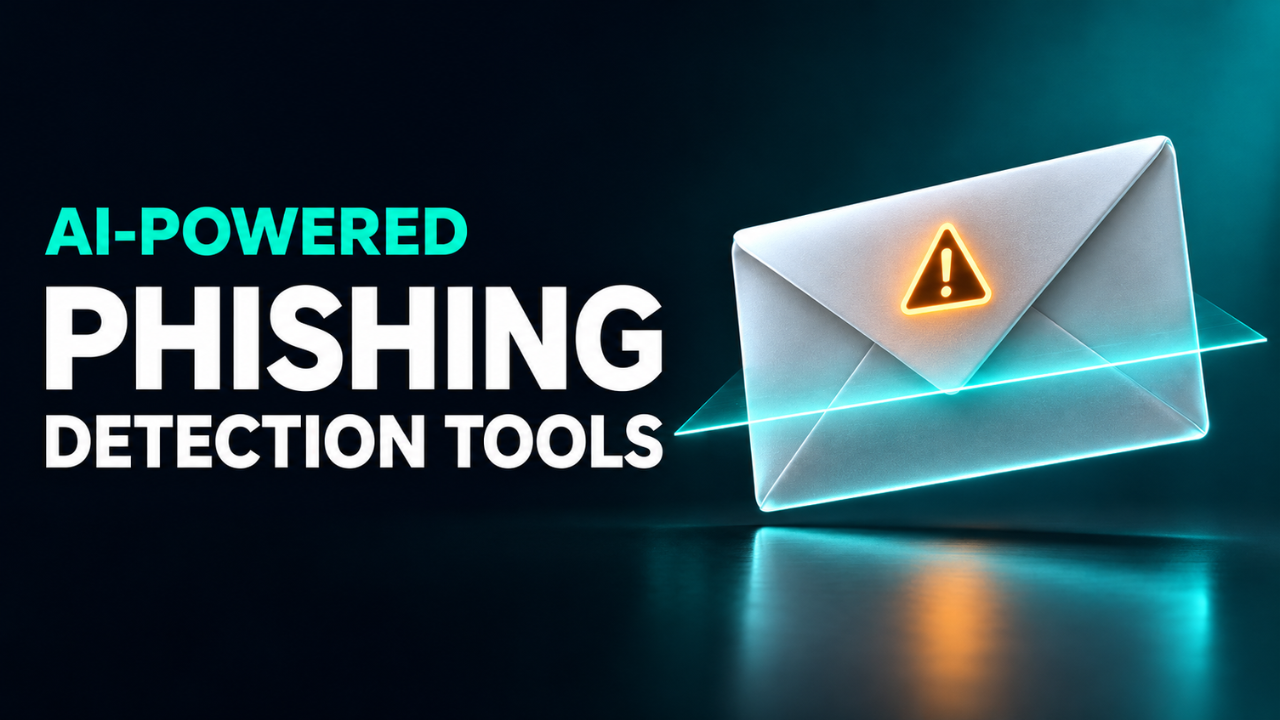
AI-Powered Phishing Detection Tools for Business Email
The invoice lands at 4:46 p.m. It’s from a supplier you know, the amount looks right, and the sender asks you to use a new bank account. You’re one reply away from calling it a day. The request feels ordinary enough to approve before you close your laptop.
That’s a good test for a phishing detector. So is a password reset email with a QR code tucked into a PDF. The two messages leave different clues, and each can cause damage before anyone in IT sees it. If you’re comparing tools, ask what each one would do with those messages and how quickly it could act.
Table of Contents
- What a detector notices
- When the sender is real
- What happens before and after delivery
- Four tools worth comparing
- How to run a useful pilot
- When a suspicious message gets through
What a detector notices
A display name is easy to copy. A filter can look at the address behind it, check the sending domain’s reputation, follow a shortened link to its destination, or inspect an attachment. Some tools use machine learning to weigh those clues alongside past email patterns. Mail from a new contact is common. Give that sender the CEO’s name and a request for employee records, though, and there’s more to investigate.
Now swap the usual blue link for a QR code. A fake sign-in page can sit one scan away, with the link hidden in an image. Tools with QR detection can decode the image and check the address it points to. Ask whether that works inside PDF attachments, too. An employee might scan the code on a personal phone, so check what protection applies on that route as well.
The warning itself deserves a look. If the filter flags an email, can a reviewer see whether it found a suspicious link, a familiar name on an unfamiliar address, or both? That detail helps the team decide how urgently to act and what to tell the person who received it.
When the sender is real
Picture a scammer who’s already inside a supplier’s mailbox. They can reply in an existing conversation and quote the actual invoice number. That email can pass sender authentication checks, including DMARC, because it really did come from the supplier’s domain. DMARC helps mail servers spot messages that falsely claim to come from a domain. The payment request still needs its own verification.
This is one form of business email compromise, often shortened to BEC. A plain-text message asking you to update payment instructions can be enough. A detector that learns communication patterns might flag an unusual request or a change in who usually contacts your finance team. Legitimate requests can look unusual, too. Your longtime contact might have left, and their replacement may handle billing differently.
Here’s where a boring rule pays off. If a supplier changes their bank details, verify the update by calling them on the phone number your team already has on record. Make that call part of the approval process even when the message comes through without a warning. A few minutes on the phone is easier than trying to recover a transfer.
What happens before and after delivery
A secure email gateway sits in the path of incoming mail and can hold a suspicious message before it reaches an employee. A tool that scans after delivery can move or remove messages once it flags them. Depending on the integration, that can be easier to set up with your existing mail routing. It can also leave a message visible for a while. During a trial, ask to see when the message arrived and when the tool removed it.
Timing matters for links, too. Imagine a link looks harmless at 9 a.m., when the message arrives. By lunchtime, it leads to a fake sign-in page. Time-of-click protection checks a supported link when someone opens it, giving the filter another chance to catch the change. Post-delivery cleanup can pull copies from mailboxes once a service identifies the message as malicious. Ask whether your setup does both and which mailboxes and devices it covers.
Four tools worth comparing
I’d start with the email platform you already use. Spend a little time looking at which protections are active and who they cover. That’s the baseline an extra product has to improve on.
Microsoft Defender for Office 365 can flag impersonation when the relevant policies are enabled. Safe Links can scan supported URLs when users click on them to help identify potentially harmful websites. Check which recipients the policy covers and whose names or addresses you’ve set up to protect against impersonation. Finance staff and the executives whose names show up on payment requests belong in that conversation.
Gmail in Google Workspace uses machine learning for phishing detection. Its advanced settings give admins controls for similar-looking domains, suspicious attachments, and links hidden behind short URLs. Review which findings trigger a warning and which send a message to spam or quarantine. Then check what that looks like in the mail client your staff actually use.
Abnormal Inbound Email Security connects to Microsoft 365 and Google Workspace through an API. It uses communication patterns to look for suspicious requests and can automatically remove messages it identifies as threats. If vendor fraud is your main worry, ask the vendor to walk through a flagged payment request and show what prompted the decision.
Cloudflare Email Security can scan mail before delivery when you deploy it as a gateway. It also offers post-delivery options that depend on your email provider. If you want to keep your current mail routing, check the setup for your provider and confirm what actions the product can take in that mode.
How to run a useful pilot
Pick a few mailboxes with different jobs. Accounts payable receives invoices all day. HR sees attachments from people it’s never met. The help desk gets sign-in and reset requests. Include a shared mailbox if your team relies on one, and try reporting a message from a phone as well as a laptop.
Keep your current protections on and use a monitoring mode if the new product offers one. Use approved test messages with harmless links and made-up details. Try a lookalike sender, a plain-text request to change bank accounts, and a QR code embedded in a PDF. Review ordinary mail, too. If a legitimate invoice gets held until after its due date, that false positive has a cost.
Record which test messages reached the inbox, which layer caught each one, and how long confirmed threats stayed visible. If your existing filter already sent a fake password reset to spam and the new tool flagged it too, mark that as overlap. A count of the cases where the new tool changed the outcome will tell you more about what you’re paying for.
Before turning on automatic actions, ask which mailboxes the product can access, what message data it keeps, and who can release quarantined email. Give someone responsibility for checking the queue. Try restoring a legitimate test message while the pilot is still small and you have time to fix any snags.
When a suspicious message gets through
Give people a way to report the email from their inbox and tell them who receives the report. If it lands in a general support queue, another recipient could open the message before anyone looks at it. Assign someone who can find and remove other copies and check, where logs allow, whether anyone clicked a link or opened an attachment.
If someone entered a password, have them tell IT right away and say what they submitted. The response team can reset affected credentials, revoke active sessions, and check for suspicious changes such as new forwarding rules. If the email led to a payment, contact the bank immediately to ask about recalling the transfer.
For accounts with access to payroll or other sensitive data, use phishing-resistant sign-in where your systems support it. Passkeys and FIDO security keys tie sign-in to the real site, making it harder for a lookalike page to steal access.
When you’ve narrowed your options, bring back that late-afternoon invoice. Ask someone in finance to walk through what they’d see on their screen and who they’d call before approving the payment. Their answer will tell you how well the tool fits the way payments get made on a busy day.