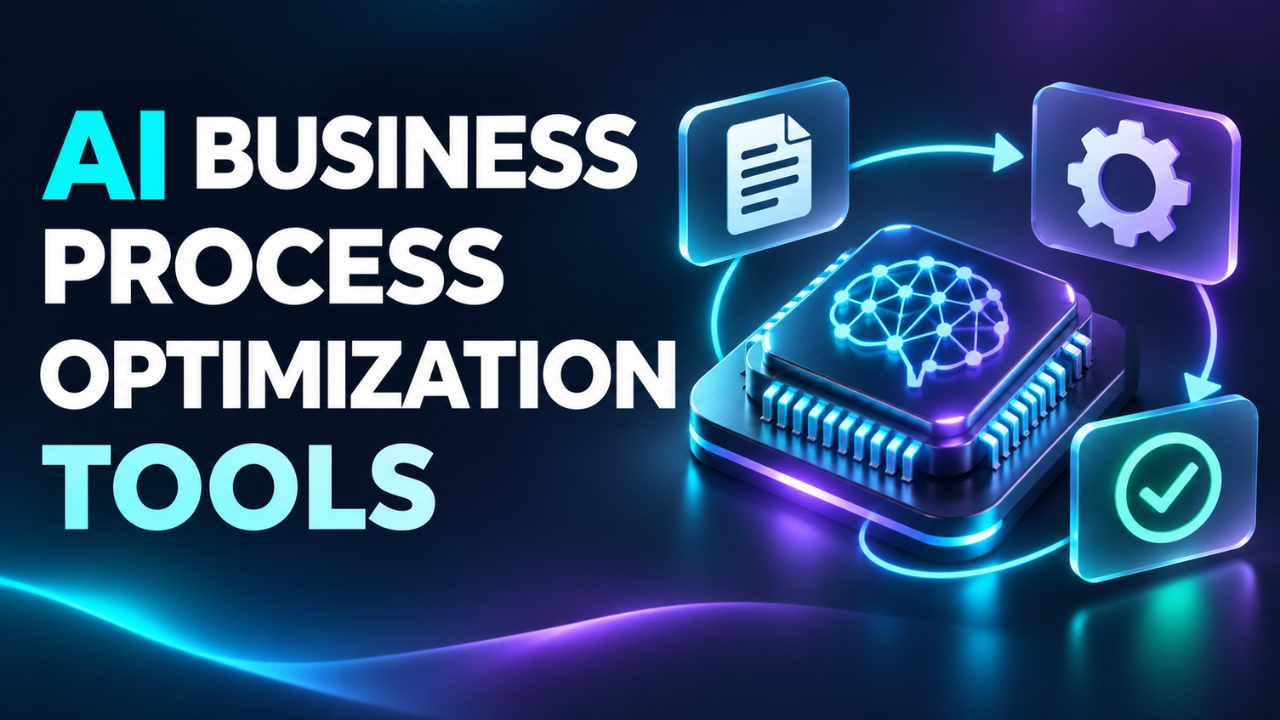
AI Business Process Optimization Tools: A Practical Guide
Your team can be busy all day and still spend Friday chasing approvals, correcting records, and asking who owns the next step. Nobody planned those delays. They grew quietly between the tools and habits everyone uses.
AI business process optimization tools can help uncover those gaps and handle some of the work passing through them. But useful results start with a specific problem: invoices waiting too long, customer requests landing in the wrong inbox, or staff entering the same information twice.
The goal is simple. Make everyday work easier to finish correctly.
Table of Contents
- What These Tools Actually Do
- Start With the Delay Everyone Complains About
- Four Tools Worth Comparing
- Choose for Your Everyday Work
- Give One Workflow a Proper Trial
- Measure the Work You Get Back
- Keep the Process Easy to Change
What These Tools Actually Do
This category covers several jobs. Some tools analyze how work moves through business systems. Others classify incoming information, extract details from documents, or move tasks between applications.
Process mining, for example, uses recorded events to reconstruct how a process actually runs. It can reveal repeated steps and waiting time that a tidy procedure document misses. UiPath describes this approach as turning system data into dashboards that expose bottlenecks and their causes.
Automation handles a different part of the problem: carrying out the next action once the conditions are clear.
Imagine a supplier invoice arriving by email. A configured workflow could capture its details, check required fields, and send it to the appropriate reviewer. A missing purchase order would send it down a separate path.
That distinction matters. Understanding a delay and removing it are separate jobs, even when one platform supports both.
Start With the Delay Everyone Complains About
Before comparing products, follow one piece of work from beginning to end. Ask the people doing it where they wait, what they copy, and which mistakes keep coming back.
Suppose a small agency takes three days to onboard a client. Creating the project takes ten minutes. Most of the delay comes from collecting access details through scattered emails.
Automating project creation saves ten minutes. Improving the intake form and tracking missing information addresses the larger problem.
I’d start with a process that happens often, has a clear owner, and produces an outcome you can measure. Customer inquiry routing, invoice intake, and order status updates can fit that description.
Also ask whether a simpler change would solve it. Removing an unnecessary approval may achieve more than adding software to manage that approval faster.
Four Tools Worth Comparing
These platforms solve different parts of process improvement. The right shortlist depends on whether you need to connect applications, investigate delays, or coordinate a larger operation.
Microsoft Power Automate deserves a look when your team already relies on Microsoft applications. It offers cloud workflows, desktop automation, and process mining. Copilot can help build flows through natural language, while built-in models support tasks such as document processing. Its connections with Teams, Excel, and SharePoint make it a logical candidate for workflows involving those applications.
For a purchasing team, a useful trial might involve collecting requests, routing approvals, and recording the outcome. Check the licensing for that exact setup before assuming existing subscriptions cover everything.
Zapier is worth evaluating when work jumps between cloud applications. Its workflows combine app connections with filters, routing rules, and AI steps. It also offers a Human in the Loop feature that pauses a workflow so someone can approve or correct information before processing continues.
A small service business could test this approach with website inquiries: capture a request, categorize it, and assign a follow-up. The practical appeal is reducing the copying and checking between systems.
UiPath combines process discovery with a broader automation platform. Its Process Mining product uses business application data to identify bottlenecks and improvement opportunities. That makes it a candidate when the difficult question is where to intervene across an established process.
My first question would be who will prepare the data and maintain the resulting automation. Discovery only helps when someone can turn the findings into changes.
Celonis focuses on understanding operations across systems. Its platform combines process data with business context to investigate root causes, evaluate scenarios, and monitor performance.
I’d consider it for a process spanning departments, such as purchasing through supplier payment. If the problem is simply moving form submissions into a spreadsheet, I’d begin with a narrower workflow tool.
Choose for Your Everyday Work
A polished demonstration rarely includes the awkward customer email, duplicate record, or attachment with an unreadable total. Your evaluation should.
Ask each vendor to demonstrate your actual workflow with representative data. Check whether the integration supports the specific action you need. Reading a customer record and updating it are different capabilities.
Look at the source data as well. If one team labels a client “active” and another uses that label differently, connecting the systems won’t resolve the disagreement. Decide which record is authoritative and which fields must be complete. Otherwise, a workflow can move information perfectly while spreading the wrong information faster.
Pay attention to what happens when something fails. You’ll want a visible error, a named person responsible, and a way to resume work without creating duplicate transactions.
Permissions matter too. Give the workflow access to the records it needs, and establish who can change its rules. For customer information, check retention settings and how the provider uses submitted data.
Then look beyond the subscription price. Include setup, usage charges, staff training, and maintenance.
Here’s the thing: a tool that saves an hour but needs an hour of repair every week hasn’t improved much.
Give One Workflow a Proper Trial
Choose a small slice of work and define success before switching anything on.
For invoice intake, that might mean reducing manual entry while keeping errors below an agreed threshold. Record current handling time and correction rates first. Otherwise, you’ll have little to compare the new workflow against.
Use ordinary cases alongside awkward ones: missing details, duplicate submissions, unfamiliar formats, and requests that belong somewhere else.
During the early trial, let people review proposed actions before they affect live records. Clear rules can handle predictable decisions; uncertain interpretations need a route to someone who understands the work.
Make that route specific. If a document total doesn’t match the expected amount, who checks it, and where does the task wait?
A useful pilot can take a couple of weeks for frequent tasks. A monthly process needs longer observation.
Invite the employee who usually spots mistakes to review the results. Their objections can reveal details the original design overlooked.
Measure the Work You Get Back
A successful run count tells you that the software executed. It doesn’t tell you whether customers received answers sooner or employees stopped working late.
Measure the result that motivated the change. For inquiry handling, compare response time and correct assignment. For invoice processing, compare manual handling time, correction rates, and the time from receipt to approval.
Keep waiting time separate from working time. A task can require five minutes of effort while sitting untouched for two days.
Consider a hypothetical team handling 600 requests a month. Saving three minutes per request would recover 30 hours. That’s useful capacity, but it isn’t automatically a cash saving. Subscriptions, reviews, and maintenance still count, and recovered time only creates value when the team can use it.
Check whether work has moved elsewhere, too. Faster data entry means little if another employee spends longer fixing the output.
Keep the Process Easy to Change
Processes change when you add a service, hire someone, or alter an approval limit. Assign an owner who can review those changes and keep the workflow understandable.
A short explanation of what starts the process, what happens next, and who handles exceptions can prevent a lot of confusion later.
The most useful AI business process optimization tools earn their place through ordinary improvements: fewer repeated questions, shorter queues, and less manual correction. Start with one recurring frustration, test a focused change, and expand when the evidence supports it. Your team should feel the improvement during a normal working day.