
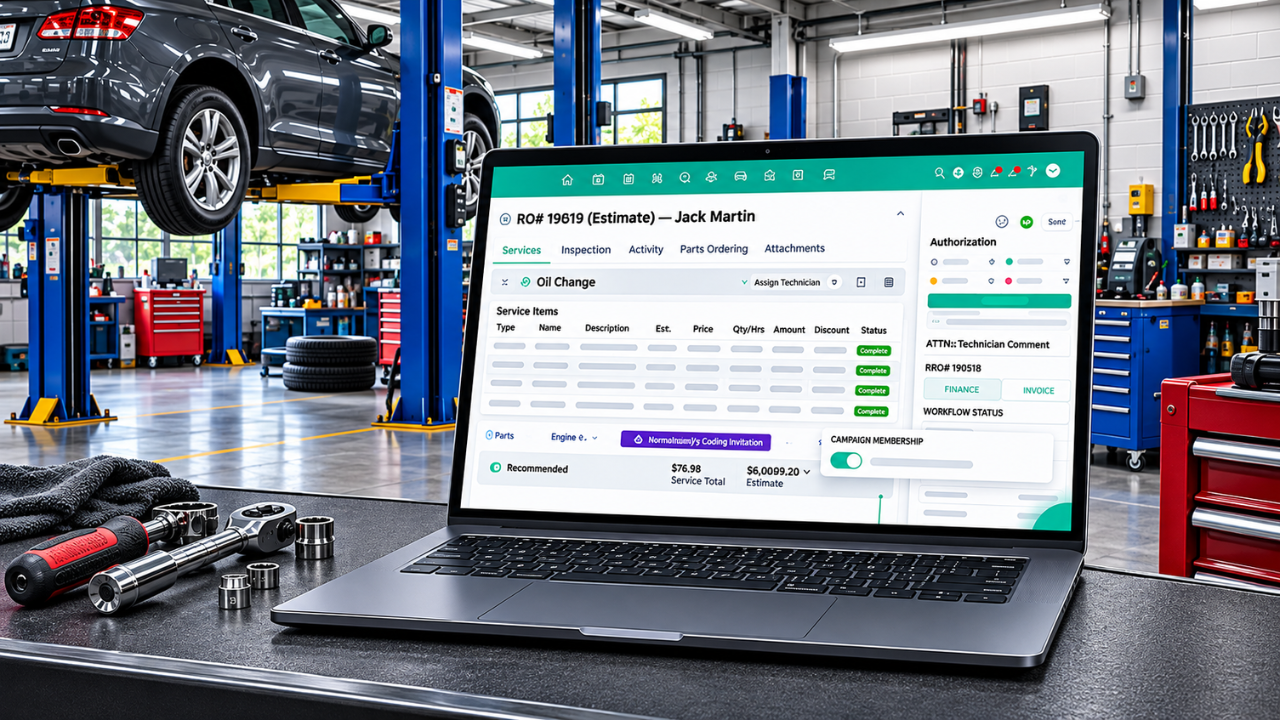
Auto Repair Estimate Software That Transforms Your Auto Shop
Running an auto repair shop involves more than diagnosing vehicle problems and completing repairs. Shop owners and service advisors also need to prepare estimates, calculate parts and labor costs, communicate with customers, and manage repair approvals. When these activities are handled manually, creating accurate estimates can take extra time and increase the chances of calculation errors. Customers may also experience delays while waiting for repair costs and service details. Auto repair shop estimate software helps simplify this process by bringing vehicle information, repair details, parts pricing, labor charges, and customer approvals into one organized system. With the right tools, repair shops can prepare professional estimates, manage repair information, and create a smoother experience for customers.
What Is Auto Repair Estimate Software?
Auto repair estimate software helps automotive shops replace manual notes and spreadsheets with digital workflows that link labor guides, parts pricing, VIN/license plate decoders, and customer approvals. It allows shops to organize vehicle details, identify required services, add parts and labor charges, and calculate the estimated total before repairs begin. Automotive repair estimate software makes it easier to manage these estimating activities without relying on handwritten quotes or separate spreadsheets.
Instead of preparing quotes manually, employees can enter repair information into a centralized platform. Depending on the available features, the software may also provide labor guides, parts pricing information, saved service jobs, taxes, and additional charges. This makes it easier to review repair costs and share a clear breakdown with customers.
How Does Estimate Software Transform Your Auto Shop?
Managing repair estimates efficiently can improve several parts of an auto shop’s daily workflow. From calculating costs to receiving customer approvals, digital estimating tools help employees handle important tasks in a more organized way.
1. Create Accurate Repair Estimates
Calculating repair costs requires attention to several details, including parts, labor hours, labor rates, taxes, and additional service charges. Missing even one item can affect the final estimate and create confusion when customers receive the quote.
Auto repair estimate software helps service advisors organize these details while preparing estimates. They can add the required repair services, select parts, enter labor charges, and review the total before sharing it with the customer. Some platforms also provide vehicle-specific labor information and parts pricing to support the estimating process.
For example, if a vehicle needs brake pad replacement and rotor servicing, the advisor can add the required parts and labor charges to the estimate. The customer receives a clearer breakdown of the expected repair costs before approving the work.
2. Save Time on Estimate Preparation
Preparing estimates manually can involve checking price lists, calculating labor costs, searching for vehicle information, and rewriting the same service details. These repetitive tasks can take valuable time, especially when a shop handles multiple vehicles each day.
Digital estimating tools help reduce this manual effort by keeping important information accessible in one place. Employees can use saved jobs, service descriptions, and available pricing information instead of entering every detail from scratch. This allows service advisors to prepare estimates more efficiently and spend more time assisting customers and coordinating repair work.
3. Improve Customer Communication
Customers want to understand what is wrong with their vehicles, which repairs are necessary, and how much the work will cost. When estimates are unclear or difficult to review, customers may hesitate before approving the recommended services.
Professional digital estimates make it easier to present repair details, parts costs, labor charges, and the expected total. Depending on the software, shops can share estimates through SMS or email so customers can review the information without visiting the shop.
For example, if a mechanic identifies an additional repair during an inspection, the service advisor can prepare an updated estimate and send it to the customer for review. This keeps communication connected to the repair process and helps customers make informed decisions.
4. Manage Digital Approvals More Easily
Waiting for customer approval can delay repair work and affect technician schedules. If approval requests are handled through separate phone calls or messages, employees may also find it difficult to track which estimates have been accepted or declined.
Some estimating platforms support digital approval features through text messages or email. Customers can review the proposed work and approve or decline the estimate before repairs continue. This helps shops maintain a clearer record of customer decisions and reduces the need for repeated follow-ups.
5. Keep Vehicle and Customer Information Organized
Every repair estimate needs accurate customer and vehicle information. Details such as customer contact information, vehicle make, model, year, VIN, and license plate can help employees identify the correct vehicle and prepare relevant service information.
Estimate software can connect these details with repair records, depending on its available features. Some systems also support VIN and license plate lookup, helping staff retrieve vehicle information more conveniently. Keeping these records organized makes it easier to review previous services, prepare future estimates, and maintain consistent customer information.
6. Why Is Estimate History Important for Repair Shops?
Keeping a record of previous estimates helps auto repair shops review past repair recommendations and customer decisions. When a returning customer brings the same vehicle back, service advisors can check earlier estimates to see which repairs were suggested, which services were approved, and which work may still need attention.
Auto repair estimate software can maintain estimate records alongside customer and vehicle details. Depending on its features, shops may be able to review previous estimates, track revisions, and check approval or declined service records. For example, if a customer returns for a previously declined brake repair, the service advisor can review the earlier estimate and prepare an updated quote based on the vehicle’s current condition. This makes future estimates easier to manage and helps staff maintain consistent customer communication.
7. Connect Digital Inspections with Repair Estimates
A vehicle inspection helps mechanics identify existing problems and recommend the repairs a customer may need. Digital vehicle inspections (DVI) allow technicians to document vehicle conditions using photos, videos, and notes, making it easier to explain their findings.
When inspection information can be connected with estimates, service advisors can use these findings to prepare repair recommendations and include the relevant parts and labor costs. Customers can review the inspection evidence alongside the proposed work, helping them better understand why a repair is recommended. This can make the estimating and approval process clearer and more organized.
8. Connect Estimates with Repair Orders
An approved estimate is often the starting point for the actual repair process. Once a customer accepts the proposed work, the shop needs to organize the approved services, assign the job, and track its progress.
Software that connects estimates with repair orders can help employees move approved work into the next stage without entering the same information again. Technicians and service advisors can refer to the repair details, approved services, and related notes while managing the job. This connection helps reduce duplicate data entry and keeps important repair information together.
Features to Look for in Auto Repair Estimate Software
Not every estimating platform offers the same capabilities. Before choosing a solution, shop owners should consider which features support their daily estimating process.
Important features may include:
- Vehicle Information: Customer and vehicle records, including VIN and license plate details.
- Parts and Labor Pricing: Tools for adding parts, labor hours, rates, and service charges.
- Labor Guides: Vehicle-specific labor information to help calculate estimated repair hours.
- Saved Jobs and Services: Reusable repair tasks that reduce repeated data entry.
- Digital Estimates: Professional quotes with clear breakdowns of parts, labor, taxes, and totals.
- Digital Approvals: Options for customers to review and approve estimates through SMS or email.
- Inspection Attachments: Support for photos, videos, and technician notes to explain recommended repairs.
- Repair Order Integration: The ability to connect approved estimates with repair orders and ongoing jobs.
Choosing features that match your shop’s workflow can make estimate preparation more consistent and easier to manage.
How to Choose the Right Estimating Software for Your Shop
Selecting the right software requires more than comparing feature lists. Shop owners should consider how the platform fits their existing processes and whether employees can use it comfortably during busy working hours.
Start by identifying the main challenges your shop faces when preparing estimates. These may include inaccurate labor calculations, time-consuming parts searches, delayed approvals, or disconnected customer records. Then compare platforms based on their vehicle coverage, pricing information, ease of use, digital approval options, and integration with other shop management tools.
It is also useful to request a product demonstration or trial when available. Test common activities such as creating an estimate, adding parts and labor, sharing a quote, and converting approved work into a repair order. This helps you understand whether the system can support your team’s daily requirements.
Which Auto Estimating Software Should Your Shop Use?
As automotive repair technology continues to evolve, shops are increasingly exploring digital estimating tools and AI-supported features to manage repair information. Choosing the right auto repair shop management software requires comparing how well its estimating features match your shop’s daily needs. Look for tools such as VIN and license plate lookup, labor guides, parts pricing, digital inspection reports, and SMS or email approvals. These features can help service advisors prepare detailed estimates, explain recommended repairs, and get customer approval before work begins.
Torque360 is one option for shops looking to simplify estimate preparation. It offers vehicle lookup, parts and labor pricing, DVI-backed estimates with photos and videos, and digital approvals through SMS and email. Some platforms focus mainly on creating repair estimates, while others connect estimates with appointments, digital inspections, repair orders, and invoicing. Before making a decision, compare available features, pricing, ease of use, and customer approval options.
Wrapping Up
Preparing repair estimates is an important part of running an efficient auto repair shop. When estimates are handled through manual records and separate tools, employees may spend extra time calculating costs, organizing vehicle information, and following up with customers. Auto repair estimate software helps bring these activities together through digital estimates, organized pricing information, customer approvals, and connected repair records.
The right solution can help shops reduce repetitive work, communicate repair costs more clearly, and maintain a more organized workflow from the initial inspection to approved repairs. By choosing software that matches their operational needs, auto repair businesses can improve estimate management and provide customers with a smoother repair experience.