Data Quality Management: A Practical Guide to Reliable Data
Your sales report shows a great month. Then finance checks the numbers and finds duplicate orders, missing refunds, and customers counted twice.
Suddenly, the meeting is about whose spreadsheet to trust.
That’s how data problems often show up. They start as small mistakes, travel through everyday systems, and eventually affect decisions that matter. Someone orders too much stock. A customer gets another unwanted email. A manager rewards a campaign that didn’t perform as well as the dashboard suggests.
Data quality management gives you a way to catch those problems, understand why they happen, and keep them from becoming routine.
Table of Contents
- What Data Quality Management Actually Means
- Good Data Depends on What You Need It For
- Start Where Bad Data Causes Real Trouble
- Look Closely Before Changing Anything
- Stop Errors Where They Begin
- Give Someone Responsibility for the Details
- Measure Progress Without Hiding the Problems
- Build a Routine Your Team Can Maintain
What Data Quality Management Actually Means
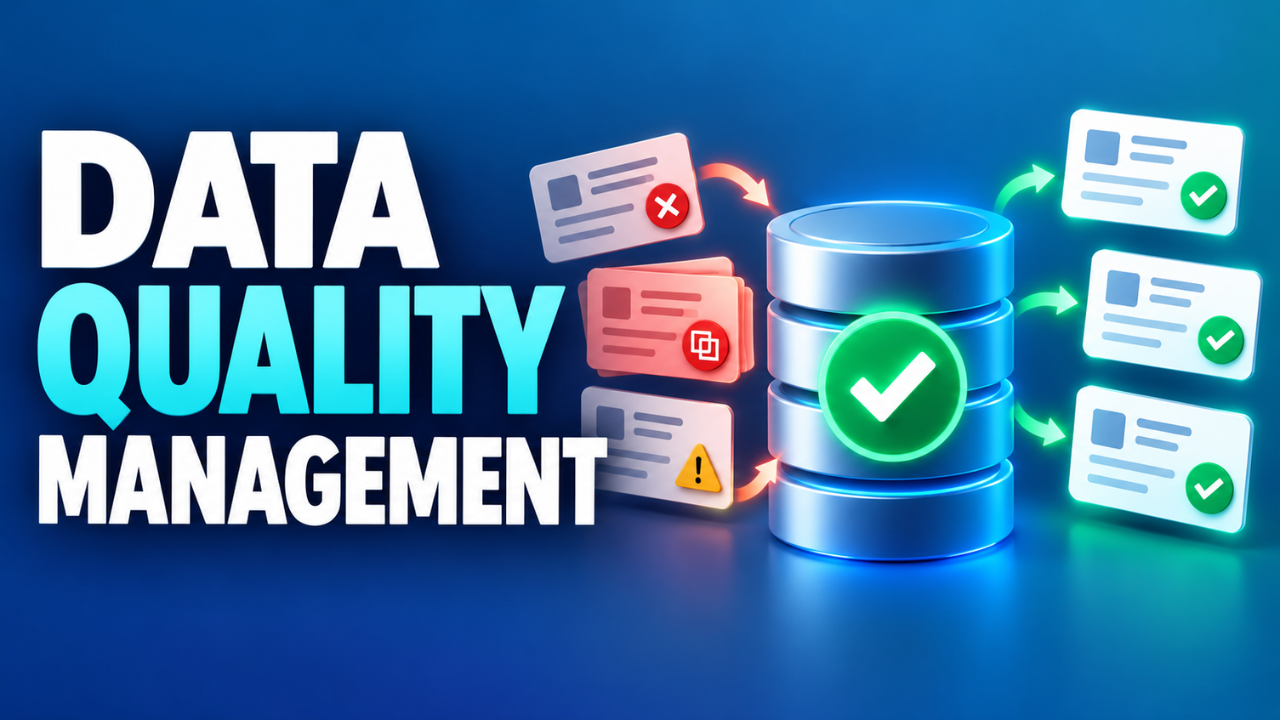
Data quality management is the ongoing work of making sure information is reliable enough for its intended use. It covers how you check data, correct mistakes, prevent recurring errors, and monitor quality as records change.
Cleaning a spreadsheet can be part of that work. But once you’ve removed duplicate rows, what stops the next import from creating them again?
That’s where management comes in.
You need shared definitions, practical checks, and people who can act when something goes wrong. Otherwise, each cleanup buys you a little time before the same problems return.
It also helps to distinguish quality management from data governance. Governance sets responsibilities and policies for handling data. Quality management puts the relevant expectations into practice through checks, corrections, and follow-up. A small business might handle both through a few agreed rules and named owners.
Good Data Depends on What You Need It For
A delivery address might have been correct last year. That doesn’t make it useful for shipping an order today.
Quality depends on context. A monthly sales summary and a live stock display have different freshness requirements. Treating them the same can lead to wasted effort or cause someone to rely on outdated information.
Six common dimensions help make those requirements clearer.
| Dimension | The practical question |
|---|---|
| Accuracy | Does the value match reality, such as the customer’s actual address? |
| Completeness | Are the necessary records and required details present? |
| Consistency | Do corresponding values agree across systems? |
| Timeliness | Is the information available and current enough for the task? |
| Validity | Does it follow the required format, range, or rule? |
| Uniqueness | Are there unintended duplicate records for the same thing? |
These checks catch different problems. An email address can follow the correct format and still belong to the wrong person. It’s valid, but inaccurate.
Likewise, a fully populated customer record may contain invented answers. Making every field mandatory won’t automatically make your database trustworthy.
Start Where Bad Data Causes Real Trouble
Trying to improve every field in every system is an exhausting place to begin.
Choose one process where unreliable information creates visible problems. That might be order fulfillment, invoicing, customer support, or weekly reporting. Ask the people doing that work what they regularly double-check or repair.
Their answers give you a starting point.
Imagine a small online shop with frequent failed deliveries. Missing apartment numbers and outdated addresses deserve attention before inconsistent capitalization in an optional notes field.
Write down the consequence of each important problem. Does it delay an order? Create extra calls? Change a revenue total?
Then compare that impact with the effort needed to fix it. A recurring error affecting hundreds of transactions may justify more work than a rare issue in an old report. This keeps the project connected to business needs and gives you a sensible first target.
Look Closely Before Changing Anything
Once you’ve chosen a dataset, examine what’s actually there. This is usually called data profiling: checking patterns, missing values, duplicates, unusual entries, and basic statistics.
For an order table, you might inspect whether order numbers repeat, dates fall outside the expected period, or totals contain unexpected negative values.
Unexpected doesn’t automatically mean incorrect. A negative amount could be a refund. Two matching names could belong to different customers.
You need context before you start deleting things.
Check the relationships between records, too. An order with a perfectly formatted customer number still causes trouble if that customer doesn’t exist in the customer table.
Keep an untouched source copy or recoverable version before making corrections. Record what changed and why. For uncertain matches, send records for review instead of automatically merging them.
A cleanup should leave you with information you can explain, including the corrections.
Stop Errors Where They Begin
Let’s say your team fixes missing customer categories every Friday. By Tuesday, the gaps are back.
Look at the form creating those records. Perhaps the category field is unclear, the available options don’t fit, or an import skips it entirely.
The useful fix depends on the cause.
You might simplify the question, update the choices, or repair how one system passes values to another. Adding another cleanup task leaves the original problem running. Finding the underlying cause gives you a better chance of preventing the error from returning.
Validation can catch straightforward issues as data enters a system. An order may need a customer reference. A quantity may need to be a whole number. A date field may need an agreed interpretation.
Still, avoid rules that reject legitimate cases. International names, addresses, and phone numbers rarely fit one narrow pattern.
When a record fails a check, decide what happens next. Some failures should block processing; others can be flagged for review while work continues. Make that decision based on the consequences, and keep failed records visible so someone can investigate them.
Give Someone Responsibility for the Details
“Everyone owns data quality” sounds encouraging. It becomes less helpful when three departments expect someone else to fix an error.
Give important datasets a named owner who can make decisions about definitions and acceptable quality. Someone also needs to handle everyday questions, coordinate corrections, and keep documentation current. Larger teams may call that person a data steward.
The titles matter less than having a clear route to action.
Suppose sales calls a customer “active” after any purchase, while finance uses purchases within the past year. Both reports could be calculated correctly and still disagree.
An owner can bring those teams together, agree on definitions for each use, and document them beside the reports.
Keep that documentation readable. Explain what a field means, where it comes from, how often it changes, and whom to contact.
Measure Progress Without Hiding the Problems
A quality score is useful only if people understand what it measures.
Suppose 9,600 of 10,000 orders contain a required delivery postcode. Completeness for that field is 96%. That tells you something specific. It doesn’t prove those postcodes are correct or that the remaining addresses are deliverable.
Track a small set of measures tied to the problems you chose. For a delivery process, postcode completeness, address-related failures, and time spent correcting orders could be useful together.
Establish a baseline before changing the process, then repeat the same checks so comparisons remain meaningful.
Be careful with a single overall score. Excellent results on low-impact fields can hide serious failures in a critical one.
Also check whether improvements reach the people doing the work. Are fewer deliveries failing? Has manual correction time fallen? Are fewer records returning with the same error?
Those questions help you tell whether a better-looking report reflects a better process.
Build a Routine Your Team Can Maintain
Now make the checks part of normal work.
A small team might begin with spreadsheet validation, a few database queries, and a shared issue log. As data volumes and system connections grow, dedicated tools can help run checks, track trends, and send alerts.
Choose tools around the work you need to do. Can they check your important rules? Show affected records? Help someone trace the source of a problem? Fit into the systems your team already uses?
Automation needs follow-through. An alert without an owner, a response time, or a clear next step is easy to ignore. Reserve urgent notifications for problems that require urgent action.
Review the checks whenever a form, supplier feed, or reporting definition changes. Yesterday’s sensible rule can become tomorrow’s false alarm.
You don’t need to start with perfect data everywhere. Pick one important process, learn where its information breaks down, and make a fix you can maintain. Over time, that steady attention means fewer corrections, clearer decisions, and meetings where people can finally discuss the numbers with confidence.