Business Process Digitization: A Simple Guide for Modern Companies
A customer sends an invoice question. Someone forwards it to finance, finance asks sales for context, and the reply sits in an inbox until the customer follows up. The work eventually gets finished, but it is often unclear where the process slowed down.
Business process digitization can help reduce these everyday delays and frustrations. It uses digital tools to make information easier to manage and keep work moving smoothly across a business. The aim is not to replace every task with an app, but to make existing processes simpler and more efficient. It’s to make useful processes easier to follow, track, and improve.
Done well, digitization can save time and reduce avoidable errors. Done carelessly, it can make a confusing process even harder to use. The difference starts with understanding the work itself.
Table of Contents
- What Business Process Digitization Means
- Why Businesses Digitize Their Processes
- Where to Start
- Map the Process Before Choosing Tools
- Choose Technology That Fits the Work
- Make the Change Work for Employees
- Measure What Has Improved
- Common Mistakes to Avoid
- A Practical Way to Roll It Out
- What Digitization Can Make Possible
What Business Process Digitization Means
Business process digitization means using digital tools to manage information and carry out parts of a business process. A paper form might become an online form. A manager who once approved purchases by email might use a shared workflow that records each decision. Customer records kept in separate spreadsheets might move into one system that staff can access.
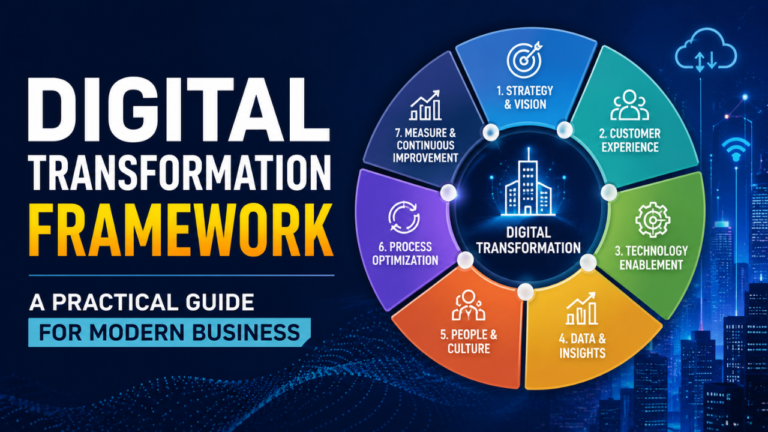
It helps to distinguish digitization from two related terms. Digitizing involves changing physical or manually stored information into a digital format, such as scanning a paper receipt and saving it electronically. Digitalization uses digital tools to improve the way work gets done, such as automatically sending those receipts to the right person for review. Digital transformation is broader still: it can involve changes to a company’s services, structure, and business model.
The terms sometimes overlap, but the distinction is useful. Scanning a form is a first step. Rethinking who needs the information, when they need it, and what should happen next is where process improvement begins.
Why Businesses Digitize Their Processes
Manual processes often depend on someone remembering what to do next. This approach may work well for a small business where the same few people manage most customer interactions. As the company grows, details can get buried in email, approvals can be missed, and employees can end up repeating the same data entry.
A well-designed digital process gives people a clearer view of the work. Staff can see whether a request is waiting for approval, missing information, or ready for the next step. Managers can spot delays without asking several people for updates.
Digitization can also improve consistency. Consider a company that receives supplier invoices in different formats. A shared intake process can make sure each invoice is recorded, checked, and sent to the right approver. That doesn’t guarantee every payment will be correct, but it makes the steps easier to follow and review.
The customer may notice the difference too. When a service team can see previous conversations and current case status, customers are less likely to repeat themselves. Faster responses can follow, though speed alone isn’t the goal. A quick but confusing answer doesn’t help much.
Where to Start
It’s tempting to begin with a flashy new platform or a long list of tasks that could be automated. A good place to start is with a process that regularly causes frustration or slows people down.
Look for work that happens often, takes several handoffs, or creates regular errors. Common candidates include employee onboarding, expense claims, purchase approvals, customer support requests, invoice processing, and document review. Talk to the people who handle the work every day and find out which steps take up the most time. Their answers may point to a small, fixable problem that doesn’t show up in a management report.
A simple assessment can help narrow the options. How frequently does the process occur? How much staff time does it take? What happens when information is missing? Which delays affect customers or other teams? Is the process important enough to justify the cost and effort of changing it?
Suppose a business receives 15 expense claims a month, and processing each claim takes five minutes. Automating it may save some time, but perhaps the process is already straightforward. If the same business handles hundreds of customer requests that regularly go to the wrong team, improving the intake and routing process may have a much larger effect.
Map the Process Before Choosing Tools
Before moving a workflow into a digital system, first map out how the process currently works from start to finish. Keep it simple: note who starts the process, what information they provide, who reviews it, what decisions get made, and what happens at the end.
Then look for points where work gets stuck or repeated. Does someone copy customer details from one system to another? Are requests sent back because important fields were left blank? Do employees rely on a manager’s memory to know whether something is approved?
Mapping the process can reveal a problem that technology alone won’t fix. For instance, a request might move between four people because nobody is sure who has authority to approve it. Putting that unclear approval path into software won’t make the decision clearer. It may only give the confusion a digital home.
Agree on the steps and responsibilities first. That doesn’t mean designing a perfect process on paper. It means getting enough shared understanding to make sensible changes before building them into a tool.
Choose Technology That Fits the Work
The right technology depends on the process. For a small team, a simple shared form and well-organized folder system may be all that is needed. A company with multiple departments, approval rules, and reporting needs may need a workflow platform or a feature in software it already owns.
Start with the job to be done. Do you need to keep track of who approved each step in the process? Should a request move automatically based on its type? Do employees need to see status updates? Must information connect to an existing finance, customer relationship management, or human resources system?
Check how the tools handle access and sensitive information as well. A system can make information easier to find, but the people using it should only see what they’re allowed to see. It should also be clear how records are stored, backed up, and retained.
Avoid buying a large platform simply because it promises to solve every problem. More features can mean more setup, training, and maintenance. A smaller tool that employees can use reliably may be a better fit than a powerful system that nobody understands.
Make the Change Work for Employees
A digitized process affects the people who use it every day. If employees don’t know why a change is happening or how it helps them, they may keep old spreadsheets, create workarounds, or ignore the new workflow altogether.
Explain what is changing in plain language. Show employees how a task will move through the new process and where they can check its status. Training should use realistic examples, such as submitting an actual purchase request or responding to a typical customer case, instead of walking through every menu on the screen.
Give people a way to report problems during the early stages. A field that seems obvious to a system designer may not match the information staff receive from customers. A small change to a form or handoff can remove a repeated annoyance.
Some employees will be comfortable with the new process right away; others may need time. That’s normal. Ask what’s making the change difficult, then fix the practical issues where possible. A process works when people can use it in the middle of a busy day, not just when it’s being demonstrated.
Measure What Has Improved
Decide what success looks like before the new process goes live. Useful measures might include how long a request takes from submission to completion, how often it is sent back for missing information, how many manual steps employees perform, or how frequently customers ask for an update.
A baseline makes those figures meaningful. If invoice processing took an average of eight days before a change, measure it again after employees have had time to adjust. If the time falls, that’s useful evidence. If it doesn’t, investigate where invoices still get delayed.
Look at quality as well as speed. A faster process that creates more mistakes may not be an improvement. Employee feedback also matters: a dashboard may show that a workflow closes cases quickly, while staff can tell you that they spend extra time fixing incomplete responses.
Use the numbers to make decisions, not to decorate a report. If results are mixed, adjust the process and check again.
Common Mistakes to Avoid
One frequent mistake is automating a process without removing unnecessary steps. If a customer request requires three redundant approvals, a digital workflow may make those approvals faster, but it still leaves the customer waiting. Ask whether each step is needed before automating it.
Another is trying to digitize everything at once. A large rollout can overwhelm staff and make it difficult to tell which changes are working. Begin with a contained process, learn from it, then apply what you’ve learned elsewhere.
Poor data is another common obstacle. Duplicate customer records, inconsistent labels, and outdated contact details can move into a new system and cause fresh problems. Clean up important information before relying on it for automated routing or reporting.
Finally, don’t assume a launch means the work is complete. Processes change as a business grows. A workflow that made sense for a team of 10 might feel clumsy when the team reaches 50. Assign someone to review the process, collect feedback, and keep it useful.
A Practical Way to Roll It Out
A steady rollout makes it easier to catch problems before they spread. Choose one process and name the people who own it. Document the current steps, identify the main frustration, and agree on a small improvement you can measure.
Next, configure the tool around the agreed process. Test it with realistic examples, including requests with missing information, unusual approvals, and common exceptions. Don’t test only the smoothest possible case. That’s rarely the one that causes trouble on a busy Monday.
Introduce the new workflow to a small group first if that’s practical. Listen to what happens when they use it in real work, then make sensible adjustments. Once the process is stable, explain it to everyone who needs it and provide a simple place to ask for help.
After launch, review both the results and the experience of using the process. Keep the parts that work. Fix the steps that still waste time. If the improvement depends on people following a clear process, make sure ownership and expectations remain clear.
What Digitization Can Make Possible
When business processes are easier to follow, teams can spend less time chasing updates and more time handling the work that needs judgment. Managers get a clearer picture of bottlenecks. Customers may get more consistent service. Employees can see what’s expected of them and where a request stands.
Those gains don’t come from software by itself. They come from matching a useful tool to a well-understood process, then paying attention to how people use it. Start with one everyday frustration, improve it, and measure the result. That’s a practical foundation for broader change.