Smart Home Device Reviews: 6 Picks Worth Considering
Smart home devices are designed to make daily routines simpler and more convenient The best ones do: a light switches on before you enter the hallway, or you check who’s at the door without leaving the kitchen. The disappointing ones add another app, another password, and another thing to troubleshoot.
These smart home device reviews focus on what each pick is actually good for, what may frustrate you, and who should consider it. The right choice depends less on having the newest gadget and more on whether it fits the way your home already works.
Table of Contents
- What Makes a Smart Home Device a Good Buy?
- Amazon Echo Show 8 (2025): Best for a Kitchen Hub
- Google Nest Hub (2nd Gen): Best for a Bedside Display
- Apple HomePod mini: Best for Apple Homes
- Philips Hue Starter Kit: Best for Smart Lighting
- TP-Link Tapo P110M: Best First Smart Plug
- ecobee Smart Thermostat Premium: Best for Heating Control
- Which Smart Home Device Should You Start With?
- The Takeaway
What Makes a Smart Home Device a Good Buy?
A device can have an impressive feature list and still be a poor fit for your home. Before buying, check which voice assistant it supports, whether it needs a separate hub, and if it works with your phone. Also look at the basics: does it need a strong Wi-Fi signal, and will its app keep working if you change platforms later?
Matter can make it easier for compatible products from different brands to work with major smart home systems. But don’t assume every feature will appear in every app. Check the device’s exact compatibility and setup requirements before you buy.
Above all, focus on the daily routine you want to make easier. If you always switch on the same lamp at bedtime, a smart plug or bulb could be more useful than a display full of features you’ll rarely touch.
Amazon Echo Show 8 (2025): Best for a Kitchen Hub
The Echo Show 8 brings Alexa voice control and a touchscreen into one device. That screen is handy when your hands are covered in flour and you want to check a timer, follow a recipe, or see a live feed from a compatible camera. Amazon’s 2025 model has an 8.7-inch display, and Amazon’s help pages explain how to view compatible camera feeds on it.
It makes the most sense in a kitchen or shared living area, where people can glance at it and use voice commands without hunting for a phone. It can also make it easier to manage Alexa-compatible devices from one place.
The main drawback is that a screen isn’t an upgrade for everyone. If you only want to set timers and play music, a speaker may take up less space and cost less. And if your home already runs on Google Home or Apple Home, check that your other devices will work smoothly with Alexa before building around it. Echo Show models and availability can vary by market, so confirm you’re looking at the 2025 release when comparing listings.
Google Nest Hub (2nd Gen): Best for a Bedside Display
The Nest Hub works well for people who want a small screen for voice control, music, and compatible smart home devices. On a bedside table, it can also use Sleep Sensing to track movement and sound during the night. Google says that sleep sensing on this model doesn’t use a camera.
That makes it an interesting pick if you’d rather not put a camera in the bedroom. It’s also useful for a quick glance at the time, weather, or a connected doorbell feed. Think of Sleep Sensing as an extra feature to explore, though—not a reason by itself to buy the display. Check which features are available in your country and account.
Its biggest appeal is simplicity. The screen is small enough to sit on a counter or nightstand without taking over the room, and it can control compatible Google Home devices. If you mainly use Apple Home or Alexa, another device may feel more natural. It’s also a model that’s been around for a while, so check stock, condition, and software support before buying.
Apple HomePod mini: Best for Apple Homes
If your household already uses iPhones and Apple Home, the HomePod mini can work as both a compact speaker and a smart home hub. Apple says it can control HomeKit and Matter-enabled accessories remotely, and the speaker includes temperature and humidity sensors.
The appeal is having a small, voice-controlled device that fits into the Apple Home setup. For example, you could use it to ask Siri to turn off a compatible light without opening an app. It’s worth checking that the accessories you already own support Apple Home; support for Matter helps, but a device’s compatibility still depends on its specific features and setup.
The trade-off is that the HomePod mini is most compelling inside Apple’s ecosystem. If your family uses a mix of Android phones, Alexa devices, and other platforms, compare how each product will work in practice before settling on it. It’s also a small speaker, so don’t expect it to fill a large room like a dedicated audio system.
Philips Hue Starter Kit: Best for Smart Lighting
Smart lighting is one of the easiest upgrades to notice in daily life.
Smart lighting is one of the simplest upgrades that can make a noticeable difference in everyday life. A Hue starter kit gives you bulbs and, depending on the kit, a Hue Bridge for connecting and managing them. The Bridge lets you add automations and connect Hue lighting with other smart home platforms; Philips lists Matter compatibility and support for systems such as Apple Home, Alexa, Google Home, and SmartThings on its product information.
The practical benefit is control over the lighting in a room, from routines that switch lamps off at night to lighting scenes for reading or relaxing. A kit can be a tidy way to start if you already know you want several smart lights.
It may be more than you need for one bedside lamp. Some bulbs offer simpler direct control, while a Bridge adds another box and setup step. Check the bulb fitting in your lamps and what’s included in the exact kit: Hue sells different bundles, and not every box comes with the same bulbs or accessories.
TP-Link Tapo P110M: Best First Smart Plug
A smart plug is a simple way to give an ordinary lamp or another suitable appliance app or voice control. The Tapo P110M supports Matter setup through compatible apps, including Apple Home, Google Home, and Alexa. TP-Link also lists energy monitoring for this model.
It’s an appealing first purchase because it can solve a small, familiar problem: a lamp you keep forgetting to switch off, for instance. You can set a schedule or control it from an app, and the energy information may help you understand how much a connected device uses.
There’s a limit to what a plug can do. It only cuts or restores power; it doesn’t add smart controls to every function of the appliance. Before plugging in a heater, kettle, or other high-power device, check the plug’s rating and the appliance instructions. For a lamp or other suitable low-power device, it’s a straightforward way to test whether smart home routines are useful to you.
ecobee Smart Thermostat Premium: Best for Heating Control
A smart thermostat can be a meaningful upgrade if you have compatible heating or cooling and want more control over its schedule. ecobee’s Smart Thermostat Premium includes a built-in indoor air quality monitor, and the company offers SmartSensors to help manage comfort in different rooms.
That room-by-room angle can matter in a home where one bedroom always feels colder than the rest of the house. A separate sensor gives the thermostat more information about the room you care about, rather than relying only on the temperature around the wall-mounted control.
This is the least casual purchase in the roundup. You’ll need to confirm that the thermostat works with your heating and cooling system, and installation may take more effort than plugging in a speaker. The extra air-quality and sensor features are useful only if you’ll check them and adjust your settings. If your existing thermostat already keeps the home comfortable and your bills are manageable, a smart thermostat may not be the best first upgrade.
Which Smart Home Device Should You Start With?
Start with a small annoyance you can name. If you want lights to switch on at a set time, try a smart plug or bulb. If you’re always asking for timers while cooking, a smart speaker or display may help. If one room never feels comfortable, look into a thermostat and its sensor options.
Before placing an order, check the product’s supported platforms, whether it needs a hub, and what it can do without an internet connection. Matter is designed to improve compatibility across smart home brands, but you should still confirm that the specific controls you care about are supported in your preferred app.
Then add devices gradually. A light, speaker, and plug are plenty for a first experiment. Once you’ve lived with them for a few weeks, you’ll know whether automations actually help—or whether you prefer using the wall switch.
The Takeaway
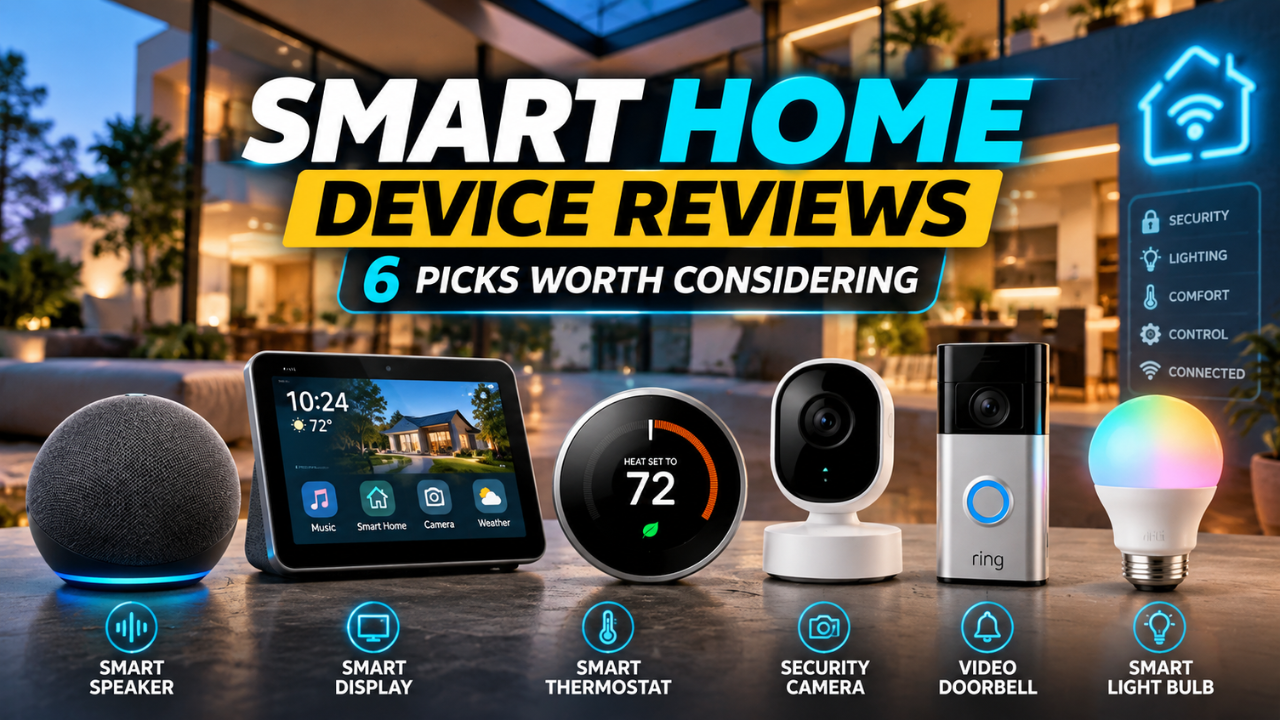
The best smart home device is the one that makes a routine easier without creating extra work. Echo Show 8 suits homes that want a shared screen, Nest Hub fits a Google-centered setup, and HomePod mini is a natural match for many Apple users. Hue, Tapo, and ecobee solve more specific lighting, appliance, and temperature needs. Pick the problem first, then choose the device that fits your home and the systems you already use.