AI-Powered Workflows: Work Smarter and Save Time
Most workdays aren’t difficult because every task is complex. They’re difficult because dozens of small tasks keep interrupting the important ones.
An invoice arrives and needs to be entered. A customer sends a question that must reach the right person. Meeting notes need turning into action items. Someone has to update the project board, prepare a summary, and remind the team about a deadline.
None of these jobs seems overwhelming alone. Together, they drain hours.
AI-powered workflows can take much of that pressure away. They combine automation with intelligent decision-making, allowing routine work to move forward without constant human attention. Used well, they don’t replace people. They remove the repetitive steps that stop people from doing their best work.
The real opportunity isn’t simply completing tasks faster. It’s creating a calmer, more reliable way to work.
Table of Contents
- What Makes a Workflow AI-Powered?
- Start With Friction, Not Technology
- Where AI-Powered Workflows Earn Their Keep
- Build Around Human Judgment
- Keep the System Simple Enough to Trust
- Measure What Actually Improved
- The Real Advantage Is Better Flow
What Makes a Workflow AI-Powered?
A traditional automated workflow follows fixed instructions. When one thing happens, the system performs a predefined action.
For example, a customer completes a contact form, so their details are added to a spreadsheet. That’s useful automation, but it doesn’t understand what the customer wrote or what should happen next.
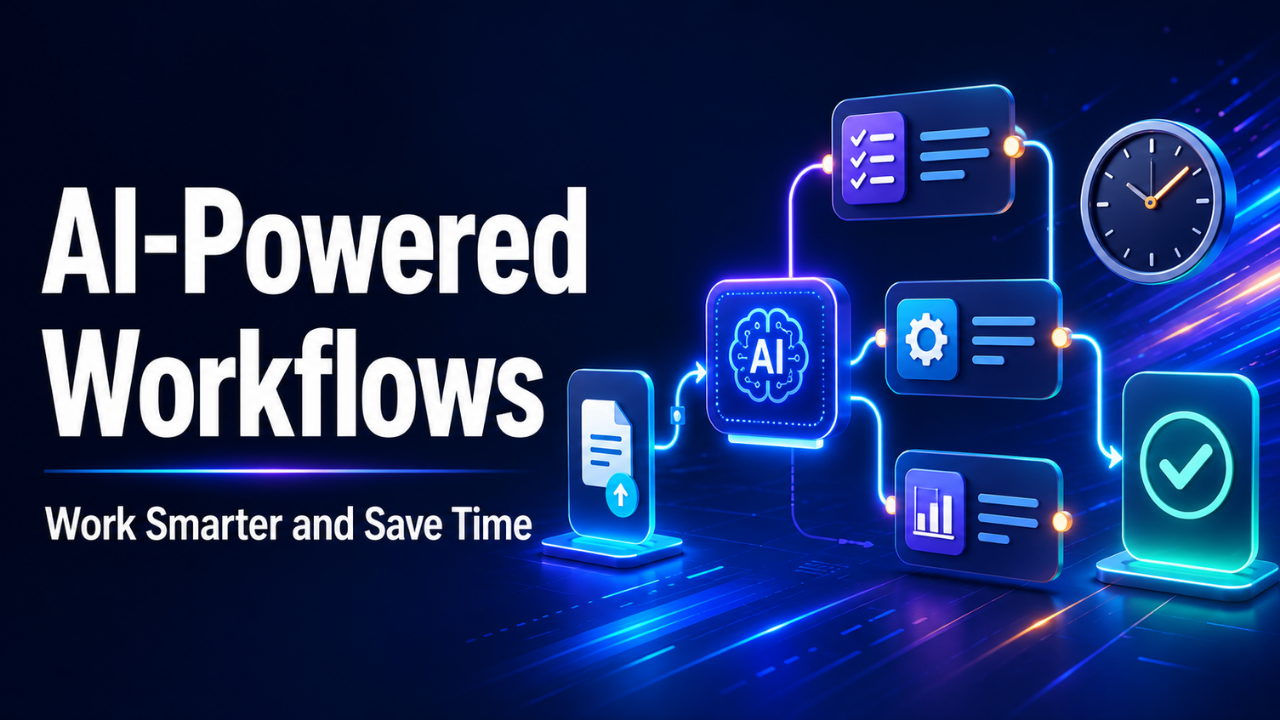
An AI-powered workflow can go further. It might read the message, identify the customer’s intent, judge its urgency, assign it to the correct department, and prepare a short summary for the person handling it.
That ability to work with messy information is what makes these workflows valuable. Business information rarely arrives in neat boxes. It appears in emails, documents, conversations, screenshots, support tickets, and meeting transcripts.
Intelligent systems can analyze that material and turn it into something usable.
Imagine a sales representative returning from lunch to find 18 new inquiries. Instead of opening every message, the representative sees three groups: urgent purchase requests, general questions, and low-priority messages. Each inquiry already includes a short summary and a suggested next step.
The representative still makes the important decisions. The sorting work has already been handled.
That’s the sweet spot.
Start With Friction, Not Technology
It’s tempting to begin by looking for impressive tools. That usually leads to a collection of disconnected features rather than a useful workflow.
Start with the annoying part of the job.
Ask where people lose time, repeat the same actions, wait for information, or make avoidable mistakes. These moments reveal the best automation opportunities.
Suppose a small marketing team creates a weekly performance report. One person downloads numbers from several platforms, copies them into a spreadsheet, compares the results, and writes a summary. The task takes three hours every Monday.
The obvious goal might be “use AI for reporting.” That’s too broad.
A better goal is specific: collect the data automatically, highlight unusual changes, and create a first draft of the weekly summary. The marketing manager can then verify the figures and add context before sharing it.
Now the workflow solves a real problem. It doesn’t exist simply because the technology is available.
Look for tasks with clear patterns, frequent repetition, and predictable inputs. High-volume work also deserves attention. Saving two minutes on something that happens 500 times a week matters more than saving ten minutes on a monthly task.
Where AI-Powered Workflows Earn Their Keep
Some areas benefit more naturally than others.
Customer support is a strong example. Incoming requests can be categorized by topic, language, urgency, or customer type. Common questions may receive a prepared response, while unusual or sensitive issues go directly to a human agent.
This reduces the time customers spend waiting without forcing every conversation into a rigid chatbot experience.
Document-heavy work is another good fit. A workflow can extract names, dates, totals, payment terms, or other details from invoices and contracts. The information can then move into the appropriate system for review.
Think about a finance assistant processing 70 invoices at the end of the month. Manually entering every supplier name, invoice number, and amount creates both fatigue and errors. A smarter workflow extracts the details, flags missing information, checks for possible duplicates, and asks the assistant to approve uncertain entries.
Content operations can also become smoother. A recorded meeting might be transcribed, summarized, and converted into assigned tasks. Product feedback could be grouped into common themes. A long research document could become a brief for the team.
Sales teams can use similar workflows to research prospects, enrich contact records, summarize calls, and draft follow-up messages. The salesperson reviews and personalizes the final message instead of beginning with a blank page.
The common thread is simple: the system handles preparation, organization, and repetition. People handle relationships, judgment, and accountability.
Build Around Human Judgment
Let’s be honest: not every decision should happen automatically.
A workflow might classify a refund request, but a person should review unusual or high-value cases. It may summarize a legal document, but a qualified professional should interpret the consequences. It can rank job applications using relevant criteria, but hiring decisions require careful human oversight.
The goal is controlled assistance, not blind delegation.
A practical workflow usually has three paths. Straightforward cases move ahead automatically. Uncertain cases pause for review. Sensitive or high-risk cases go directly to an appropriate person.
Consider an online shop handling return requests. A customer returning an unopened item within the stated period may receive an automatic approval. A damaged product could require photographs and staff review. A request involving repeated returns or a large order might be escalated to a manager.
This approach keeps the easy cases moving while protecting the business from careless decisions.
People also need a clear way to correct the system. If employees constantly change inaccurate categories or rewrite poor summaries, those corrections should improve the workflow. Otherwise, the automation simply creates a new kind of repetitive work.
Good systems support human expertise. They don’t make expertise harder to apply.
Keep the System Simple Enough to Trust
A clever workflow can still fail if nobody understands it.
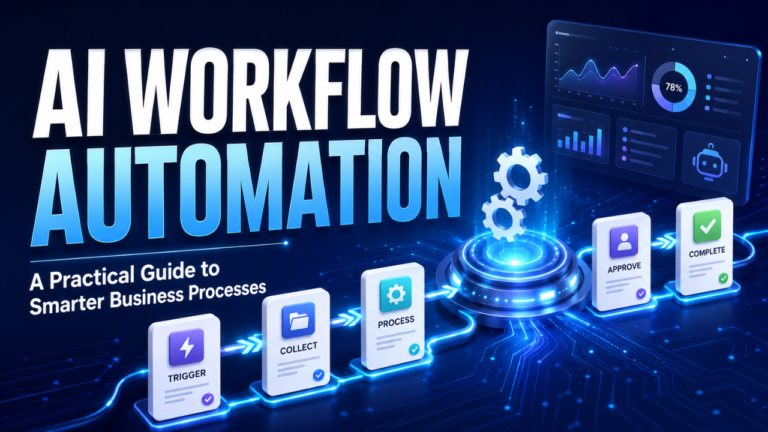
The best setup is often smaller than expected. One trigger, a few clear actions, and a review point may deliver more value than a complicated network of tools.
Begin with one process. Map what happens now, including the unofficial steps employees take to keep things moving. Then decide which steps should be automated, assisted, reviewed, or left alone.
Data quality matters here. If customer records contain duplicate names, missing fields, and outdated details, adding intelligence won’t magically clean everything up. It may spread the confusion faster.
Security deserves equal attention. A workflow should only access the information it needs. Sensitive customer, employee, financial, or business data shouldn’t pass through random services without clear safeguards.
Ownership is another easily missed detail. Someone must know what the workflow does, how to check its results, and what to do when it stops working. Otherwise, a small technical failure can quietly interrupt an entire process.
Create a basic fallback. If an automated step fails, the task should move to a visible queue or notify a responsible person. It shouldn’t disappear.
Reliability is more useful than complexity. Every time.
Measure What Actually Improved
Saving time sounds good, but it’s not the only measure that matters.
A workflow may reduce processing time while creating more errors. It might produce quick replies that frustrate customers. Perhaps it saves managers an hour but gives employees extra cleanup work.
That isn’t progress. It’s merely moving the burden.
Before changing a process, record how it currently performs. Measure the average completion time, error rate, backlog, response time, or number of manual steps. Choose figures that reflect the real purpose of the workflow.
After launching the new process, compare the results.
Let’s say a support team previously took six hours to respond to new tickets. After introducing automated classification and routing, the average drops to two hours. That’s meaningful. If customer satisfaction also remains steady or improves, the workflow is doing its job.
Pay attention to employee feedback too. The people using the process every day will notice problems that a dashboard misses. They’ll know when a summary leaves out crucial details or an approval step appears at the wrong moment.
Small adjustments often create the biggest gains. A better instruction, an additional review rule, or a clearer notification may fix a problem without rebuilding the entire workflow.
The Real Advantage Is Better Flow
AI-powered workflows aren’t valuable because they make a business look advanced. They’re valuable when work stops getting stuck.
Emails reach the correct person. Information arrives before it’s needed. Routine documents no longer consume an afternoon. Employees spend less time copying, sorting, checking, and chasing updates.
That creates something many teams desperately need: breathing room.
Start with one frustrating process that happens often. Understand it properly, automate the predictable parts, and keep people involved where judgment matters. Then measure whether the change genuinely saved time, reduced errors, or improved the experience.
The strongest workflow may not be the most impressive one. It’s the one that quietly makes every workday feel a little less chaotic.