
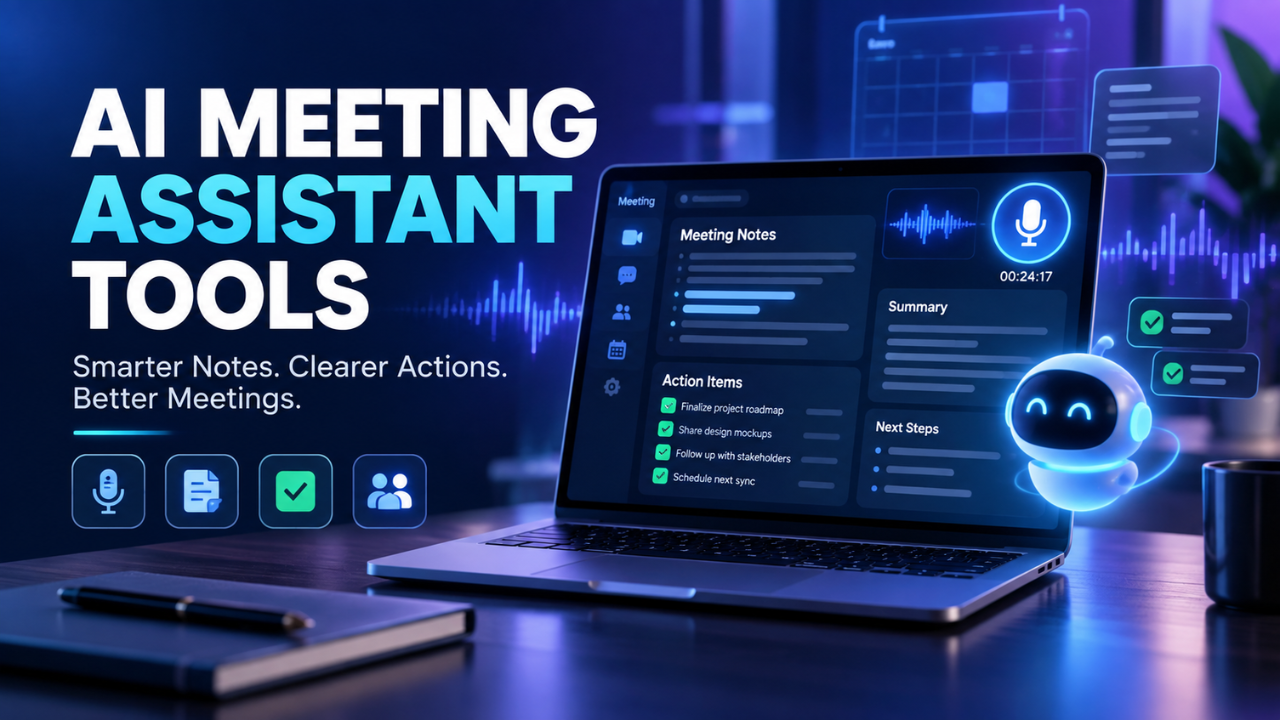
AI Meeting Assistant Tools: Smarter Notes, Clearer Actions, Better Meetings
Meetings rarely fail because people have nothing to say. They fail because useful ideas disappear inside a busy conversation. Someone promises to send a file, another person agrees to check a number, and three days later nobody remembers who owned what. The meeting happened, but the momentum didn’t survive it.
AI meeting assistant tools are designed to solve that ordinary, expensive problem. They can listen to a call, create a transcript, summarize the important points, identify decisions, and pull out follow-up tasks. When that information is accurate and used consistently, the effect can be surprisingly large.
The best tools don’t try to replace human conversation. They take away the exhausting admin work around it, leaving people more present during the meeting and less dependent on memory afterward.
Table of Contents
- What AI Meeting Assistant Tools Actually Do
- Why Teams Use Them
- The Features That Matter Most
- How They Help Different Types of Meetings
- Privacy, Accuracy, and Trust
- How to Choose the Right Tool
- Getting More Value After the Meeting
- The Takeaway
What AI Meeting Assistant Tools Actually Do
At the most basic level, an AI meeting assistant records or receives the audio from a meeting and turns it into useful information. That usually includes a searchable transcript, a short summary, key discussion points, decisions, and action items.
Some assistants join a video call as a visible participant. Others work through a desktop app, calendar connection, or uploaded audio. The method varies, but the goal is the same: make the conversation useful later without forcing everyone to take detailed notes.
Imagine a weekly marketing meeting. The team discusses a campaign launch, changes the target audience, delays one design, and assigns a landing-page update to a colleague. A good assistant can separate those points from the side conversation and present them in a practical format: what changed, what was decided, who is responsible, and when the work is due.
That last part matters. A transcript is useful, but most people don’t want to read forty-five minutes of dialogue to find one decision. They want the answer quickly.
Why Teams Use Them
The obvious benefit is time. Note-taking, cleaning up notes, and writing follow-up messages can easily add another hour to a meeting-heavy day. An assistant can reduce that workload, especially for recurring calls where the same format happens every week.
There’s also a focus benefit. When one person isn’t trying to type every sentence, they can listen properly. They notice a hesitation from a client, ask a better question, or catch a concern that might otherwise be missed. Meetings feel more like conversations and less like transcription exercises.
These tools are particularly helpful when people work across time zones. A team member who couldn’t attend can read a short summary and search the transcript for the decisions that affect them. That’s more useful than asking someone, “What did I miss?” and receiving a rushed answer based on memory.
They can also create consistency. Without a shared system, one employee records decisions while another writes general impressions. A meeting assistant gives everyone a common starting point, even if people later edit the notes in their own style.
Still, let’s be honest: saving time isn’t enough by itself. If the summary is vague, the tasks are wrong, or nobody checks the output, the tool simply creates another document that people ignore.
The Features That Matter Most
Transcription is the foundation, but it shouldn’t be the only thing you evaluate. Speaker identification is important when several people are talking, especially in client calls or interviews. A transcript that labels every voice as “Speaker 1” quickly becomes difficult to use.
Search is another quiet superpower. A searchable archive lets you find a project name, customer concern, deadline, or decision without replaying old recordings. Over time, that record becomes a practical memory for the team.
Summaries should be adjustable rather than fixed. A manager might want a short executive overview, while a project lead may need detailed decisions and dependencies. The strongest tools let users choose the level of detail or produce different views for different purposes.
Action-item detection deserves special attention. It should identify the task, the person responsible, and any deadline mentioned in the conversation. If someone says, “I’ll send the revised figures by Thursday,” the useful note is not merely “figures discussed.” It should capture the commitment clearly.
Integrations can make the difference between a helpful assistant and a forgotten one. If notes can flow into a project board, customer record, document workspace, or team chat, the information stays connected to the work instead of being copied manually.
Look for editing controls, too. People need to correct names, remove irrelevant sections, mark sensitive moments, and share only what others should see. Simple editing and reliable exports are often more valuable than a polished interface.
How They Help Different Types of Meetings
Not every meeting needs the same kind of support.
For internal team meetings, the assistant is mainly useful for decisions, responsibilities, and unresolved questions. A product team can quickly see which feature was approved and which issue still needs investigation. That reduces the familiar follow-up confusion where everyone remembers the discussion slightly differently.
For sales calls, the tool can help representatives stay engaged with the prospect instead of typing constantly. Afterward, the salesperson can review concerns, buying signals, competitors mentioned, and promised follow-ups. The important point is to use those notes to improve the next conversation, not to flood the customer relationship system with meaningless text.
For interviews, transcripts make it easier to compare answers and revisit an exact quote. For training sessions and one-to-one meetings, they provide a searchable record of important guidance, priorities, and support requests.
There’s a human judgment question here. Some conversations are better kept private and informal. A performance discussion, a sensitive client matter, or a personal conversation may not be suitable for automated recording. The presence of a tool can also change how freely people speak, so teams should decide where it genuinely adds value.
Privacy, Accuracy, and Trust
Before adopting any meeting assistant, understand what happens to the recording and transcript. Check how data is stored, who can access it, how long it remains available, and whether administrators can control retention. Easier access also increases the risk of accidental exposure when permissions are poorly managed.
Participants should know when a meeting is being recorded or transcribed. Depending on where people are located, consent and recording rules may differ. Clear notice is not just a legal precaution; it helps maintain trust. Nobody likes discovering later that a private conversation was captured without their knowledge.
Accuracy needs a realistic approach. Names, technical terms, accents, overlapping voices, and poor microphones can produce mistakes. A summary may sound confident while missing an important detail, so action items and sensitive decisions should be reviewed before becoming official.
The best workflow treats the assistant as a first draft of the meeting record. It does the heavy lifting, but a human confirms what matters. That small review can prevent an incorrect owner, a wrong deadline, or a misleading summary from spreading through the organization.
How to Choose the Right Tool
Start with the problem rather than the feature list. If your team loses track of decisions, prioritize summaries and action tracking. If remote employees miss meetings, look for strong search, sharing, and access controls. For sales calls, consider speaker recognition and customer-system integrations.
Test the tool with real meetings, not only a polished demo. Use a call with background noise, several speakers, technical language, and a few changes of direction. Then compare the transcript and summary with what actually happened. A tool that performs well in a quiet two-person demo may struggle during a lively team call.
Pay attention to the workflow after the meeting. Can someone approve the summary quickly? Can tasks be assigned without retyping them? Can a participant find one sentence from an old call? Small points like these determine whether people keep using it after the first week.
Cost matters, but adoption matters more. A cheaper tool that nobody trusts is expensive in practice. On the other hand, a feature-rich platform may be unnecessary for a small team that only needs searchable transcripts and clean summaries. Choose the lightest option that solves the real problem well.
Getting More Value After the Meeting
The meeting should not end when the summary appears. Give the notes a clear home and decide who reviews them. Without ownership, even an accurate summary becomes background noise.
A useful habit is to begin the next meeting by checking the previous action items. Were they completed? Did the deadline change? Is a decision still valid? This turns the assistant from a passive recorder into part of a repeatable accountability system.
It also helps to create a simple naming and tagging routine. Consistent project names, customer names, and meeting types make search much more effective later. A few shared conventions can go a long way.
Finally, ask people for feedback. Are summaries too long? Are certain speakers regularly misidentified? Do employees want tasks shown differently? The tool should adapt to the team’s working style instead of forcing everyone into a rigid format.
The Takeaway
AI meeting assistant tools are most valuable when they turn conversation into dependable follow-through. They can reduce note-taking, help absent teammates catch up, and make old discussions easier to search. But the technology isn’t the whole solution.
Good results still depend on clear consent, sensible privacy controls, human review, and a habit of acting on what meetings produce. Used that way, a meeting assistant becomes more than a transcript generator. It becomes a quiet layer of support that helps people remember what was said, understand what changed, and keep moving on the work that matters.
One Comment