AI Meeting Note Taker: A Smarter Way to Capture Every Conversation
Most meetings don’t fail because people lack good ideas. They fail because useful details disappear once everyone leaves the call.
Someone promises to send a proposal. A deadline changes. The client mentions a small concern that later becomes a big problem. Everyone remembers the general discussion, but nobody recalls the exact wording or who agreed to do what.
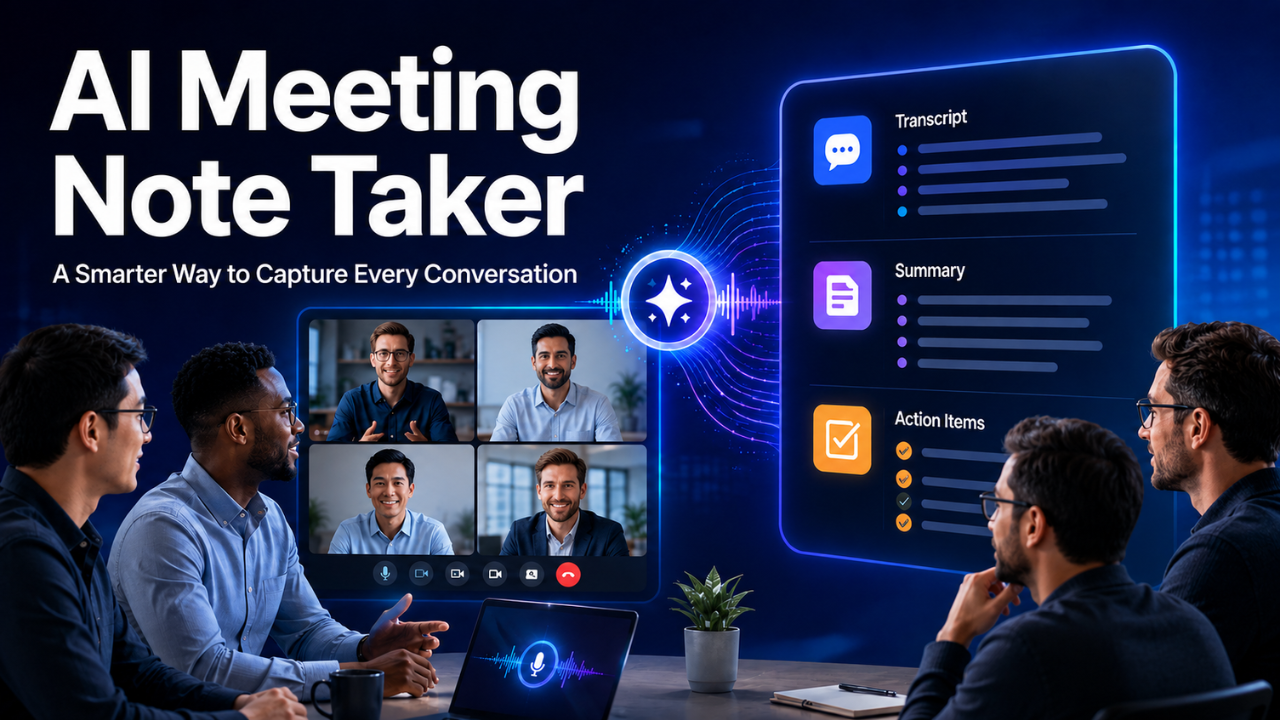
An AI meeting note taker helps prevent that mess. It records or processes a conversation, creates a transcript, summarizes the important points, and pulls out tasks or decisions. Instead of typing while someone speaks, you can pay attention and take part.
That sounds like a small convenience. In practice, it can change how a team communicates, follows up, and gets work done.
Table of Contents
- What an AI Meeting Note Taker Actually Does
- Why Manual Meeting Notes Often Fall Short
- Where Meeting Note Takers Save the Most Time
- Features That Matter in Everyday Work
- What These Tools Can Still Get Wrong
- Privacy, Consent, and Sensitive Conversations
- How to Choose the Right Meeting Note Taker
- Getting Better Notes from Every Meeting
- When a Meeting Note Taker Is Worth Using
What an AI Meeting Note Taker Actually Does
An AI meeting note taker listens to a live or recorded conversation and turns it into useful written information. Depending on the tool, it may join a video call as a visible participant, work through a meeting platform integration, or process a recording after the conversation ends.
The transcript is only the starting point. A good tool can identify speakers, divide the discussion into topics, highlight important decisions, and create a short summary. It may also recognize action items such as “Sarah will send the revised budget by Friday.”
Some services let users search old conversations as if they were searching documents. If you want to find the moment when a client discussed pricing, you can search for “budget” instead of replaying a 50-minute recording.
That makes meeting information far easier to use. A recording stores the conversation, but structured notes help people act on it.
Why Manual Meeting Notes Often Fall Short
Taking notes by hand seems simple until you try to do it during a fast discussion. You’re listening, deciding what matters, typing, thinking about your response, and watching for new questions at the same time.
Something has to give.
Imagine a project manager speaking with a client about a website redesign. While typing a note about the launch date, the manager misses a quick comment about mobile navigation. Three weeks later, the client asks why that change wasn’t made. Both sides remember the conversation differently.
Manual notes also reflect the note taker’s judgment. One person may write down every deadline but ignore the reasons behind a decision. Another may capture interesting ideas while forgetting to record ownership of the next steps.
Even strong note takers struggle when conversations move quickly or several people speak at once. Automated notes provide a fuller reference. They don’t replace human judgment, but they reduce the chance that an important detail vanishes.
There’s another issue too: the person taking detailed notes often participates less. When your attention stays on a document, it’s harder to notice hesitation, ask a thoughtful follow-up question, or spot confusion.
Where Meeting Note Takers Save the Most Time
The obvious time saving comes during the meeting. You don’t need to document every sentence while trying to contribute. The bigger gain, though, often appears afterward.
Consider a weekly team meeting with eight employees. Without a shared system, one person spends 20 minutes cleaning up notes and another sends a separate task list. Several team members then message each other to confirm what was decided. A one-hour meeting quietly creates another hour of administrative work.
An AI meeting note taker can produce a first draft of the summary within minutes. Someone should still review it, but editing a prepared summary is usually faster than creating one from scratch.
These tools are especially helpful for:
- Client calls with detailed requests
- Sales conversations that require careful follow-up
- Interviews and research sessions
- Project updates involving several teams
- Training sessions people may revisit later
- Remote meetings across different time zones
They can also help anyone who misses a meeting. Reading a focused summary takes far less time than watching the full recording, and it’s more useful than asking a colleague, “Did I miss anything important?”
That said, not every conversation needs to be recorded. A five-minute chat about where to order lunch doesn’t need a searchable transcript. The real value appears when details, decisions, or accountability matter.
Features That Matter in Everyday Work
Feature lists can look impressive, but daily usefulness usually comes down to a few practical abilities.
Accurate transcription matters first. The tool should handle different accents, natural speech, and common workplace terms reasonably well. If your meetings contain technical language, product names, or industry abbreviations, check whether you can add custom vocabulary.
Speaker identification is equally important. A transcript becomes confusing when every comment is assigned to “Speaker 1” or, worse, the wrong person. Reliable speaker labels make decisions and responsibilities easier to trace.
Strong summaries should capture more than the general topic. Look for clear sections covering decisions, questions, concerns, and next steps. A short summary that says “The team discussed the campaign” isn’t particularly helpful. One that records the approved budget, launch date, and assigned tasks is.
Search can become surprisingly valuable over time. You may not care about it during your first week, but six months later, finding an old pricing discussion in seconds feels like a superpower.
Integrations deserve attention as well. Notes are more useful when they can move into the tools your team already uses, such as a calendar, customer relationship system, shared workspace, or task manager. Otherwise, meeting summaries may sit unread in yet another dashboard.
Finally, check how easily people can edit and share the notes. A summary should be treated as a working document, not an unquestionable final record.
What These Tools Can Still Get Wrong
Let’s be honest: automated meeting notes aren’t perfect.
Background noise, weak microphones, overlapping voices, and unstable internet connections can reduce transcript quality. Names are frequently misspelled. Numbers can be misunderstood. “Fifteen thousand” and “fifty thousand” are close enough in sound to create a very expensive mistake.
Summaries can also miss context. A tool may record that a launch was approved without clearly capturing the condition attached to that approval. Sarcasm, uncertainty, and polite disagreement are difficult to represent in a neat set of bullet points.
Suppose someone says, “We could probably deliver by Tuesday, assuming the supplier confirms everything tomorrow.” A weak summary might turn that into “Delivery deadline: Tuesday.” The sentence looks confident, but the original statement wasn’t.
That’s why important notes need a quick human review. Check dates, prices, names, responsibilities, and final decisions before sharing the summary as an official record.
Think of the tool as a fast assistant that prepares a solid draft. It gives you coverage and speed, while you provide judgment and context.
Privacy, Consent, and Sensitive Conversations
Recording a meeting changes the nature of the conversation. People deserve to know when it’s happening.
Before using a meeting note taker, tell participants that the conversation will be recorded or transcribed and explain why. Some meeting platforms display an automatic notification, but a quick spoken reminder is still a good habit. Local laws and company policies may also require clear consent.
Sensitive information needs extra care. Human resources discussions, legal conversations, medical details, passwords, financial records, and confidential client plans may not belong in an external note-taking service.
Review where the provider stores recordings and transcripts, how long it keeps them, and whether administrators can control deletion. Look for clear information about encryption, data access, retention settings, and whether customer conversations are used to improve the service.
Teams should also decide who can open, edit, download, or share meeting records. A detailed transcript can reveal more than the final summary, including casual comments that were never meant for wider distribution.
Privacy shouldn’t be treated as a settings-page problem. It’s part of meeting etiquette and professional trust.
How to Choose the Right Meeting Note Taker
Start with your actual meeting habits rather than choosing the tool with the longest feature list.
If most conversations happen on one video platform, reliable integration with that platform should be a priority. If you meet clients in person, mobile recording or easy audio uploads may matter more. Sales teams may need customer relationship management features, while small internal teams may only need transcripts, summaries, and action items.
Test the tool with a real meeting before committing. A polished demonstration won’t tell you how well it understands your team’s accents, terminology, or speaking style.
During the trial, ask a few simple questions. Did it capture the decisions correctly? Could you find an important moment quickly? Were the action items genuinely useful? How much editing did the summary require?
Price should be judged against time saved, not just the monthly fee. A low-cost tool that produces confusing notes creates more work. An expensive system may also be unnecessary if your team holds only a handful of important meetings each month.
Ease of use matters more than people expect. If joining, reviewing, and sharing notes feels awkward, employees will stop using the tool after the initial excitement fades.
Getting Better Notes from Every Meeting
The quality of the conversation affects the quality of the notes. Better meeting habits produce better summaries.
Use a clear agenda and name each topic as you move through it. When a decision is made, state it directly. Saying, “We’ve agreed to launch on October 12” is easier to capture than leaving the decision buried inside ten minutes of discussion.
Do the same with responsibilities. Use a person’s name, describe the task, and give a deadline. “Hamza will send the final images by Thursday afternoon” leaves far less room for confusion than “We’ll get those images sorted soon.”
Good audio helps enormously. Encourage participants to use proper microphones, avoid speaking over one another, and join from a quiet place when possible.
Afterward, spend a few minutes reviewing the summary. Correct important details, remove irrelevant comments, and turn action items into trackable tasks. Then share the edited version while the conversation is still fresh.
The tool captures the meeting, but a clear working culture makes the notes valuable.
When a Meeting Note Taker Is Worth Using
An AI meeting note taker is worth considering when your work depends on accurate follow-ups, shared decisions, or conversations that need to be revisited. It’s particularly useful for busy teams, client-facing professionals, recruiters, researchers, and managers handling several projects at once.
It won’t rescue a meeting with no agenda, unclear ownership, or endless discussion. It also shouldn’t become an excuse to record every conversation without thought.
Used carefully, however, it removes a dull administrative burden and lets people stay present. You listen more closely. You ask better questions. After the call, everyone has a clearer record of what happened and what comes next. That’s the real benefit: not simply better notes, but fewer forgotten promises and less confusion after the meeting ends.