Droven io DevOps Tutorials: A Practical Learning Guide
DevOps can look overwhelming from the outside. One person talks about Kubernetes, another recommends Terraform, and someone else says you must master five cloud platforms before applying for a job.
You don’t.
The best way to learn DevOps is to understand one working process at a time. Take a small application, move it from a developer’s laptop to a live environment, automate the repetitive parts, and watch what happens after deployment. That’s where Droven io DevOps tutorials can be useful: turning broad technical ideas into practical tasks you can test, break, and improve.
Table of Contents
- Why Good DevOps Learning Starts With a Workflow
- Build a CI/CD Pipeline You Can Explain
- Containers Make More Sense When You Solve a Real Problem
- Infrastructure as Code Removes the Guesswork
- Monitoring Begins After Deployment
- Security Should Be Part of the Process
- How to Get More From Droven io DevOps Tutorials
- Mistakes That Slow Down DevOps Beginners
- A Practical Path Forward
Why Good DevOps Learning Starts With a Workflow
DevOps isn’t simply a collection of tools. It’s a way of helping development and operations teams deliver software more reliably.
Imagine a small web development team. A developer finishes a new login feature and sends the files to the server administrator. The administrator copies them manually, restarts the application, and hopes nothing breaks. It works most of the time, but nobody has a clear record of what changed.
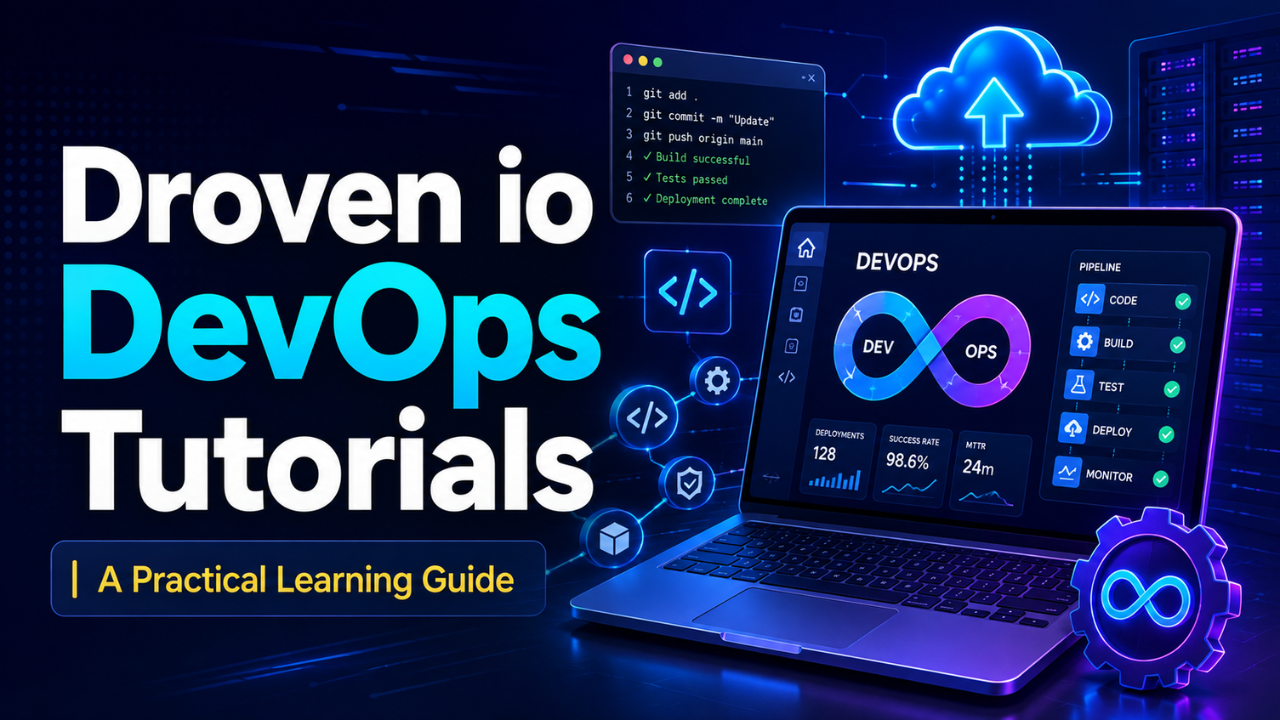
Now imagine the same update moving through an automated pipeline. The code is tested, packaged, checked, and deployed using a repeatable process. If something fails, the team can see where it happened. That’s DevOps in a practical sense.
When following Droven io DevOps tutorials, focus on the workflow behind each lesson. Ask what problem the tool solves, where it fits in the delivery process, and what would happen without it.
This keeps you from becoming someone who recognizes tool names but can’t connect them. Knowing how Git, Docker, Jenkins, Terraform, and monitoring tools work together is far more valuable than memorizing dozens of isolated commands.
Build a CI/CD Pipeline You Can Explain
Continuous integration and continuous delivery, usually shortened to CI/CD, sit near the center of modern DevOps work.
The idea is straightforward. Whenever a developer updates the code, an automated pipeline checks it. The pipeline might install dependencies, run tests, build the application, scan for obvious security problems, and prepare a deployable package.
Start small. You don’t need a complicated production pipeline on your first attempt.
Create a basic application and store it in a Git repository. Configure a pipeline that runs one test whenever code is pushed. Once that works, add a build step. Then add deployment to a test environment.
Suppose your application contains a simple contact form. You change one validation rule and push the update. The pipeline runs automatically, but a test fails because the new rule blocks valid email addresses. That failure is useful. It prevents broken code from reaching users.
Pay attention to each pipeline stage while working through a tutorial. Don’t copy the configuration and move on. Temporarily remove a command, change a path, or create a deliberate error. Seeing how a pipeline fails teaches you how to repair it later.
A strong beginner should be able to explain the pipeline in plain language: code enters here, tests run there, the application is packaged, and deployment happens only if every required check passes.
Containers Make More Sense When You Solve a Real Problem
Docker is often one of the first tools people connect with DevOps. Its commands are easy enough to learn, but the reason containers matter can take longer to understand.
Here’s a familiar situation. An application runs perfectly on the developer’s computer but fails on the test server. The server has a different software version, a missing package, or an incorrect configuration.
A container packages the application with the environment it needs. Instead of giving another person a long setup document, you give them a consistent, portable unit to run.
A useful Docker tutorial should help you create an image, start a container, expose a port, manage environment variables, and inspect logs. After that, try containerizing a small project of your own. Personal experiments reveal problems that polished demonstrations rarely show.
You might forget to include a required file or accidentally copy a password into the image. Fixing those mistakes builds practical understanding.
Kubernetes can come later. Learn how one container behaves before trying to manage twenty of them across several machines. There’s no prize for rushing into orchestration without understanding the workload being orchestrated.
Infrastructure as Code Removes the Guesswork
Servers are easy to configure badly when every change is made by hand. One person enables a setting, another installs a package, and six weeks later nobody remembers why the environment behaves differently from the documentation.
Infrastructure as code solves much of that confusion. Tools such as Terraform let you describe infrastructure in configuration files. Those files can define networks, virtual machines, storage, security rules, and other cloud resources.
Because the configuration lives in version control, the team can review changes before applying them. It also becomes easier to rebuild an environment after a failure.
Picture a test server that someone accidentally deletes. With a manual setup, the team may spend hours recreating it from memory. With a well-maintained Terraform configuration, rebuilding can be much faster and more consistent.
Start by creating one small resource. It could be a virtual machine, storage bucket, or basic network. Review the proposed changes before applying them. Then modify the configuration and observe how the tool updates the existing infrastructure.
Be careful with cleanup. Cloud resources may continue to cost money even when you’re no longer using them. A good learning routine includes checking what was created and safely removing temporary resources after practice.
Monitoring Begins After Deployment
Getting an application online isn’t the end of the job. It’s the moment real operational work begins.
An application can appear healthy while users experience slow pages, failed payments, or random timeouts. Basic monitoring helps you see those problems before they turn into a flood of complaints.
Logs tell you what happened. Metrics show how a system behaves over time. Alerts tell the right person when something crosses an important limit. These three parts work best together.
For example, a server’s CPU usage might suddenly jump from 30% to 95%. The metric shows the spike, an alert gets triggered, and the logs reveal that one endpoint is receiving thousands of unexpected requests.
Don’t create an alert for every tiny change. That leads to alert fatigue, where people start ignoring notifications because most of them don’t require action. Focus on conditions that affect users or threaten system stability.
When practicing, deploy a small application and create a controlled problem. Stop the service, send repeated requests, or introduce a harmless error. Then check whether your monitoring setup notices it. This simple exercise makes observability feel real rather than theoretical.
Security Should Be Part of the Process
Security checks shouldn’t be saved for the final day before release. By then, fixing a serious issue may require major changes.
DevOps teams often integrate security into the normal delivery workflow. Code dependencies can be scanned for known vulnerabilities. Container images can be checked before deployment. Secrets can be stored outside source code, and infrastructure changes can be reviewed for unsafe permissions.
One common beginner mistake is placing database passwords or access keys directly inside a repository. Even if the repository is private, those credentials can leak through copied files, logs, screenshots, or account mistakes.
Use environment variables or a proper secrets-management service instead. Also learn the principle of least privilege: an account should receive only the permissions it genuinely needs.
Let’s be honest, security configuration can feel inconvenient during a small practice project. Still, good habits are easier to build at the beginning than to add after years of careless work.
How to Get More From Droven io DevOps Tutorials
Watching or reading a tutorial creates the feeling of progress, but real learning happens when you reproduce the work without constant guidance.
After completing one of the Droven io DevOps tutorials, close the instructions and rebuild the project from memory. You’ll quickly discover which parts you understood and which commands you only copied.
Keep short notes, but write them in your own words. Instead of recording “docker build -t app,” add what the command does, where it must run, and what common error you encountered. Those details will help months later.
It’s also worth changing something in every practice project. If the tutorial deploys a basic Node.js application, try a Python application next. If it uses one environment, create separate testing and production configurations. If the pipeline runs one test, add another stage.
Small changes force you to think. Exact copying doesn’t.
A public portfolio can strengthen this process. Save clean versions of your configuration files, include a useful README, and explain the architecture. Employers and clients are usually more interested in a small system you understand completely than a giant project you can’t explain.
Mistakes That Slow Down DevOps Beginners
The biggest mistake is trying to learn every popular tool at once. DevOps has a huge ecosystem, and new tools appear constantly. Chasing all of them leads to shallow knowledge and unfinished projects.
Pick one tool for each basic job. Use Git for version control, one CI/CD platform, Docker for containers, Terraform for infrastructure, and one monitoring stack. Learn how they connect before exploring alternatives.
Another problem is ignoring Linux fundamentals. Many DevOps tasks happen on Linux servers, so you should feel comfortable navigating directories, managing permissions, inspecting processes, reading logs, and using secure shell connections.
Cloud bills also deserve attention. A forgotten virtual machine or database can remain active after a lesson ends. Set budget alerts and review your resources regularly.
Finally, don’t hide from errors. A failed deployment isn’t wasted time. It’s often the most valuable part of the session. Read the error message, inspect the logs, form a theory, and test one change at a time.
That troubleshooting habit matters more than memorizing a perfect setup.
A Practical Path Forward
Droven io DevOps tutorials can give you direction, but consistency turns that guidance into a real skill. Begin with Git and Linux, build a small CI/CD pipeline, containerize an application, define basic infrastructure, and add monitoring.
Keep the project manageable. Break it deliberately. Repair it carefully. Then rebuild it without following every step.
DevOps starts making sense when the tools stop looking like separate topics and become parts of one dependable delivery process. That connection is the real goal—and once you see it, learning the next tool becomes much easier.