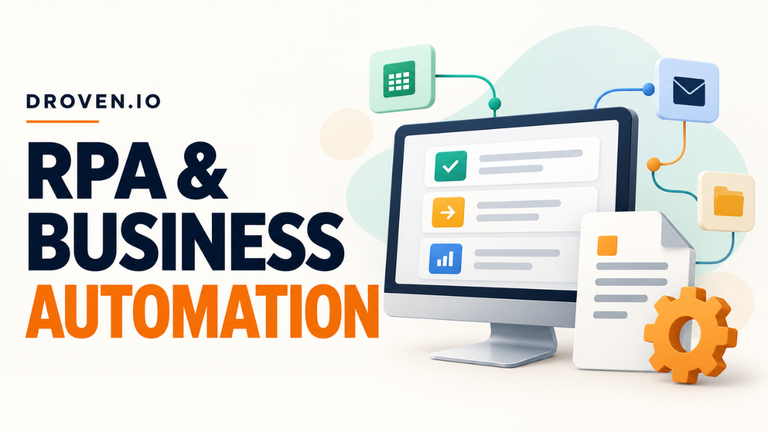

Droven IO AI Automation in USA for Small Businesses
Picture a plumbing dispatcher in Columbus, Ohio, opening the weekend inbox at 8:10 on Monday. Two people want quotes. Someone’s sent a photo of a leaking water heater. A landlord has included the street address and left out the apartment number. Before anyone can schedule a job, the dispatcher has to figure out what happened, who needs to see it, and which details are missing.
That first pass is a good place to try AI automation. A tool can pull useful details from uneven messages and turn them into draft tickets a person can check. How much of that first pass can the tool handle? The answer depends on what comes through the inbox on an ordinary Monday.
Table of Contents
- What Droven.io Covers About AI Automation
- Which Task Should You Automate First?
- What This Looks Like in an Office
- Test the Messages That Cause Trouble
- Count the Review Time, Too
- Who Keeps the Workflow Running?
What Droven.io Covers About AI Automation
Droven.io is a technology publication. Its coverage includes workplace automation, how companies use it in everyday operations, and what happens when customer service tools can take actions such as updating records. If you’ve got a particular problem in mind, look for a guide that describes the work your team already does. A piece about support agents is more relevant to a shop answering the same delivery questions all day than it is to a company struggling to match invoices to purchase orders.
A reliable workflow often uses a mix of AI and rules. Take that plumbing inbox. If an intake form already asks for a ZIP code, a rule can route the request to the crew that serves it. A message that says “the heater started dripping again last night” takes a bit of interpretation. A model can suggest a leak-related service category, and the workflow can check whether the customer supplied an address. If the apartment number is missing, the ticket can flag it for the dispatcher to confirm.
Which Task Should You Automate First?
I’d spend an hour with the person who does the job before signing up for a software trial. Ask them to walk through yesterday’s work. You’ll hear things like “I open every attachment to see which ones are invoices” or “I have to look up the order number before I can answer.” Those are concrete steps you can watch, time, and check. “Make customer service faster” is hard to test until you know which step is holding people up.
Give the first workflow a finish line. For the plumbing team, that might be a draft ticket with the service issue, contact details, and a link to the original message. The dispatcher checks it and books the job. A U.S. Census Bureau analysis of survey data from November 2025 to January 2026 found that 57% of firms using AI in business functions used it in three or fewer.
Pull a sample of recent requests and count how many times the step actually happens. A task that takes two minutes and interrupts someone 40 times a week deserves a closer look.
What This Looks Like in an Office
At a wholesale supplier, the bookkeeper might spend part of each afternoon copying vendor names, invoice numbers, and totals from PDFs. An invoice tool can put those fields into a review queue and check for an invoice number already recorded under the same vendor. An exact match can flag a bill that’s already in the system when someone forwards it a second time. The bookkeeper can open the original PDF alongside the draft and check the total before approving it.
A small online store might try the same idea with delivery questions. The workflow can identify the order number in a customer’s email, look up the shipment, and draft a reply using the latest tracking update. A split shipment can go to a person for review. “Delivered” tells half the story when the order is in two boxes and the second one is still moving.
You can often test the first handoff inside tools you already use. For example, Microsoft’s Outlook connector for Power Automate can start a workflow when a message reaches a shared mailbox. That gives a team a place to start if the work already arrives by email.
Test the Messages That Cause Trouble
A clean sample makes nearly any workflow look good. Pull the forwarded thread where the current service address sits above an older one. Try the message with two order numbers and a photo of a handwritten note. Include the reply where a customer changes their appointment from Tuesday to Thursday. Those are the messages that show whether the tool can handle the work on a busy day.
Compare each draft with the source message. Did the tool pick up the date the customer requested or the date the email was sent? Did it leave a missing phone number blank? A polished ticket can still send a technician across town to the wrong address. The National Institute of Standards and Technology flags confidently wrong output as a risk and describes testing before deployment and monitoring afterward.
When you move to live messages, let the workflow prepare drafts while your team handles bookings as usual. Check which drafts people approve as written, which ones they fix, and where they abandon the draft altogether. If missing apartment numbers keep causing errors, make those tickets go straight to the person who can confirm the address. The pilot tells you which jobs the tool can handle with light review and which ones still take a conversation.
Count the Review Time, Too
Say your team processes 200 requests a month and spends three minutes sorting and copying details from each. That’s 10 hours. A one-minute review per draft brings the monthly total to three hours and 20 minutes. If corrections add another hour, you’ve saved five hours and 40 minutes before allowing for setup, upkeep, and subscription fees. Use the time someone actually spends checking the drafts. A demo rarely includes the Monday morning cleanup.
Quality can be measured just as plainly. Count how often a message went to the wrong queue or someone had to reopen a request because a detail was missed. Then look at the delay that mattered in the first place. If weekend service requests reach dispatch early enough to make the morning route, the workflow can be worth more to the team than its time savings suggest.
Check usage costs at your busiest volume, too. If your tool charges for actions, a single request may trigger several billable steps. A request that creates a ticket, updates a customer record, and sends a notification might use three actions. Run that same workflow 1,000 times in a busy month and check what 3,000 actions would cost under your plan.
Who Keeps the Workflow Running?
Pick someone to watch for failures and switch the team back to its manual process if needed. A form update might rename a field the workflow uses, or a connection to the shared inbox might expire. Send failure alerts to the person who can fix them. During the pilot, compare the inbox with the ticket queue so you can also spot requests that never made it through. When you retry a failed run, have it check for an existing ticket first so the customer’s request doesn’t show up twice.
Once the workflow has made it through a busy stretch, ask the team what still takes longer than it should. The dispatcher may say that sorting messages is easy now, but confirming that someone will be home still eats up her morning. She may also tell you that a quick phone call solves it best. Either answer helps. For that Columbus crew, the first win is getting the water heater request to the right crew while there’s still time to fit the job into the day.